
TL;DR
- Prismic connects to the AI visibility tool you already run and turns a prompt you are losing into either a new page or an update to an existing one, written from your own material, from $10 a month.
- Webflow measures the most answer engines, running your prompts through ChatGPT, Gemini, Claude and Perplexity, but stops at telling you where you stand.
- Kontent.ai works across an entire content library at once, fixing gaps in bulk and expiring stale pages on a schedule, with pricing on request.
- Storyblok pairs a strong visual editor with citation tracking through its OtterlyAI partnership, which means a second vendor and a second bill.
- WordPress ships nothing native, but Rank Math, Yoast and AIOSEO have all added AI visibility features on premium tiers, none of which connect tracking to publishing.
- HubSpot is the cheapest way in, with a free AI Search Grader and tracking at $50 a month, which is worth it if you are already on HubSpot rather than a reason to migrate.
- Contentful, Adobe Experience Manager, Sanity, Drupal, Shopify, Wix and Sitecore currently ship no dedicated AI search features, but you can decide to keep the CMS and add a GEO tool alongside it.
- Do not choose on whether AI crawlers can read your pages, because across 744 live sites four out of five arrived fully readable and the platform barely moved that number.
Every CMS vendor now claims to be the best CMS for AI search, and almost none of that is checkable from a marketing page. So before ranking anything, we tested 744 live websites to see whether the platform behind a page changes what AI crawlers actually receive.
It barely does. That is why this list ranks on what a CMS genuinely decides: whether it can tell you which prompts you are losing to competitors, and whether your team can act on that without waiting for a developer.
What AI crawlers actually receive when they visit your page
When ChatGPT or Claude fetch one of your pages, they read whatever comes back straight away and do not wait for anything else to load. A browser keeps working after that first response arrives, filling in text and prices and product details. AI crawlers skip that step. Vercel analysed more than 500 million crawler requests and found no evidence of any major AI crawler running the extra code. Google's own systems are the exception.
So the question for a CMS is simple. When someone publishes a page on this platform, does the writing arrive in that first response?
To find out, we took a public research list of the world's most-visited websites, identified which CMS was behind each one from fingerprints in the site's own code, and discarded any site showing two. Then we visited one real article on each site the way an AI crawler would, taking only what came back immediately. 744 sites made it through.
Across all of them, 80% of published pages arrived fully readable, 10% partly, and 10% close to empty.
Platform | Arrives fully readable | Partly readable | Close to empty | Blocking ChatGPT's crawler |
|---|---|---|---|---|
Sanity | 91% | 7% | 2% | 4% |
Webflow | 91% | 2% | 7% | 5% |
Shopify | 88% | 4% | 8% | 8% |
Prismic | 88% | 12% | 0% | 12% |
Storyblok | 82% | 18% | 0% | 0% |
Optimizely | 82% | 9% | 9% | 0% |
Drupal | 79% | 13% | 7% | 3% |
HubSpot | 78% | 17% | 6% | 14% |
Contentstack | 78% | 0% | 22% | 0% |
WordPress | 78% | 11% | 11% | 7% |
Adobe Experience Manager | 76% | 5% | 19% | 3% |
Framer | 74% | 16% | 11% | 0% |
Contentful | 65% | 17% | 18% | 2% |
Wix | 64% | 27% | 9% | 9% |
Sitecore, Kontent.ai, Ghost and Squarespace appeared on too few sites for us to publish a figure.
Two sites on the same platform differ more than two platforms do
Most platforms sit between 76% and 91%, and that narrow band is why this article does not rank on readability. Inside WordPress alone, the article text reaching a crawler ran from nothing at all to nearly 7,000 words.
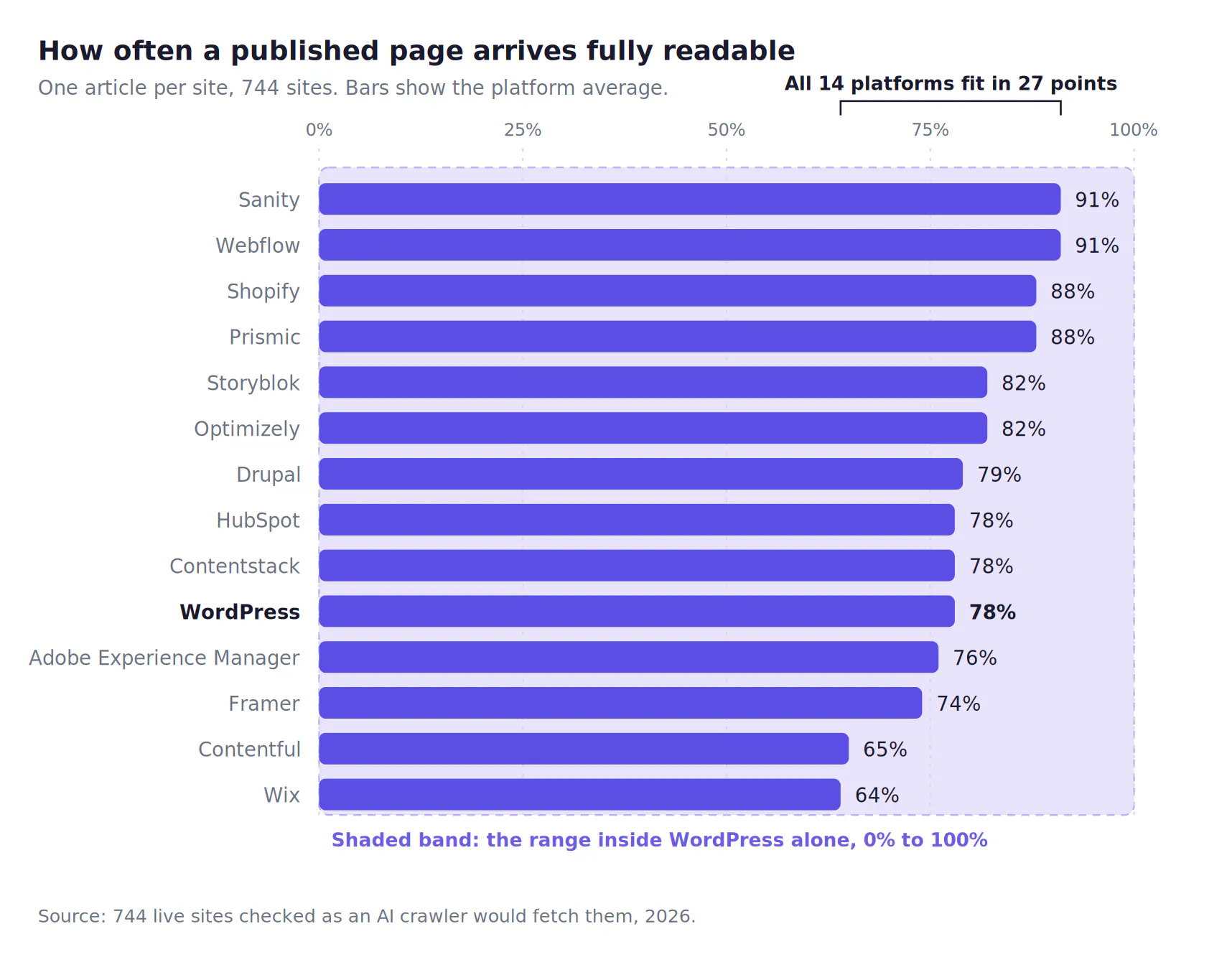
The shaded band is the range inside WordPress alone. One platform's internal spread is wider than the 27 points separating the best platform from the worst.
What predicts the difference is how a site was built, not which CMS is behind it. On every platform we could compare, sites built so the browser assembles the page came back close to empty roughly twice as often.
Two caveats before you use the table. The list favours large, high-traffic websites and we checked one article per site, so treat it as a picture of the web at scale rather than a verdict on your build. The check on your own site takes a minute: open a published page, view the page source, and look for your body copy. If it is missing, getting your content into that first response is a job for whoever builds your front end.
What we ranked the best CMS for AI search on instead
We ranked on the five things the platform genuinely decides. Two come straight from questions buyers ask in evaluations, and all five assume you have already run the checks that come before any rewrite.
1. How fast you can unblock a page. Something on your site can quietly tell AI crawlers to go away, and it is often a setting nobody remembers switching on. One in twenty sites we checked was blocking ChatGPT's crawler outright. Can a marketer find and change that today, or does it join a developer's queue?
2. Whether it shows which prompts you lose and which pages get cited instead of yours. Not a score out of a hundred. It has to break down by topic, because a brand can win "best gaming laptops" and lose "best student laptops" while the overall number looks healthy.
3. Whether it tells you what to do about the gap, and whether that is the right thing. A dashboard that ends at a number leaves the work with you. The harder test is whether it separates "write a new page" from "update the page you already have". A platform that cannot tell the difference will hand you ten near-identical articles that win ten prompts and make your site worse for the people who arrive.
4. Whether your team can ship the fix without a developer. This decides whether any of the other four ever happen.
5. Whether it keeps existing pages current. Cited pages tend to be fresher than pages that merely rank, so a platform that only makes new pages cannot act on half the opportunity.
6. Whether it ships dedicated AI search features at all. This is the qualifying question, and most of the market currently fails it. Plenty of good CMS platforms have shipped nothing here yet, and a marketing page mentioning AI is not the same as a feature. Six platforms below have built or integrated something specific. We name the ones that have not, and why, further down rather than padding the ranking.
The 6 best CMS platforms for AI search visibility
Six platforms ship or integrate something specific for AI search. Every other platform we tested ships nothing dedicated, and we cover what that means for you below.
1. Prismic
A CMS is a publishing tool, and Prismic's bet is that publishing should be driven by what AI search is already telling you. It connects to the AI visibility platform you already run, so the gap it finds is a real prompt you are losing rather than a guess.
AI search features
- Content recommendation: connects to Peec AI, Profound and similar AI visibility tools, pulls in your tracked prompts and rankings, works out the fan-out queries behind them, checks those against your existing pages, and tells you what to create or update.
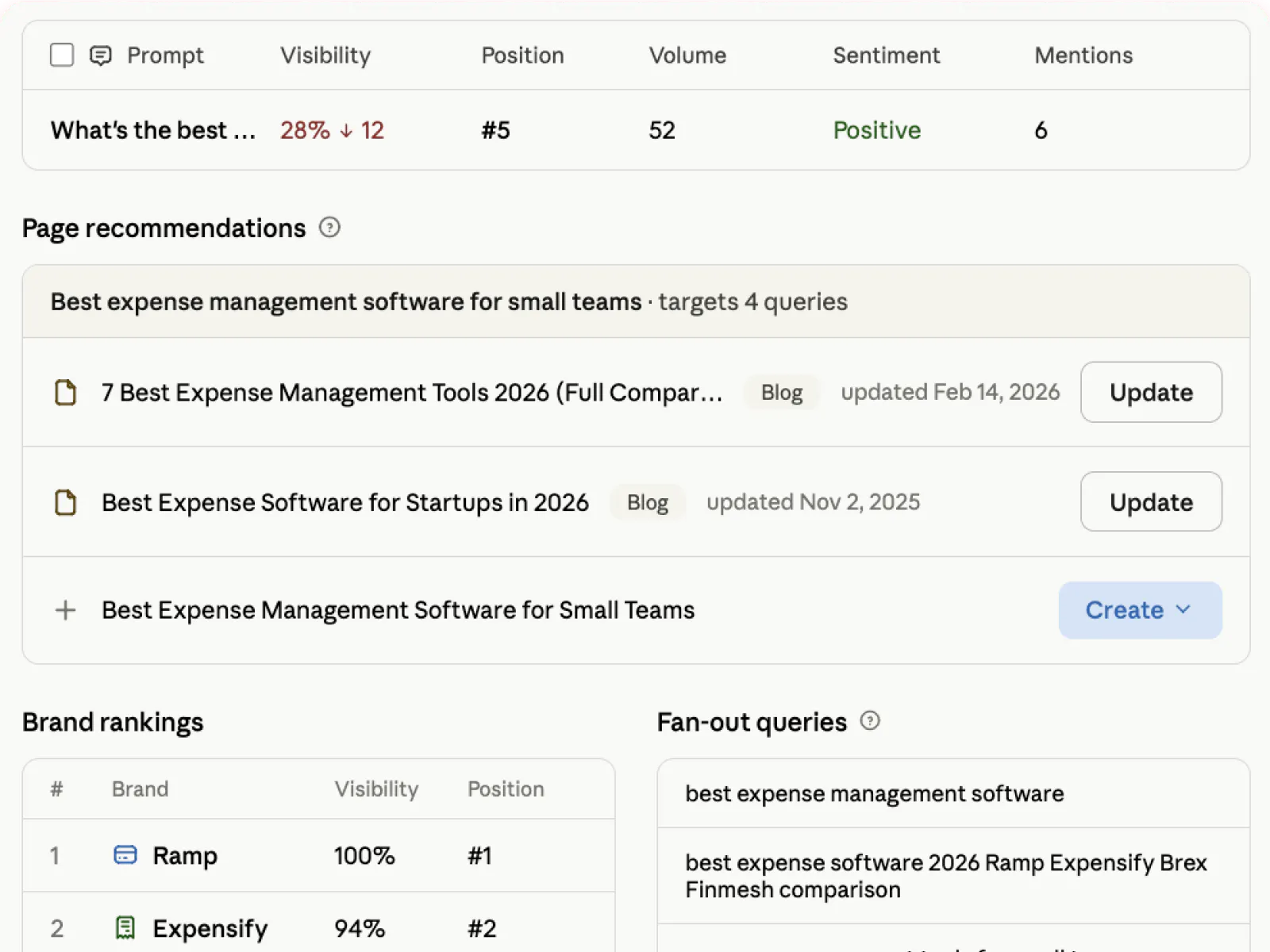
- Original content creation: researches what is currently cited and ranking, then drafts the page in your voice using your own material, including sales calls, internal docs, Notion and Google Drive. Playbooks hold your brand voice, writer guidelines and structure per content type.
- Content refresh: the same pipeline updates existing pages, so a gap that belongs on a page you already have becomes an edit rather than a new URL.
- Built-in schema and page structure aimed at how AI search parses content.
- Free GEO audit for a first read on where you stand before committing to anything.
- Publishes straight into Prismic, or pushes to your existing CMS through an integration if you are not moving platform.
Best for: teams who want headless architecture and the speed and flexibility that come with it, with a marketing team owning search strategy end to end rather than filing requests.
Limitations
- It does not measure AI visibility itself. It acts on data from a tracking tool, so you need one of those running alongside it, and teams without one get the publishing speed without the targeting.
- Every step is built around human review before anything goes live, which is the right default but means it is not a set-and-forget system.
- Built for websites and landing pages rather than pushing content to apps, kiosks and other channels.
Pricing: free tier, then from $10 per month.
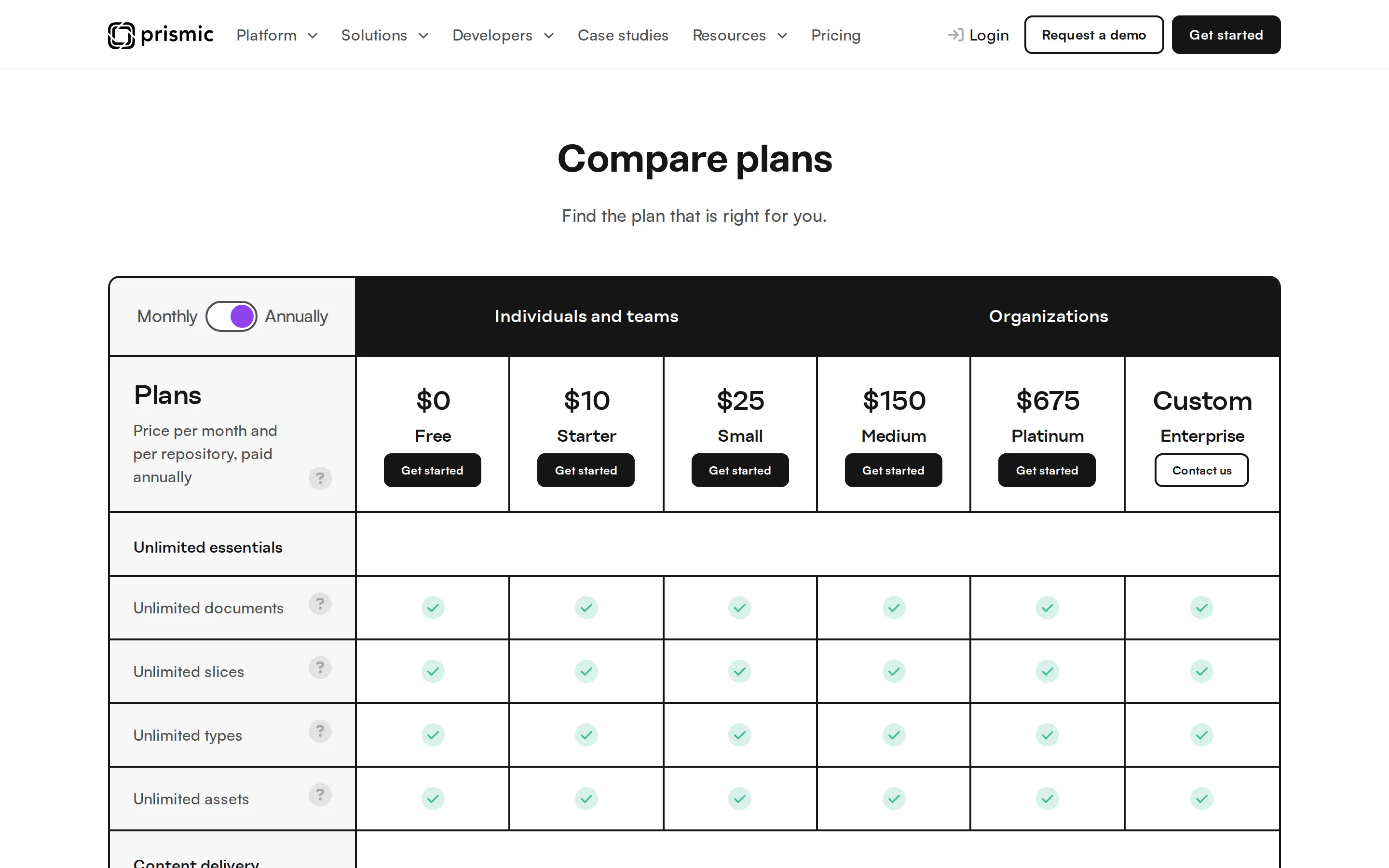
The $10 Starter tier sits between the free plan and the $25 Small plan. Captured 11 August 2026.
2. Webflow
Webflow measures more answer engines than anything else here, and pairs that with a visual site builder.
AI search features
- Answer-engine analytics: runs your tracked prompts through ChatGPT, Gemini, Claude and Perplexity, showing visibility, citations and the full response text so you can read what was said about you.
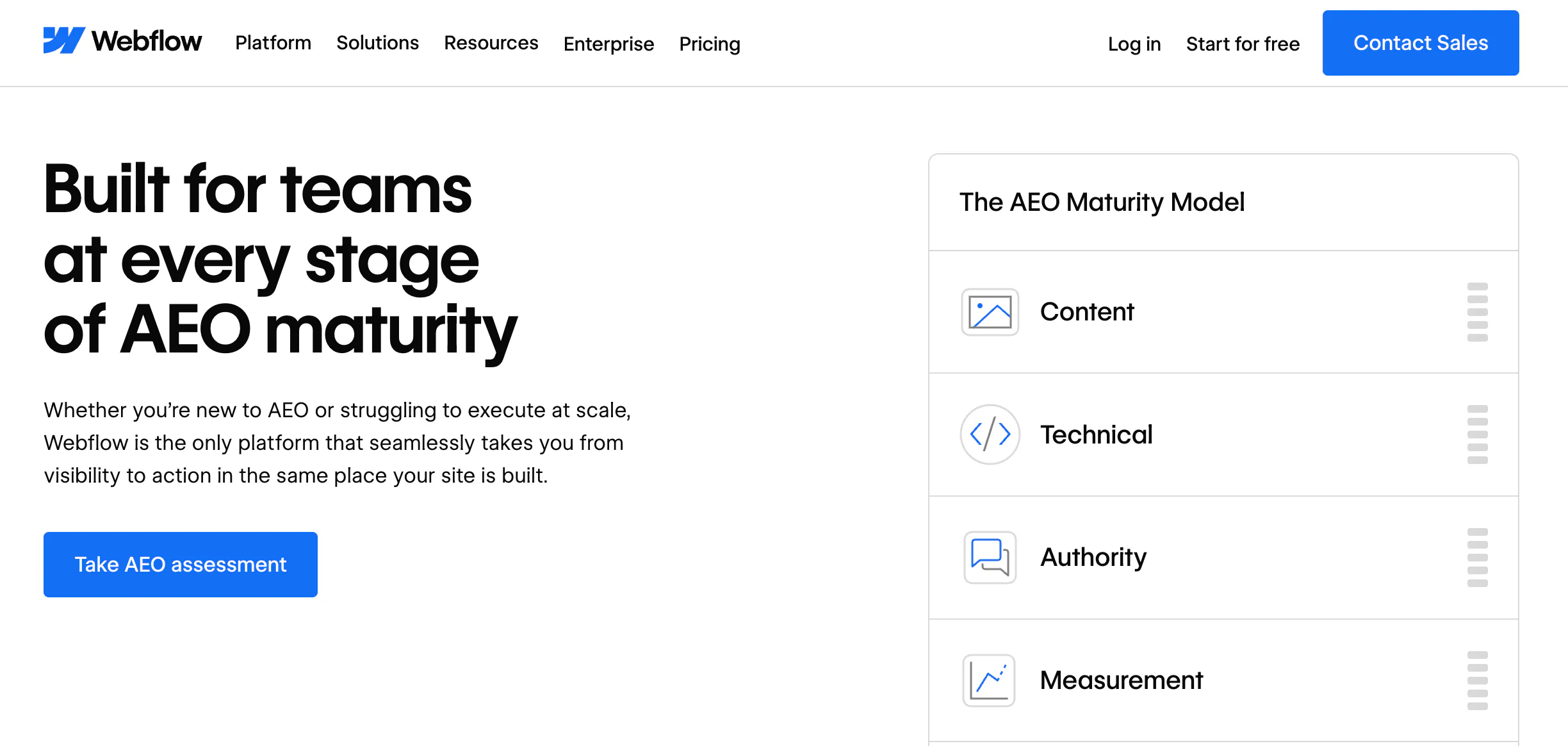
- Native schema generation inside page settings, bound to CMS fields, without custom code.
- Audit panel and analytics covering the technical checks that decide whether a crawler can use the page.
- Its sites arrived fully readable 91% of the time in our test, the joint-highest figure we measured.
Best for: marketing teams already building in Webflow who want measurement in the same place as the content, with someone able to turn a visibility report into a content plan.
Limitations
- It measures, it does not decide. No view on whether a gap needs a new page or a rewrite, which leaves the hardest judgement with whoever opens the dashboard.
- No automated refresh of existing pages.
- Deeper collaboration, scale and governance features sit on the Enterprise tier.
Pricing: published tiers, with AEO capability weighted toward Enterprise.
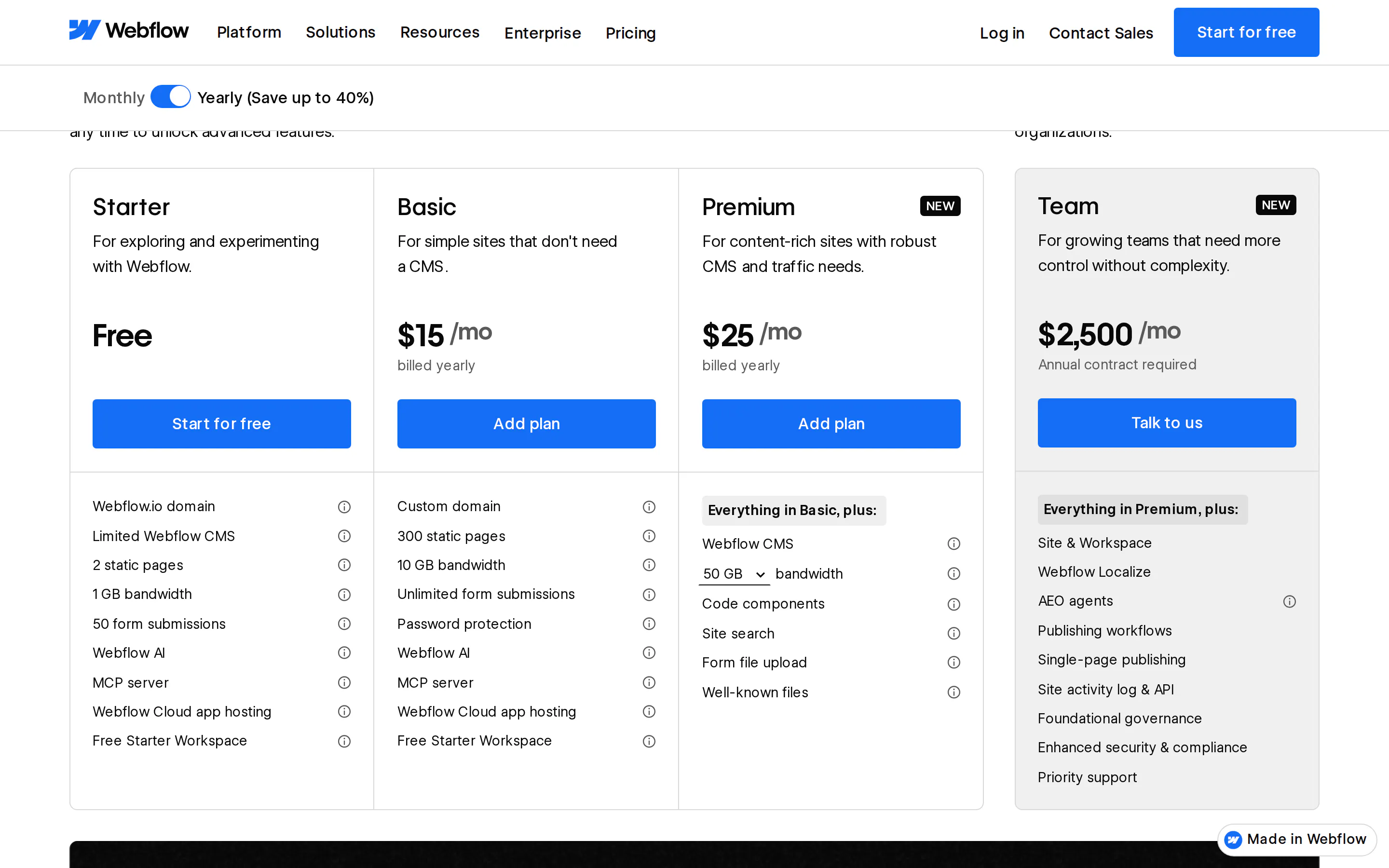
AEO agents appear in the Team tier's feature list, not in the $15 or $25 site plans. Captured 11 August 2026.
3. Kontent.ai
Kontent.ai is aimed at large content libraries, where the problem is the backlog rather than the rate of new pages.
AI search features
- Inventory-wide agents: scan the entire library rather than working page by page, flagging missing metadata, weak structure, incomplete alt text and inconsistent taxonomy, then applying fixes in bulk.
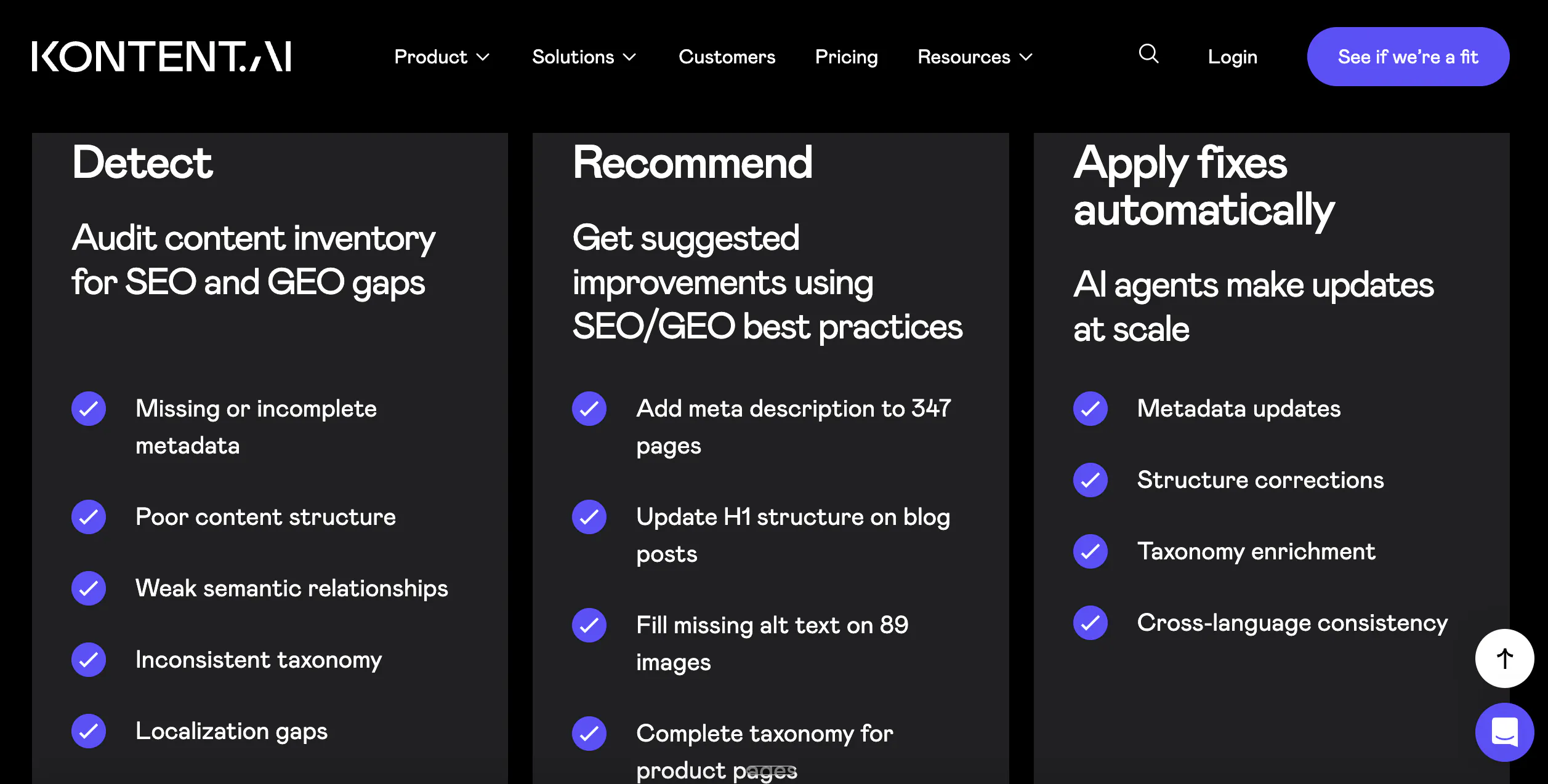
- Content freshness tools: scheduled expiry for time-sensitive pages, version history, and archiving for content that has stopped earning its place.
- Localisation handling for multi-region estates.
Best for: established brands with a decade of published pages, where the pages that could be cited and are not will always outnumber the ones worth writing from scratch.
Limitations
- It works from content quality signals rather than from prompt-level visibility data, so it improves the library without telling you which AI answers you are losing.
- No connection to external AI visibility platforms, so the targeting layer is missing.
- Onboarding is demanding for teams new to enterprise content modelling.
Pricing: on request, which makes it hard to compare against platforms that publish theirs.
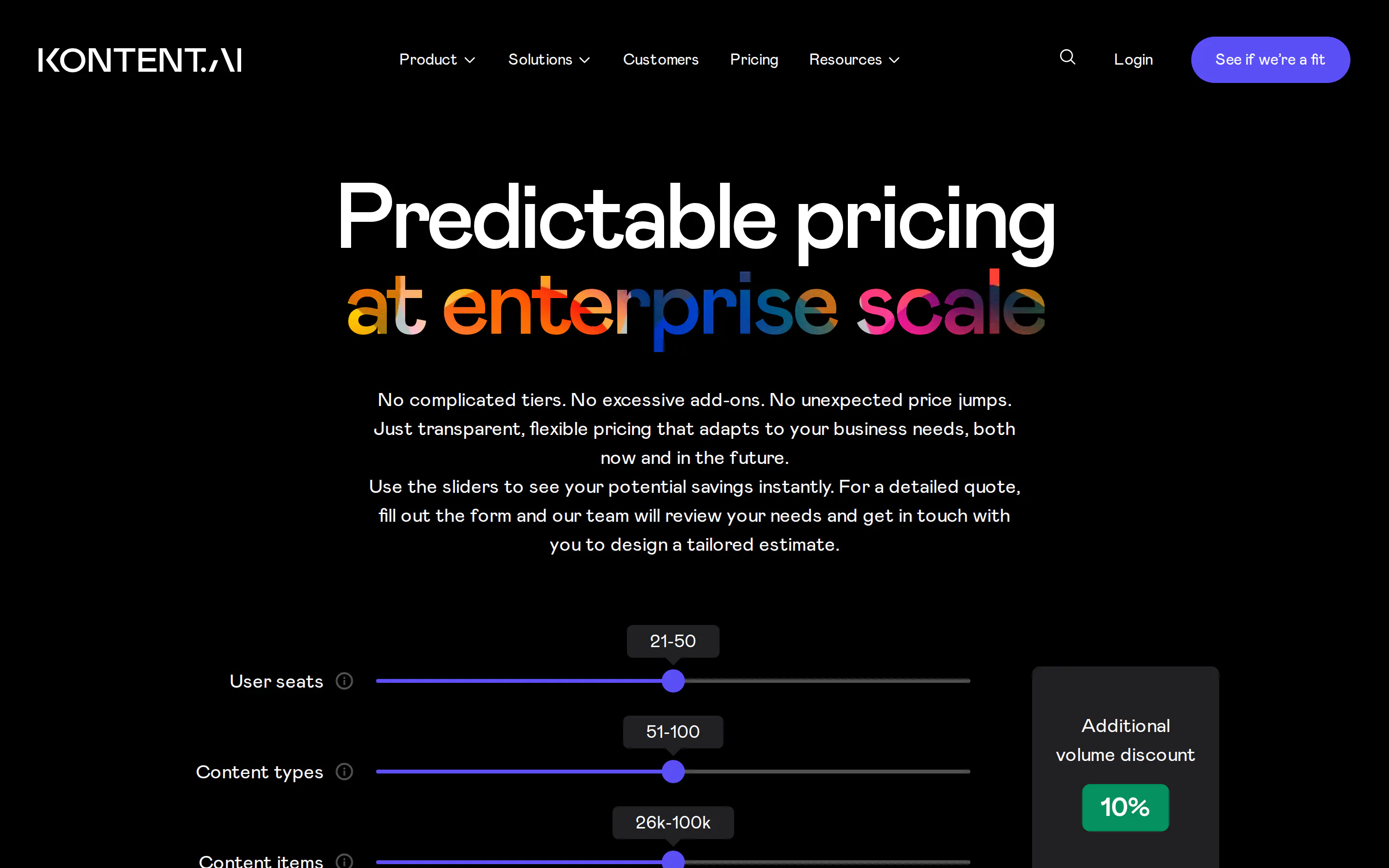
Sliders and a quote form, no figures. This is what “pricing on request” looks like when you go to compare it. Captured 11 August 2026.
4. Storyblok
Storyblok's AI search tooling comes from a partnership rather than from Storyblok itself.
AI search features
- OtterlyAI integration: tracks when and where your content is cited, shows gaps where your brand is missing from answers, benchmarks against competitors and runs GEO audits, reported inside the CMS.
- AI SEO app: generates metadata in one click and flags weak elements before publishing.
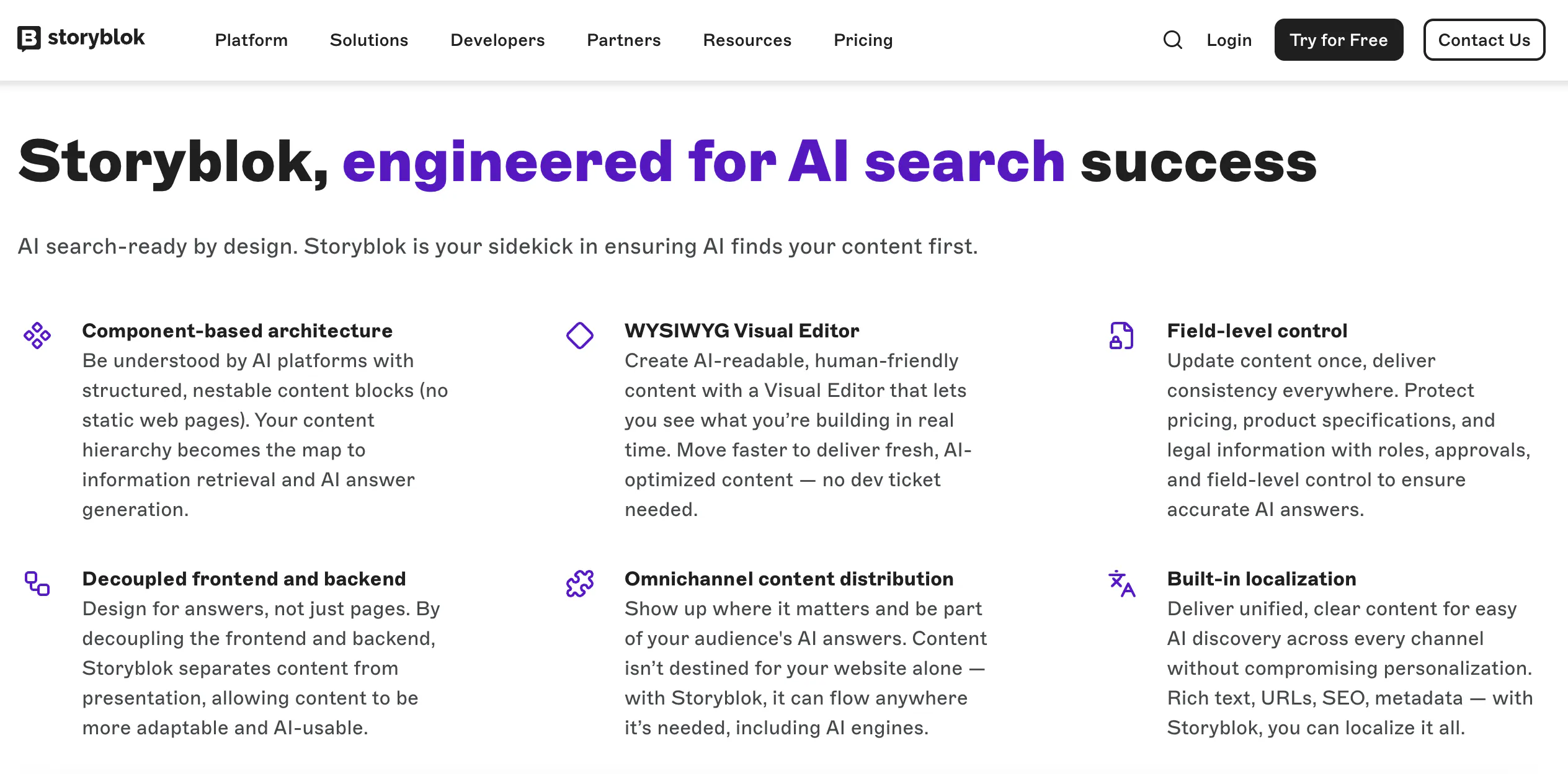
- Component-based blocks giving editors visual editing without developer involvement.
Best for: teams who want a component-based CMS with strong visual editing first, and citation tracking as a well-integrated addition rather than the reason for buying.
Limitations
- The tracking is a second vendor, a second contract and a second bill, and lasts as long as the partnership does.
- No decision layer: it reports gaps rather than resolving them into a new page or an update.
- A thinner plugin ecosystem than most competitors here.
Pricing: free tier, then from roughly €90 per month.
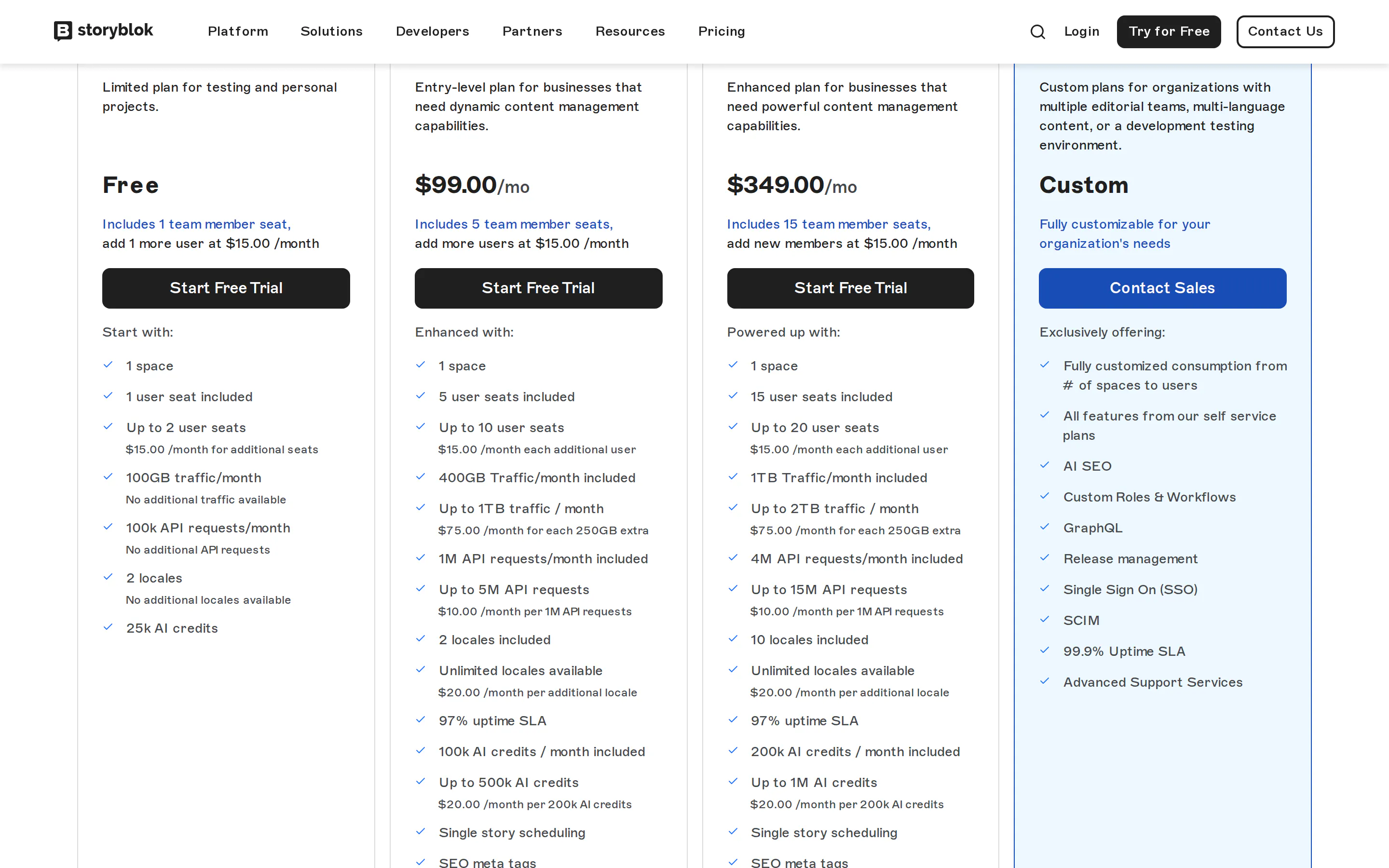
The entry paid tier reads $99.00 on the USD page, roughly the €90 quoted above. AI SEO is listed under the custom Enterprise tier. Captured 11 August 2026.
5. WordPress
WordPress runs a large share of the web and buys capability through plugins rather than shipping it, which applies here as much as anywhere.
AI search plugins:
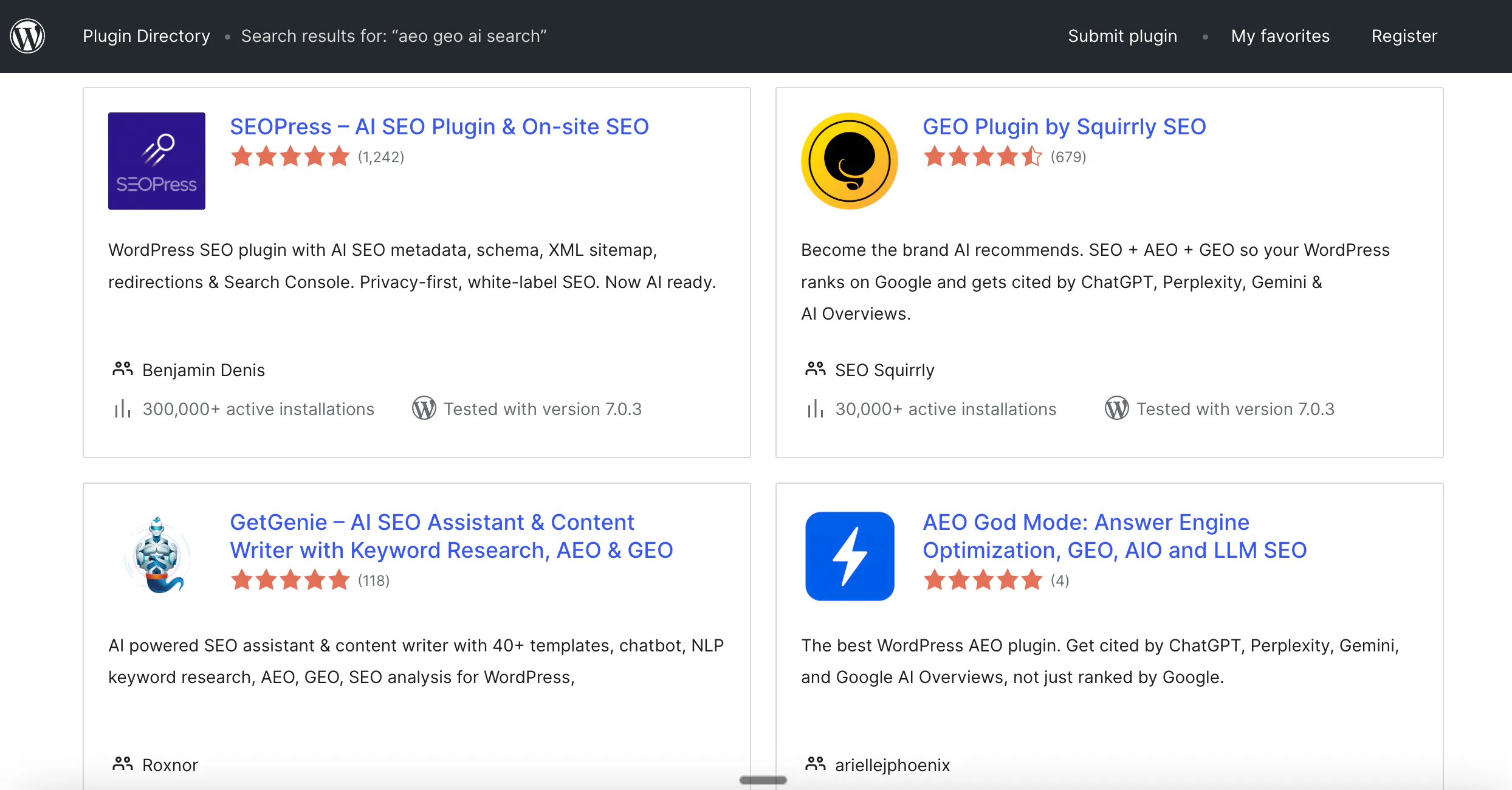
- Rank Math now includes AI Visibility inside WordPress: a visibility score, citation and mention tracking with sentiment, competitor comparison and full AI response transcripts. ChatGPT is live, with Perplexity, Gemini, Claude and AI Overviews listed as coming.
- Yoast SEO puts AI features in Premium, and its AI+ tier adds browser-based tracking of brand mentions across ChatGPT, Gemini and Perplexity.
- AIOSEO added an AI assistant, an LLMs.txt generator and MCP integration in July 2026, alongside author profile features aimed at expertise signals.
- Every technical setting that decides whether crawlers reach you is reachable without a developer once a plugin is installed.
Best for: teams already on WordPress who want to assemble the workflow piece by piece and have someone willing to own the plugin stack.
Limitations
- No plugin connects visibility data to publishing. They tell you where you stand and leave the writing, the decision and the publishing to you.
- Coverage is uneven and changing fast: most AI visibility tracking is single-engine today, and the deeper features sit behind premium tiers on every major plugin.
- Capability is spread across several plugins that each need updating, auditing and paying for.
Pricing: free, plus premium tiers that commonly run to several hundred dollars a year once AI features are included.
6. HubSpot
HubSpot has the cheapest entry point in this list, and the shallowest.
AI search features
- AI Search Grader: a free one-time check, no account needed, scoring how AI systems recognise and describe your brand.
- Answer-engine tracking: ongoing monitoring as a paid add-on, or included with Marketing Hub Professional and Enterprise.
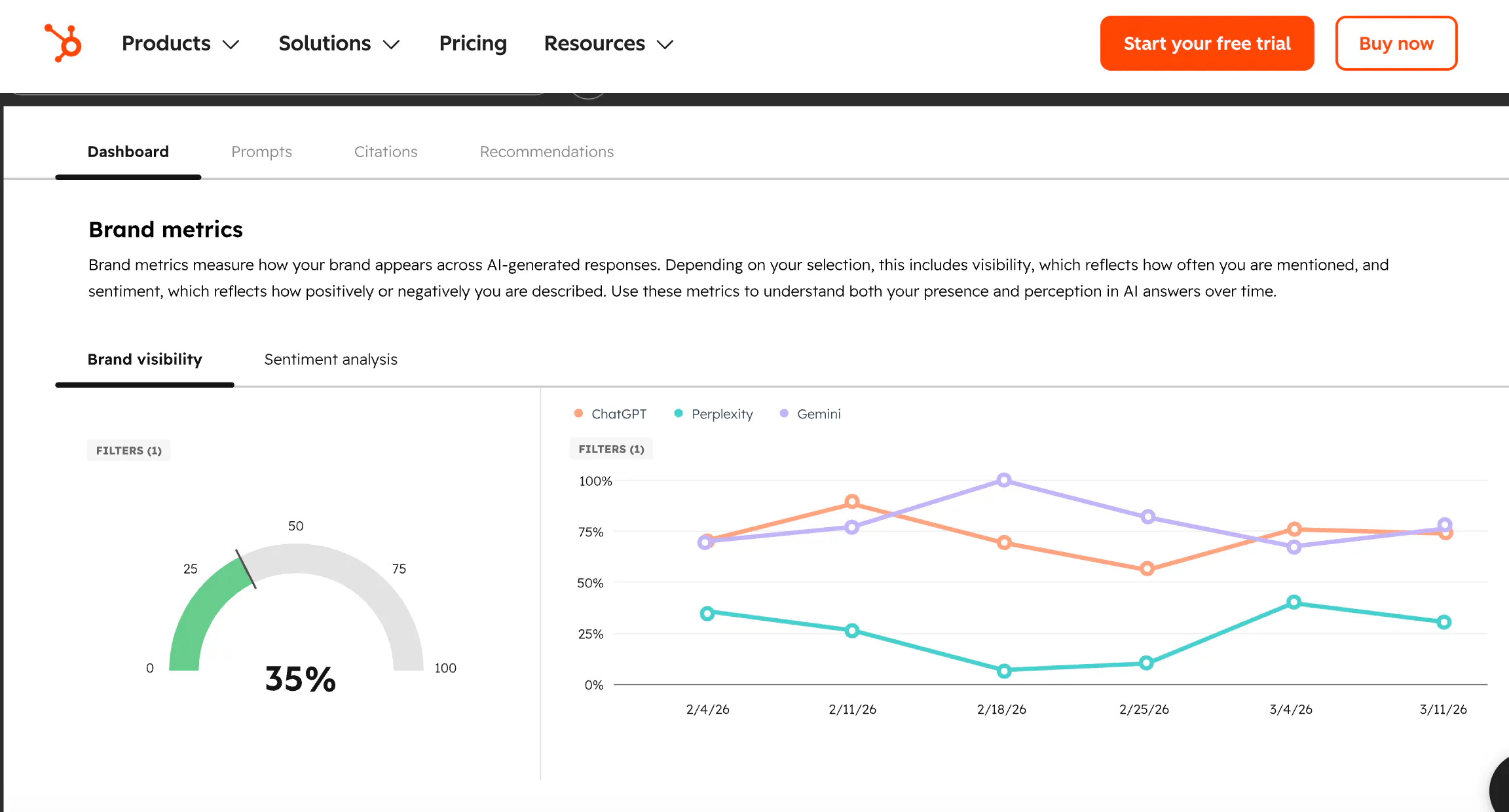
The grader scores each engine separately, and they disagree: 63 from ChatGPT against 71 from Gemini for the same brand on the same day. Captured 11 August 2026.
Best for: teams already running the rest of their marketing stack on HubSpot who want a baseline before spending anything.
Limitations
- Tracking stops at telling you where you stand. Turning it into published pages is your team's job.
- Nobody migrates to HubSpot for its CMS, and this does not change that.
- No content refresh capability: nothing identifies stale pages or updates them.
Pricing: grader free, tracking $50 per month as an add-on.
How the six compare
These columns are the questions that recurred in buyer evaluations, rather than the features vendors lead with.
Platform | Shows which pages get cited | Decides new page vs update | Refreshes existing pages | Entry price |
|---|---|---|---|---|
Prismic | Yes | Yes | Yes | From $10/mo |
Webflow | Yes | No | No | Published tiers |
Kontent.ai | Yes | Yes | Yes | On request |
Storyblok | Via OtterlyAI | No | No | From ~€90/mo |
WordPress | Via plugins | No | Via plugins | Free plus plugins |
HubSpot | Paid add-on | No | No | $50/mo add-on |
The two things we did not rank on
Schema markup and llms.txt are scored by nearly every comparison in this category. Both have been tested by people with no product to sell, and neither earns a place in a ranking.
Adding schema to a page produced movement indistinguishable from zero in the largest controlled test, and no AI system reads markup at the moment it fetches a page. What does correlate with citations is markup carrying real prices and ratings, which works because those facts are on the page. Keep your schema, put the numbers where a reader can see them, and stop treating it as a lever. As for llms.txt, 97% of these files received no traffic at all in a month across 137,000 sites.
Ahrefs ran the controlled test behind the schema finding, and we have covered the full evidence for both, including where it is genuinely contested, in our diagnostic for pages that rank but never get cited.
Choosing between them
Work through the five criteria in order, because they fail in order.
If your pages arrive close to empty, or something is blocking AI crawlers, nothing else helps until that is fixed, and no platform on this list fixes it for you. Check your own site, then ask any platform you are evaluating how quickly a marketer can change that setting.
If your pages are readable and you still do not appear, the constraint is knowing which questions you lose. Every platform in the ranking answers that, WordPress with plugins and Storyblok through a partner. Prismic and Kontent.ai then decide what to do about it.
If most of your value sits in pages you published years ago, weight the refresh criterion above everything else, and treat platforms that only generate new pages as a partial answer.
One thing worth saying plainly for the whole category: you do not have to replace your CMS to do any of this. Tracking tools work alongside whatever you already run. The case for a platform that closes the loop is that it removes handoffs, not that the alternative is impossible.
Frequently asked questions
Turn a prompt you are losing into a published page
We will take a real prompt you are losing today and show you the pages Prismic would build to close it, using the visibility data you already collect.
Prismic makes a page builder and a set of AI agents for search and AI visibility, and appears in the ranking above. The measurement behind this article was run across a neutral public sample of websites, and the figures for Prismic are reported on the same basis as every other platform, including where they are unflattering.
Keep reading