
Choosing an enterprise headless CMS isn't just a technical decision—it's a strategic one. The platform you pick will determine how fast your marketing team can move, how well your content scales across regions and channels, and how cleanly you can integrate with the rest of your digital stack.
This guide covers the 10 best enterprise headless CMS platforms in 2026, what makes each one stand out, and how to choose the right fit for your team.
TL;DR (Main takeaways)
- All 10 platforms covered—Prismic, Contentful, Hygraph, Sanity, Contentstack, Kontent.ai, Storyblok, Strapi, Payload, and Webiny—meet the core requirements for an enterprise-grade headless CMS, but each has a distinct strength that makes it the right fit for a specific team or use case.
- Prismic stands out for its slice-based page building, letting non-technical teams assemble pages from reusable components without coding.
- Contentful is the industry standard for global enterprises that need robust localization and multi-channel content delivery.
- Hygraph is the leader in GraphQL-native content federation, letting you query multiple data sources through a single API endpoint.
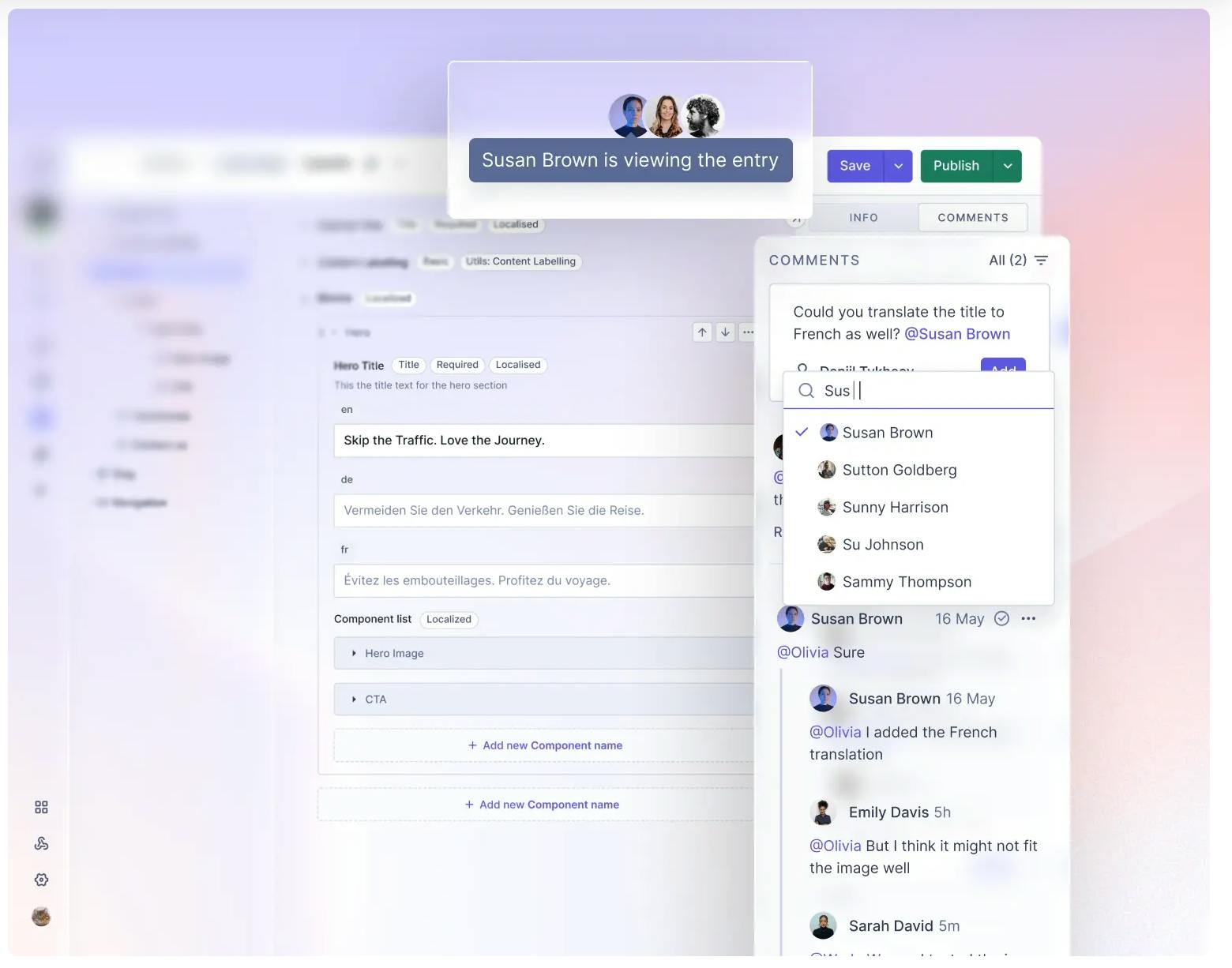
- Sanity excels at real-time collaboration, with live co-editing and a fully customizable Studio.
- Contentstack is built for complex enterprise content workflows with granular permissions and approval flows.
- Kontent.ai leads in governance and compliance, with SOC 2, ISO 27001, and HIPAA support, as well as AI-assisted brand guardrails.
- Storyblok offers the most intuitive visual/WYSIWYG editing experience, letting marketers build pages by clicking directly on a live front-end preview.
- Strapi provides developers with full open-source customization with complete control over content models, APIs, and self-hosted infrastructure.
- Payload is Next.js-native—it installs directly into your existing app folder with no separate infrastructure needed.
- Webiny is purpose-built for serverless infrastructure on AWS, with built-in page and form builders.
Best Enterprise Headless CMS at a Glance
Platform | API Type | Best For |
|---|---|---|
Prismic | REST | Slice-based page building for non-technical teams to assemble pages without coding. |
Contentful | REST + GraphQL | Robust localization for digital-first enterprises with global content needs. |
Hygraph | GraphQL | GraphQL-native content federation — query multiple data sources from one endpoint. |
Sanity | REST + GROQ | Real-time collaboration with live presence indicators and programmable content workflows. |
Contentstack | REST + GraphQL | Complex enterprise content workflows with granular permissions and approval flows. |
Kontent.ai | REST + GraphQL | Enterprise content governance with AI-assisted brand compliance (SOC 2, ISO 27001, HIPAA). |
Storyblok | REST + GraphQL | Visual page building with a WYSIWYG drag-and-drop editor on live front-end previews. |
Strapi | REST + GraphQL | Open-source customization with full developer control over content and API structure. |
Payload | REST + GraphQL | Next.js-native development — installs directly into your /app folder, no extra infra needed. |
Webiny | REST + GraphQL | Serverless infrastructure on AWS with built-in page builder and form builder. |
Top 10 Enterprise Headless CMS Platforms
1. Prismic
Best for: slice-based page building for non-technical teams
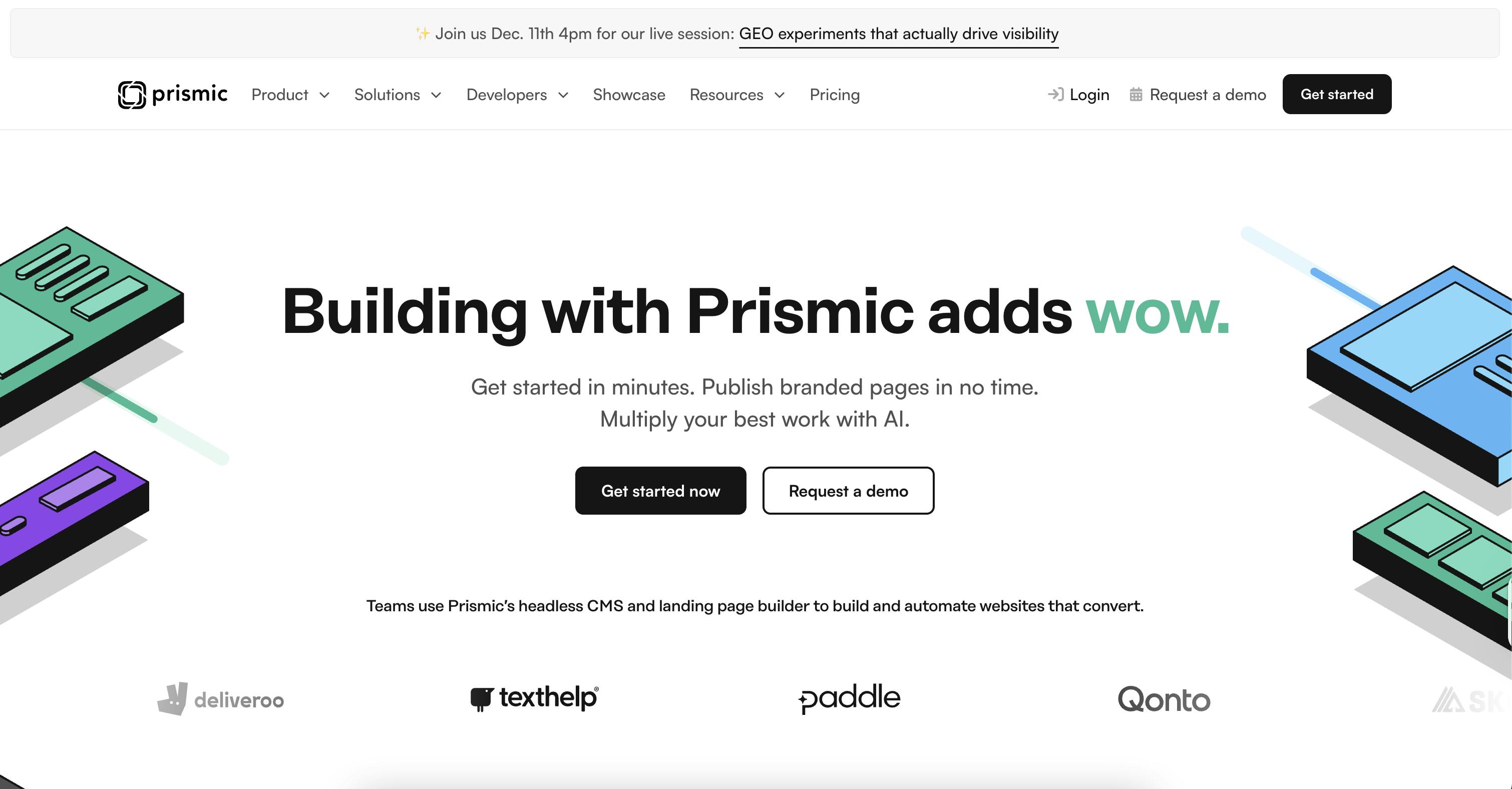
Prismic is a lightweight, API-first headless CMS built around a slice-based content model. For marketing leaders, it’s a performance engine that turns digital infrastructure into a competitive advantage. Developers create reusable components called slices, and marketing teams assemble those components into pages—safely and independently, without breaking design systems or waiting on engineering tickets.
Who it’s built for
Prismic works particularly well if you’re building modular, component-driven websites with modern frameworks like Next.js, Nuxt, or SvelteKit. It’s designed for organizations where marketing teams need to iterate quickly on content and campaigns, but developers need to maintain control over the architecture and design system. By understanding how technical architecture impacts your bottom line, you can move from “managing content” to “driving growth.”
Why it works at scale
- Marketer autonomy drives speed and SEO. Prismic gives marketing teams the independence to launch creative landing pages and execute critical SEO updates in real-time. Speed-to-market becomes your greatest asset. Slice Machine creates a workflow where developers own the architecture and component library, and marketers own page assembly and content. Nobody’s waiting for the other to do their job.
- Modular content is the power of slices. Use pre-designed, reusable content blocks to build diverse, high-converting layouts. This modularity allows you to create a wide variety of campaign pages with a “drag-and-drop” feel while staying perfectly on-brand.
- SEO advantage. Prismic lets your team use modern frameworks like Next.js to deliver pages built for speed and search performance. And Prismic's SEO Landing Page Builder enables marketers to launch hundreds of brand-aligned, optimized landing pages for single keywords, long-tail, and general search intent with just a simple CSV file containing your keyword list.
- GEO (Generative Engine Optimization) is the next frontier. Prismic's SEO landing page builder is built for both traditional search and the new wave of AI-driven discovery. Prismic tracks its own visibility across LLMs like ChatGPT, Claude, and Gemini by polling them at scale with real-world prompts, aggregating results, and measuring brand mention patterns over time.
- ABM at scale without multiplying production overhead. Prismic's ABM landing page builder lets marketers build account-specific landing pages by assembling pre-approved slice components, adapting headlines, use cases, and social proof per segment — without waiting on a developer for every variation.
What to consider
It doesn’t offer some of the deeply layered governance controls or extensive compliance certifications you’ll find in platforms built specifically for highly regulated industries. If you need SOC 2 Type 2, ISO 27001, HIPAA, or extensive audit trails for compliance reasons, you’ll want to evaluate those requirements against what it currently provides.
Pricing
Prismic pricing offers a free starter tier to help you get started, paid plans based on team seats as you scale, and custom enterprise pricing for larger organizations. Pricing scales with your team size and usage—not inflated by market positioning.
- Free ($0/month): For developers, 1 user, 4 million API calls, 100 GB CDN bandwidth (no overages), 2 locales, Visual Page Builder, and unlimited documents/assets.
- Starter ($10/month): For small teams, 3 users, 3 locales. Includes everything in Free, plus the ability to pay for CDN overages (up to 500 GB at $0.30/GB).
- Small ($25/month) Bigger teams, more load, 7 users, 4 locales. Includes everything in the Starter plan.
- Medium ($150/month) 25 users, 5 locales, 5 million API calls, and 500 GB CDN bandwidth. Includes User Roles for better content governance.
- Platinum ($675/month) Unlimited users, 8 locales, 10 million API calls, and 1 TB CDN bandwidth. Includes the option for development environments and payment via invoice.
- Enterprise (Custom Pricing)
Feature Spotlight - Slices
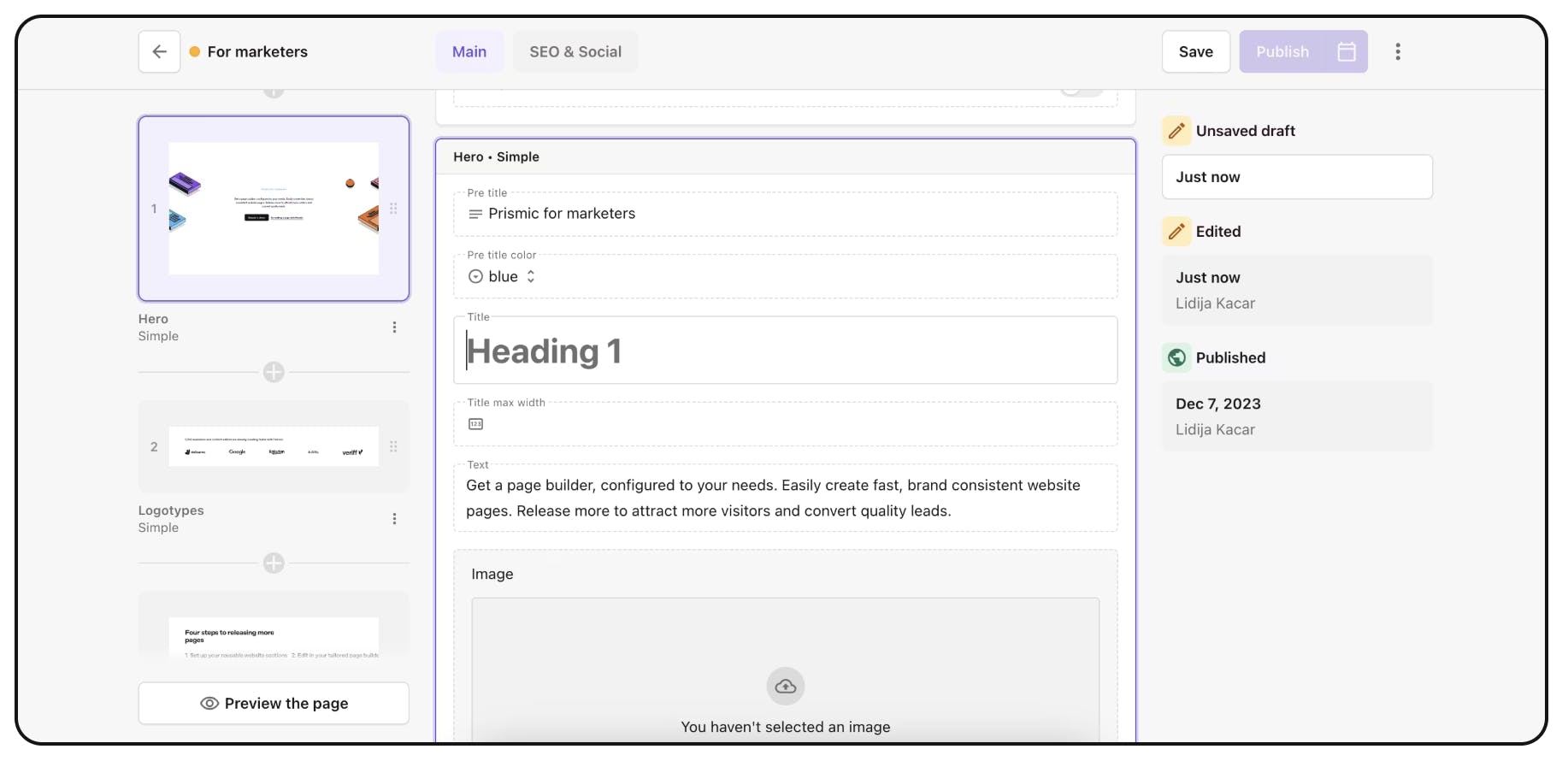
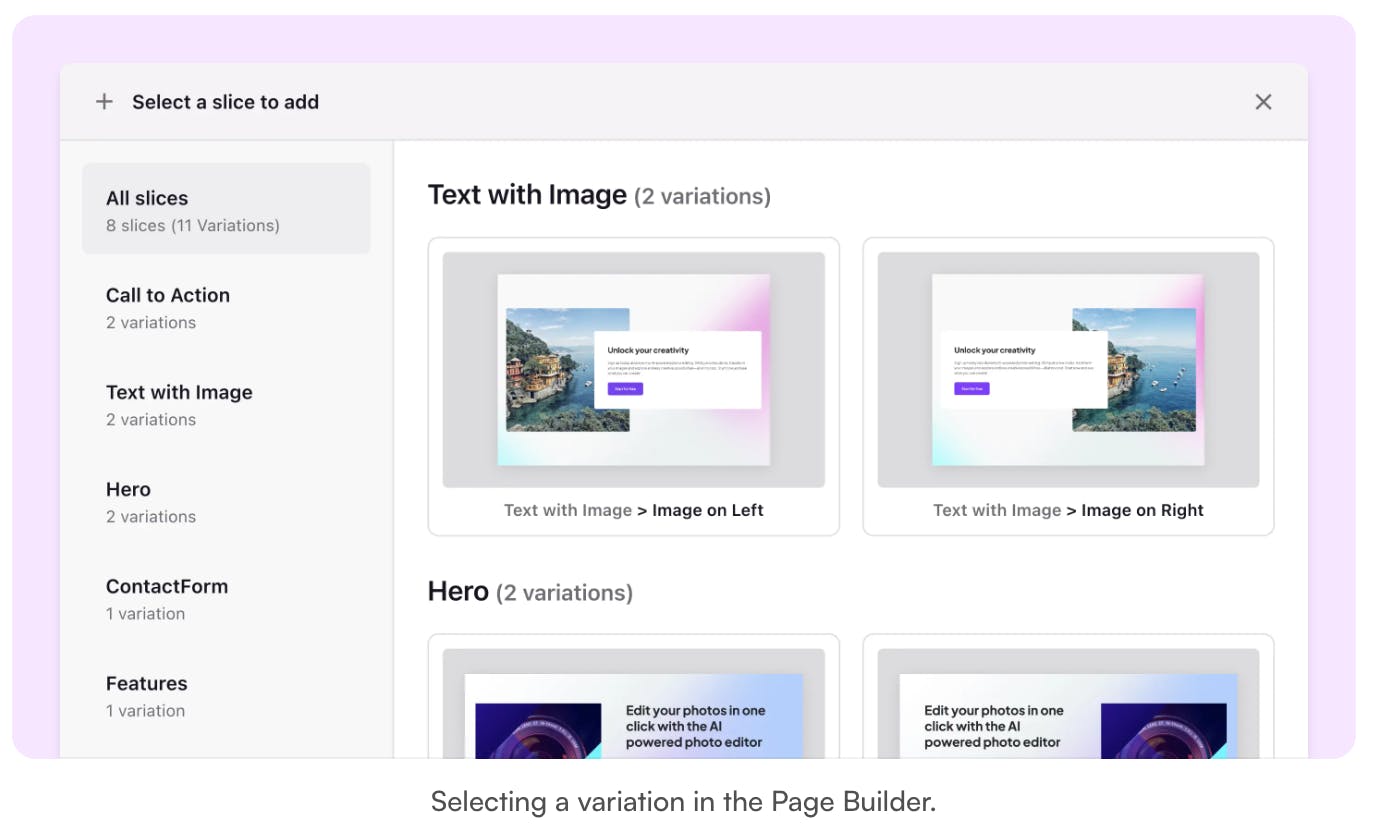
Slices are sections of a website page — like a block of text, a hero, or a call to action. Marketers assemble website pages using a stack of slices.
The bottom line
If you’re building modular websites with modern frontend frameworks and you want to give your marketing team speed without sacrificing developer control, Prismic is designed for exactly that—an agile environment where technical excellence fuels marketing delivery.
2. Contentful
Best for: Robust localization for global enterprises
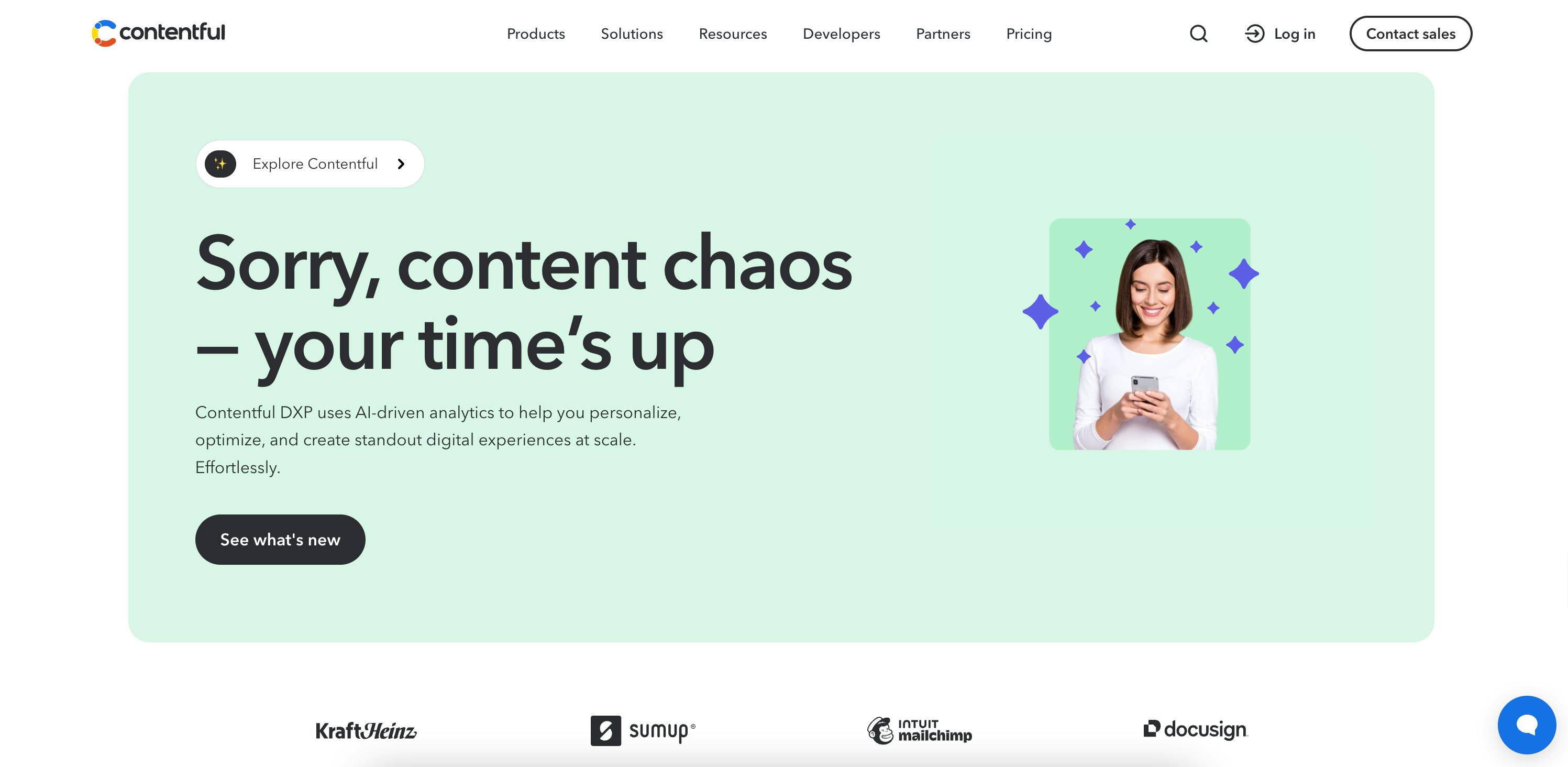
Contentful is a mature, cloud-first, composable content platform built for Fortune 500 companies. It is the industry standard for global enterprises managing complex, multi-channel operations at scale.
Who it's built for
It is designed for global organizations—especially in regulated sectors like finance and healthcare—that require a proven hub for delivering content across dozens of markets, languages, and digital touchpoints.
Why it works at scale
- Security: Offers SOC 2 Type 2, ISO 27001, and HIPAA compliance with regional data residency (US/EU).
- Reliability: Backed by a 99.99% uptime SLA and high-volume quotas for massive content libraries.
- Flexibility: Provides seven specialized APIs and a mature integration marketplace for enterprise-grade extensibility.
- Automation: As of 2026, Contentful Studio and native AI Actions allow marketers to automate translations and assembly without developer bottlenecks.
What to consider
- Cloud-Only: No self-hosted option; data must stay within their regional residency infrastructure.
- Cost Scaling: Pricing increases with usage. Enterprise contracts typically range from $60,000 to $140,000+ annually, with additional costs for extra "Spaces" or environments.
Pricing
Contentful pricing includes:
- Free ($0 / forever) Up to 10 users, 100,000 API calls/month, and 50 GB/month
- Lite ($300 / month) Up to 20 users and 3 roles. 1 million API calls/month and 100 GB/month CDN bandwidth. Usage Limits.
- Premium (Custom Pricing)
Feature Spotlight - Composable Content
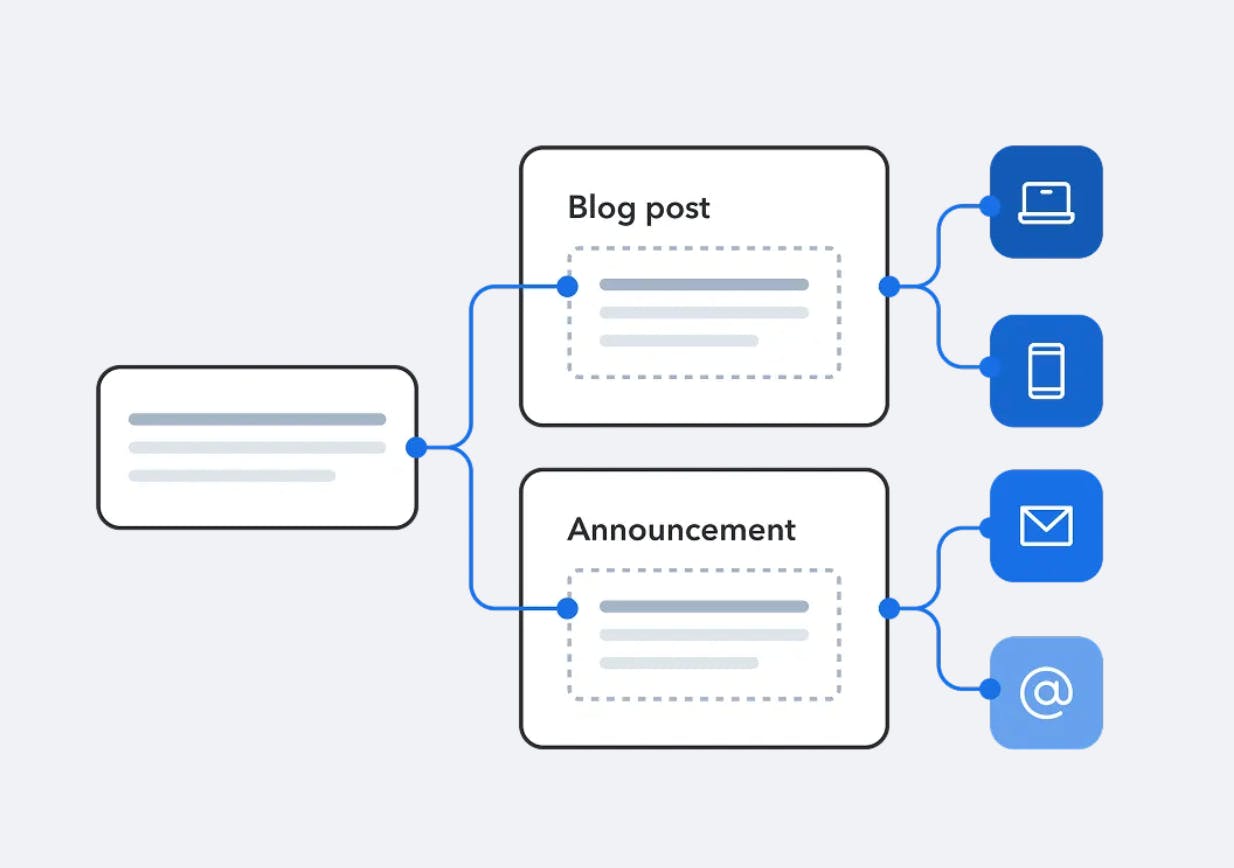
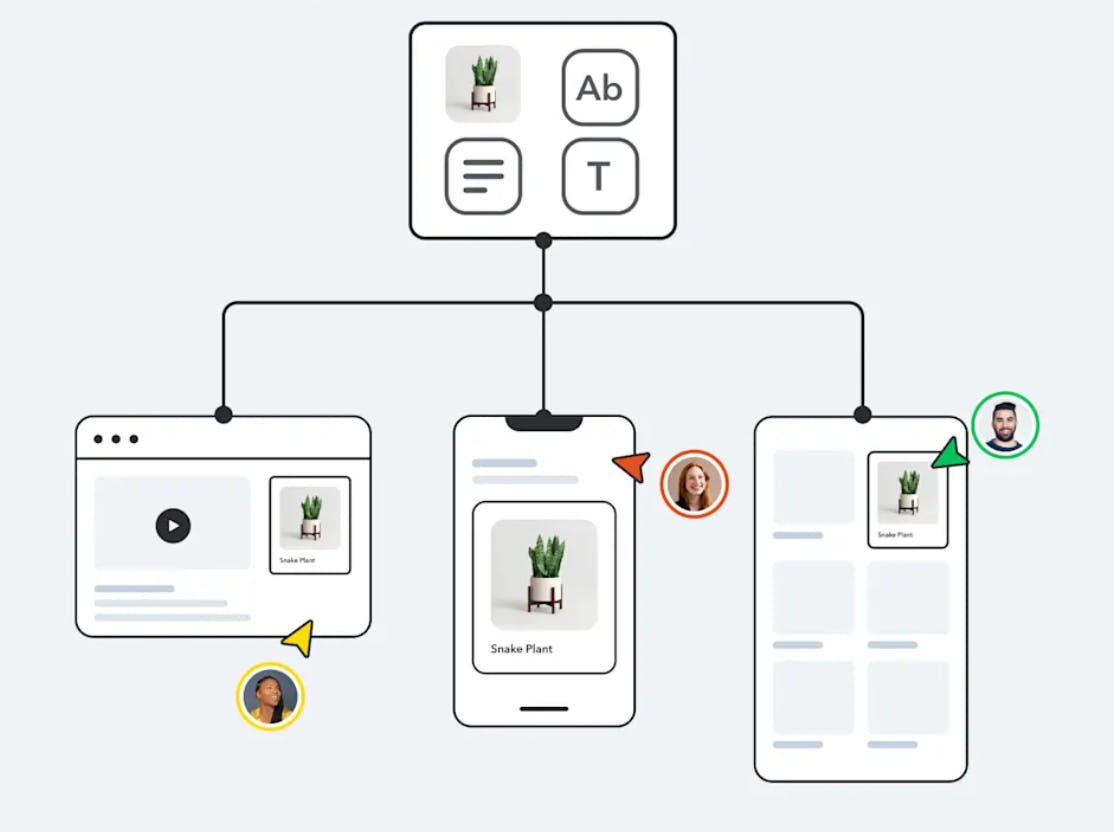
With a composable content platform like Contentful, content is broken down into small, modular components. Users build content once, then reuse and publish it for multi-brands, use cases, channels, and regions.
The bottom line
Contentful remains the most trusted platform for enterprise procurement and security teams. It is built specifically for organizations requiring a secure, AI-ready, cloud-first hub for global content delivery.
3. Hygraph
Best for: GraphQL-native content federation
Hygraph (formerly GraphCMS) is a GraphQL-native federated content platform. It is designed for organizations that need to unify content from multiple sources (like PIMs, DAMs, and remote databases) into a single, high-performance GraphQL API. If your team is standardizing on a GraphQL-first architecture, Hygraph is built for that workflow from the ground up.
Who it's built for
Hygraph is ideal for mid-market to enterprise companies with complex, "composable" tech stacks. It solves the "data silo" problem by acting as a federation layer, allowing developers to query content across separate systems through a single consistent interface without the need for manual middleware.
Why it works at scale
- True Native GraphQL: Unlike traditional CMSs that add GraphQL as a secondary layer over a REST API, Hygraph’s engine is native. This ensures high performance, strictly typed schemas, and no "over-fetching" of data.
- Content Federation (Top USP): Its "Remote Sources" feature allows you to stitch together external APIs and legacy databases into your main content model.
- MACH-Certified: Fully compliant with Microservices, API-first, Cloud-native, and Headless standards.
- Security & Compliance: It holds SOC 2 Type 2 and GDPR compliance. It operates on ISO 27001-certified AWS infrastructure.
- Performance: Supports 1M+ entries and offers a global CDN for low-latency delivery.
What to consider
- Hosting: It remains a cloud-only SaaS platform. There is no self-hosted or "on-prem" version available as of 2026.
- HIPAA Status: Fact Check: While Hygraph has expanded its security measures, it does not typically offer a HIPAA BAA (Business Associate Agreement) for its SaaS platform. Healthcare organizations that require local data processing or specific HIPAA compliance typically turn to self-hosted alternatives such as Strapi.
- The "Learning Curve": Updated for 2026: The launch of Hygraph Studio has significantly reduced the learning curve for non-technical users. It now offers a more visual, "drag-and-drop" editor experience that abstracts much of the GraphQL complexity for marketing teams.
- Ecosystem: While its marketplace has grown significantly in 2026 (with deep integrations with Vercel, Algolia, and Shopify), its community-driven plugin library remains smaller than that of older incumbents like Contentful.
Pricing
Hygraph pricing utilizes a usage-based model with five main tiers:
- Free: For hobbyists (10GB storage, 500 entries).
- Essential (~$15/mo): For small projects.
- Pro (~$75/mo): For growing teams needing multiple environments.
- Scale (~$375/mo): For high-traffic applications.
- Enterprise: Custom quotes based on federated data needs and dedicated infrastructure.
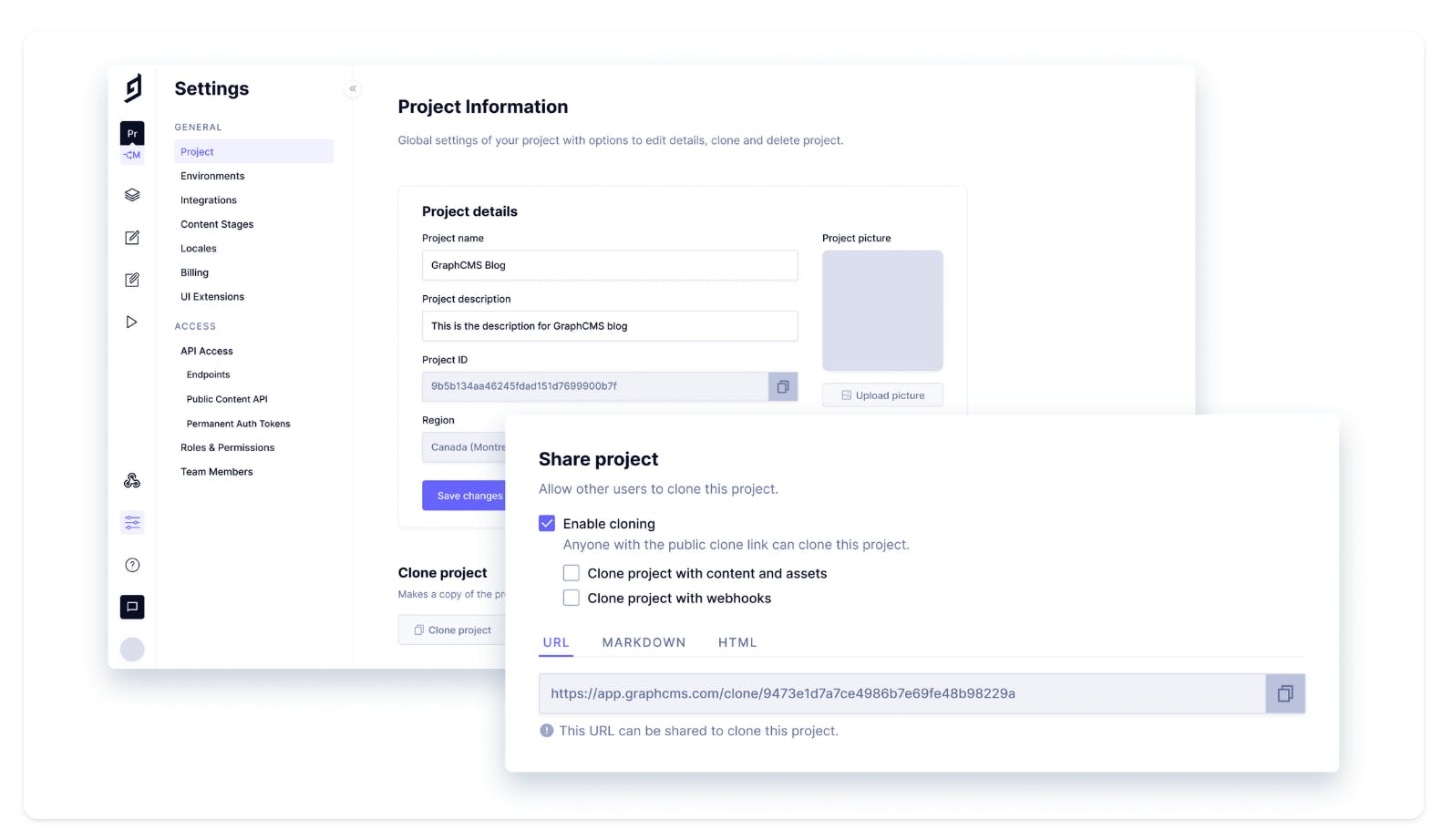
Feature Spotlight - Project Sharing
Project Sharing allows you to easily generate a link that can be given to any other Hygraph user. You can generate a sharing button in Markdown or HTML. Embed this button on a website or other frontend, giving others the ability to clone your project to use as a template.
The bottom line
If you are moving toward a Federated Content Platform model rather than just a "Headless CMS," Hygraph is the industry leader. It is the best choice for developers who want to stop building custom "glue code" between their data sources and their frontend.
4. Sanity
Best for: Real-time collaboration and high-volume content operations
Sanity is a headless CMS built for real-time collaboration and high-volume content operations. It's popular with media publishers, global retailers, and organizations that manage structured content at scale.
Who it's built for
Sanity works well for organizations where multiple team members need to work on the same content simultaneously—think newsrooms, large marketing teams coordinating launches, or global retailers managing product catalogs across regions. If real-time collaboration and content flexibility are priorities, Sanity is designed to support them.
Why it works at scale
- Real-time collaborative editing works like Google Docs. Multiple users can edit content simultaneously, seeing each other's changes in real-time. For teams coordinating complex content updates or working across time zones, this eliminates the version control problems that plague many CMSs.
- There are no hard content limits. Unlike platforms with arbitrary caps on content entries, Sanity scales based on API usage. This matters for organizations with massive content libraries—product catalogs, editorial archives, asset libraries.
- The Studio is fully customizable. Sanity's editing interface can be tailored to match your workflows and content models. If your content operations have specific needs, you can build custom interfaces rather than forcing your team to adapt to rigid tooling.
- Querying is powerful with GROQ. Sanity uses GROQ (Graph-Relational Object Queries), which gives developers fine-grained control over content queries. It's more expressive than basic REST endpoints for complex content relationships.
- SOC 2 Type II and ISO 27001 certification. The platform meets recognized security standards for enterprise use.
What to consider
- Configuration effort. The flexibility and customization come with the trade-off of needing to invest time in building out the Studio and content models. This isn't a plug-and-play platform—it's a toolkit.
- The Content Lake is cloud-only. Organizations that require complete on-premises control won't find it here.
Pricing
Sanitiy pricing includes:
- Free tier available, but usage quotas still apply.
- Pricing is per seat ($15/user/month on Growth), with included usage quotas and pay-as-you-go overages.
- Enterprise is custom.
Feature Spotlight - Studio
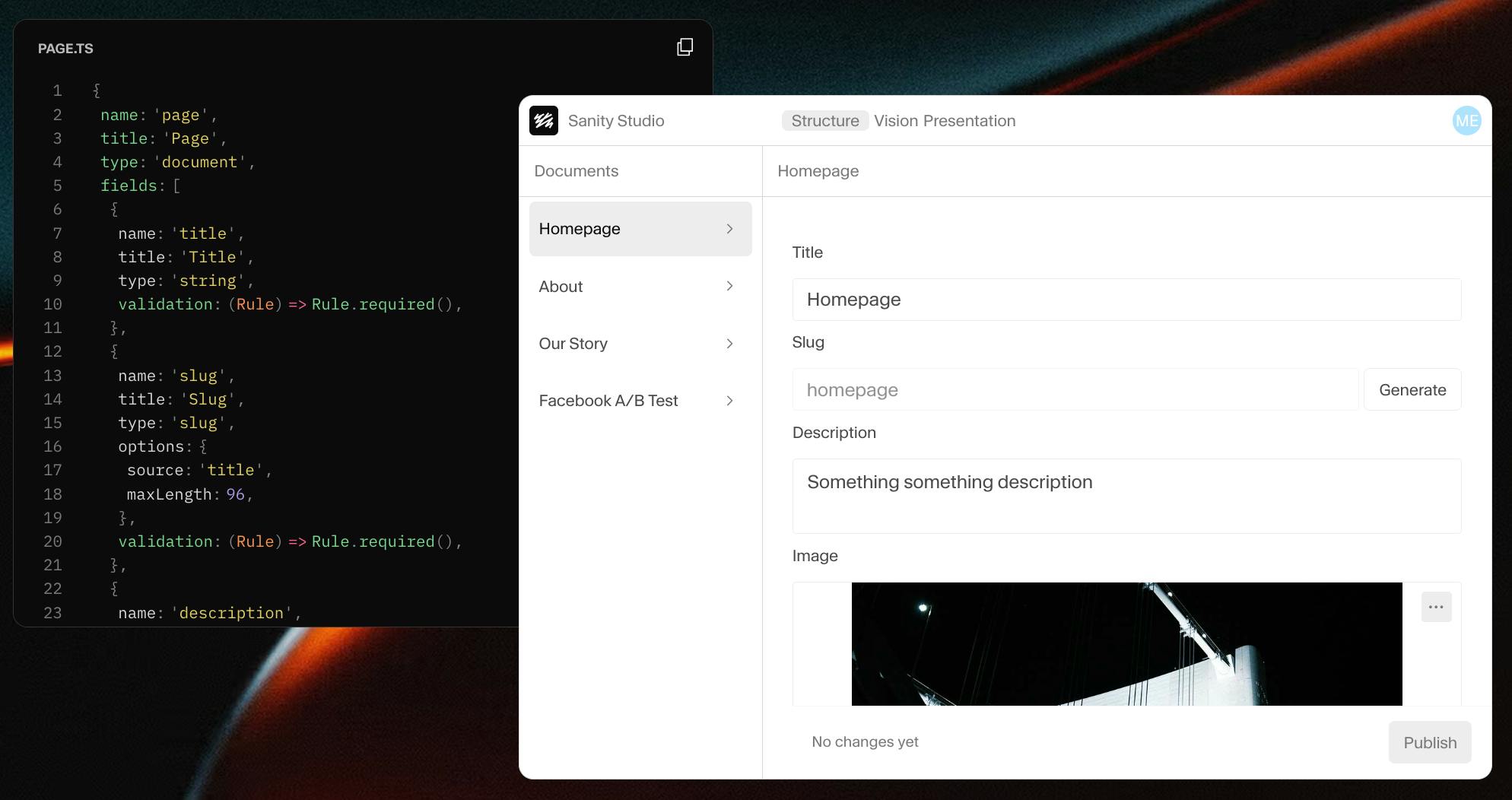
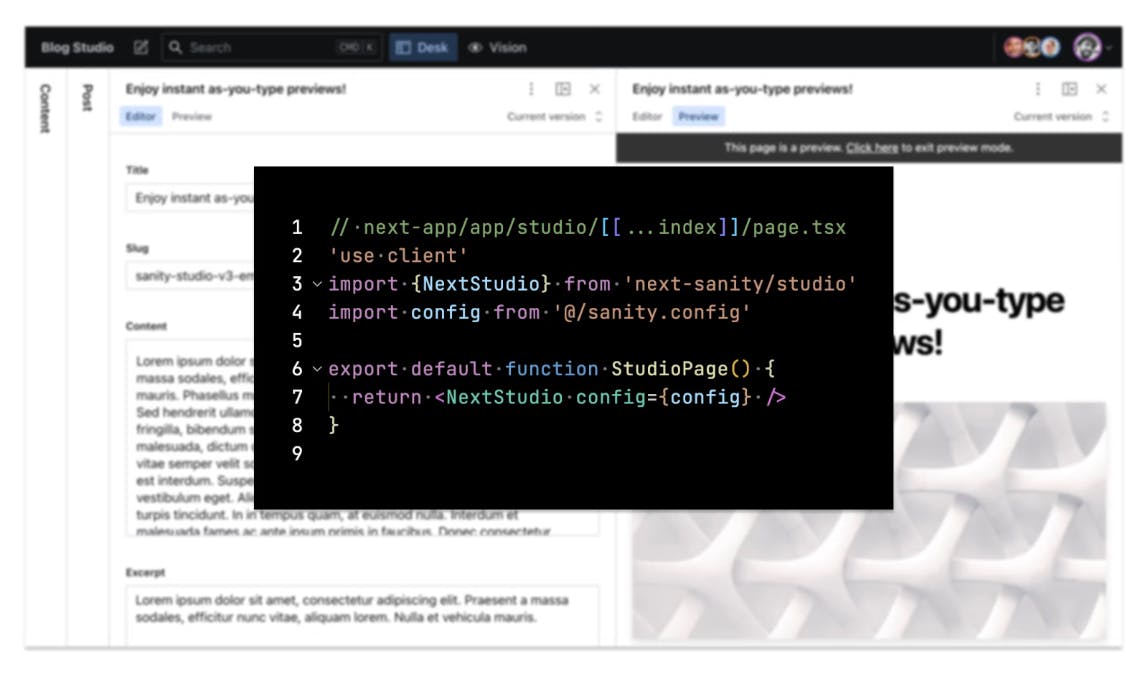
Sanity Studio is an open-source, real-time collaborative content workbench where developers define content models using JavaScript objects. The Studio automatically generates a powerful editing environment based on these definitions, while offering extensive customization options through a React-based framework to tailor the editorial experience to your specific workflows.
The bottom line
If real-time collaboration and content flexibility matter more to you than out-of-the-box simplicity, Sanity gives you powerful tools to build exactly what you need. It's built for teams that want control over their content operations.
5. Contentstack
Best for: Complex enterprise content workflows
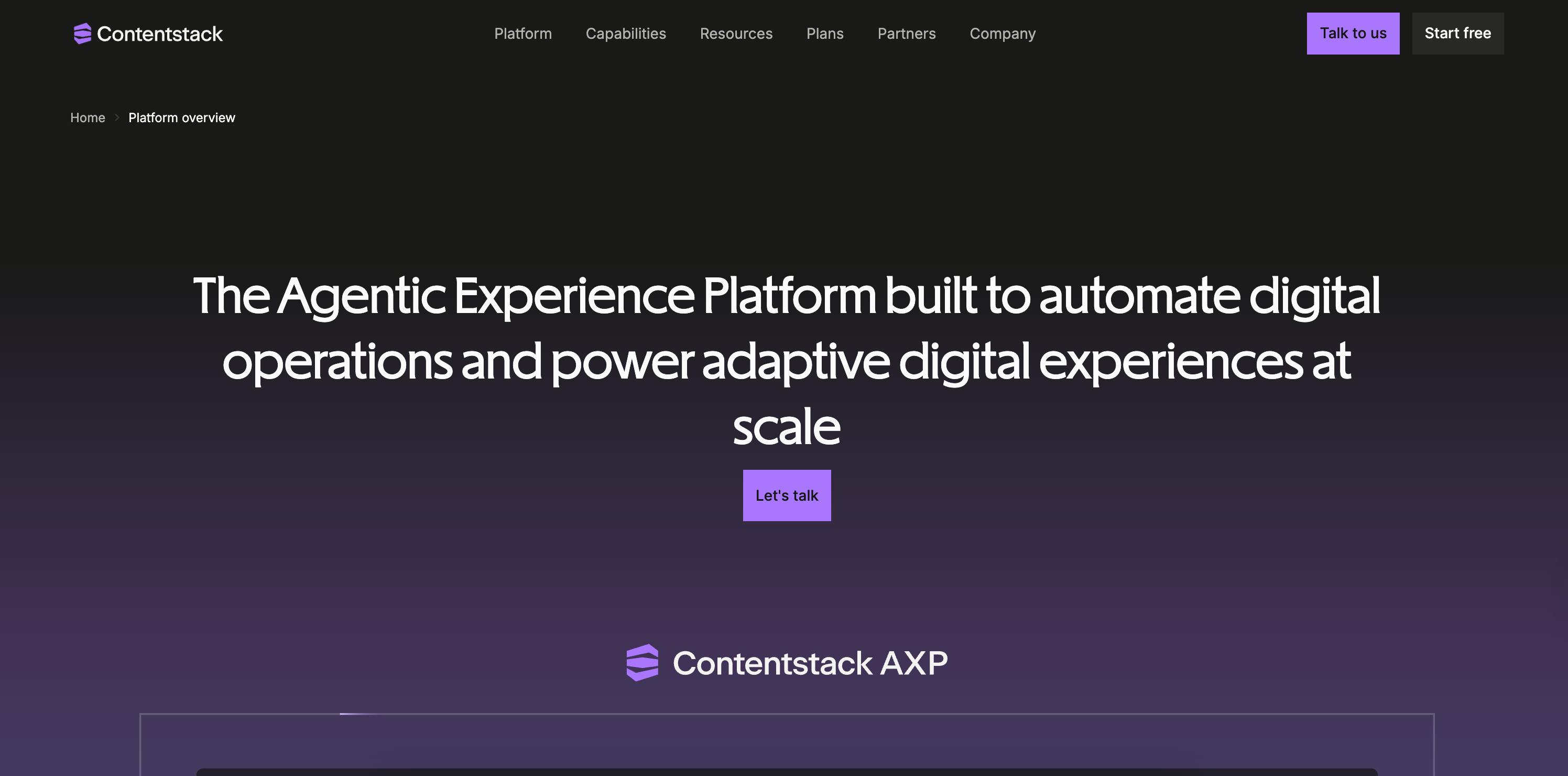
Contentstack positions itself as a composable digital experience platform (DXP) with headless CMS at its core. It's built for enterprises creating personalization-first experiences across multiple touchpoints.
Who it's built for
Contentstack works well for large enterprises building sophisticated digital experiences that go beyond basic content delivery—think personalized customer journeys, dynamic content based on user behavior, and coordinated experiences across web, mobile, and other channels.
Why it works at scale
- Recognition from industry analysts matters. Contentstack is a Forrester Wave Leader in CMS. Independent analysts consider it a strong platform in the enterprise DXP space. This recognition helps with procurement processes.
- Security and authentication are enterprise-grade. SSO via SAML 2.0, two-factor authentication, and other security features meet the standards large IT organizations require.
- Workflow automation reduces manual coordination. The platform includes tools to automate content workflows, approvals, and publishing processes that would otherwise require manual oversight.
- It's designed for composability. Contentstack is built to be one component in a larger DXP architecture, integrating with personalization engines, commerce platforms, and other enterprise systems.
What to consider
- Cloud-only: Contentstack is cloud-only with no self-hosted option. Organizations requiring complete control over infrastructure won't find it here.
- Composable overhead: The platform's composable DXP positioning means it's designed for complex implementations. Expect to invest in customization and integration work to get the full value from the platform. This isn't a plug-and-play solution.
- Migration from existing systems to Contentstack can be complex, particularly if you're moving from a monolithic CMS. Plan for a significant migration effort.
Pricing
Contentstack pricing is customized for all plans.
Feature Spotlight - Real-Time Data & Insights
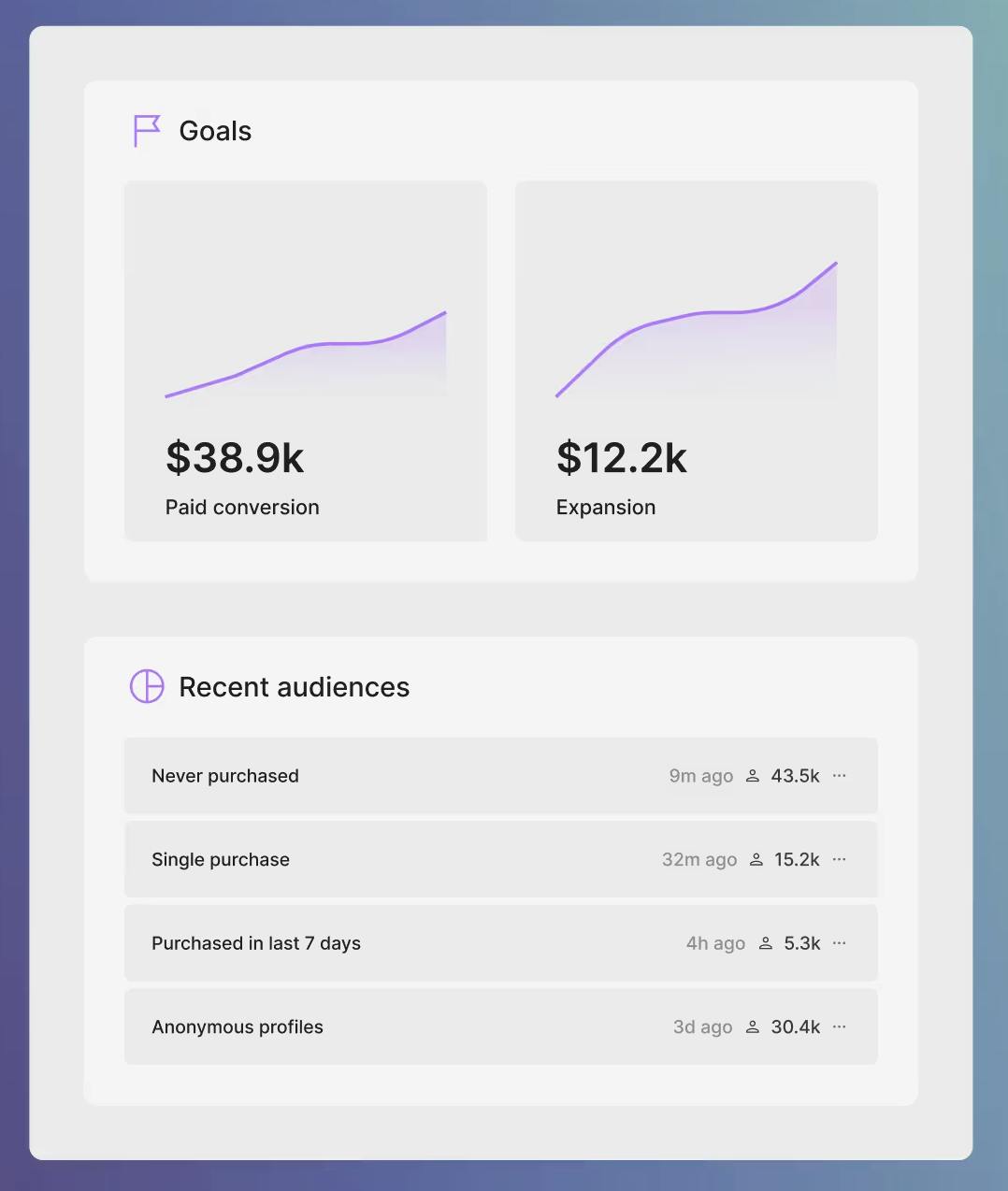
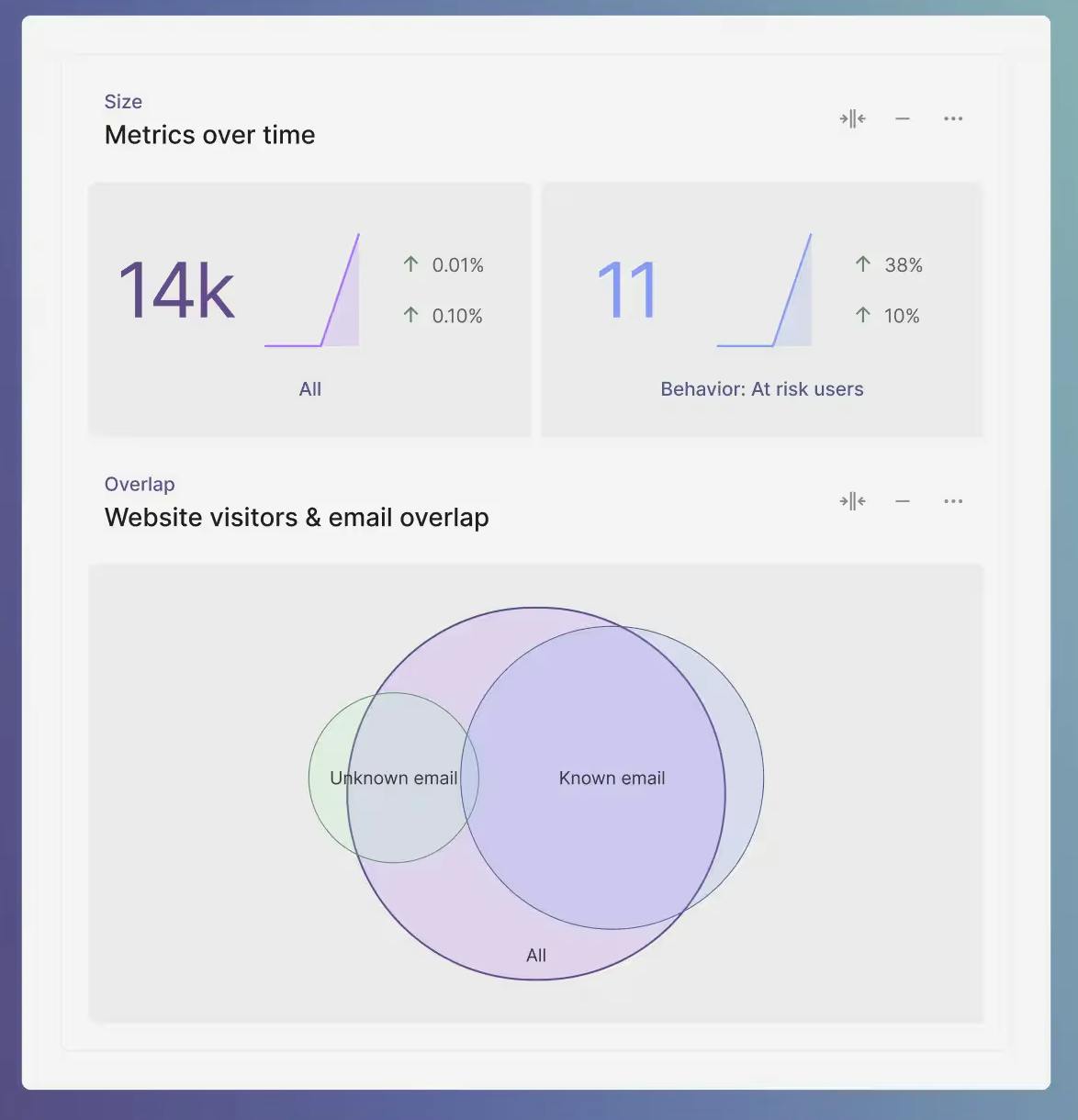
Capture, unify, and segment customer data in real time. Create highly targeted user segments that automatically update in real time based on user interactions. Improve decision-making by analyzing customer preferences with custom audience reports and content affinity insights.
The bottom line
If you're building a personalization-first composable stack and need a CMS that's designed to integrate with broader DXP capabilities, Contentstack is built for that architecture. It's not for simple content publishing—it's for complex digital experience orchestration.
6. Kontent.ai
Best for: Enterprise content governance and compliance
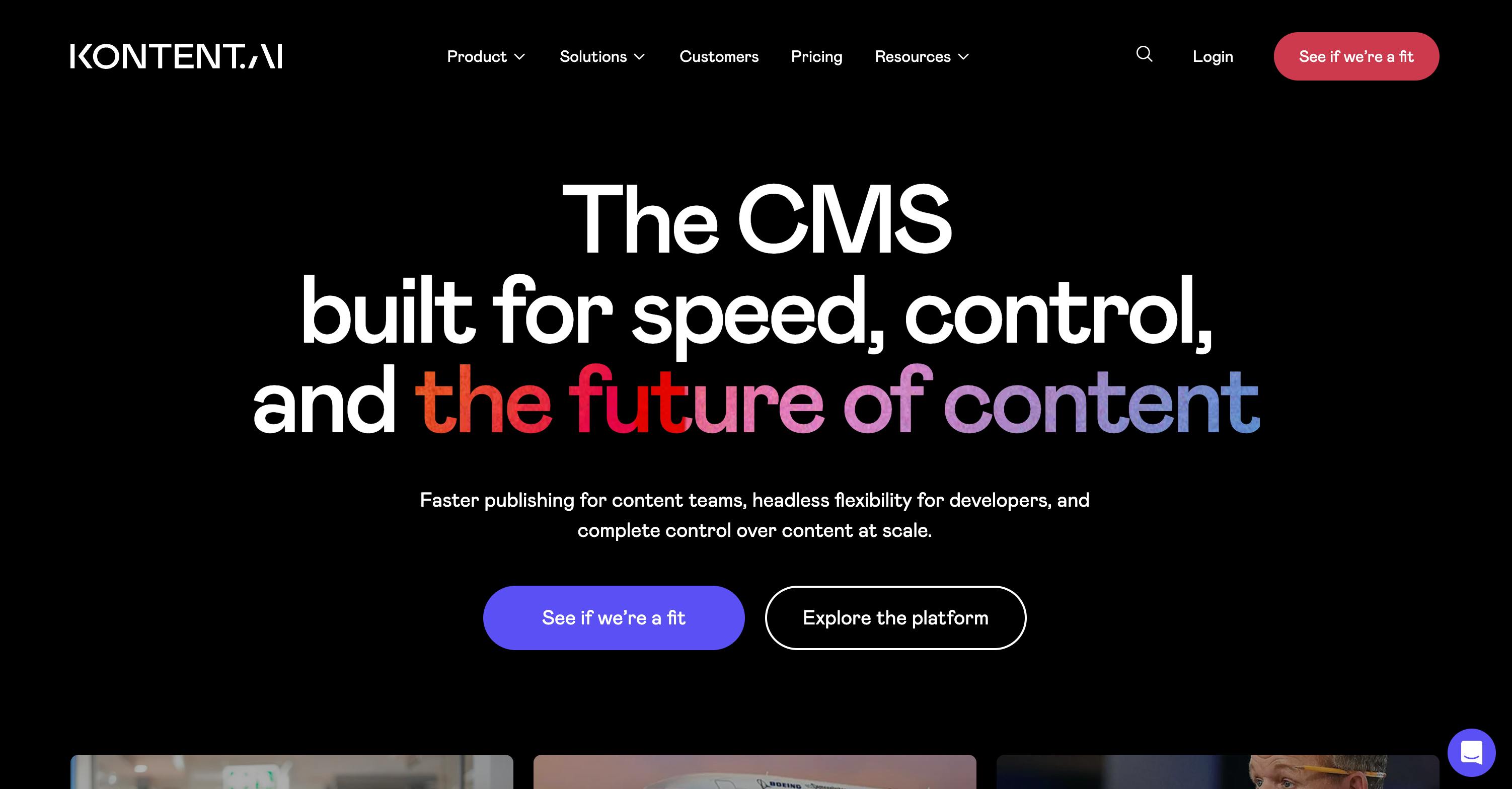
Kontent.ai is a general-purpose headless CMS with strong governance, compliance, and audit capabilities. If you're in healthcare, finance, or insurance, Kontent.ai has designed its platform around the constraints you operate within.
Who it's built for
Kontent.ai works particularly well for organizations in regulated industries—healthcare, financial services, insurance—where content management touches sensitive data and requires extensive audit trails, compliance certifications, and governance controls.
Why it works at scale
- Compliance certifications are comprehensive. Kontent.ai offers SOC 2, ISO 27001, and ISO 27017 certifications, with HIPAA support available. This is one of the broadest compliance portfolios in the headless CMS space, addressing the requirements of procurement and legal teams in regulated industries.
- Audit logs are advanced. The platform provides detailed tracking of who changed what content, when, and how—critical for compliance audits and regulatory reporting.
- Governance is architected into the platform. Rather than bolting on governance features, Kontent.ai builds the platform around governance-first principles. Access controls, approval workflows, and content lifecycle management are core to how the system works.
- AI Agents extend functionality. The platform includes AI-powered features to support content operations, though these are still evolving.
- ROI metrics are documented. Kontent.ai commissioned Forrester Consulting to conduct a Total Economic Impact™ (TEI) study, citing 320% ROI for enterprise customers—though actual returns will vary based on your implementation and use cases.
What to consider
- Cloud-only: Kontent.ai is cloud-only with no self-hosted option. If regulatory requirements mandate on-premises or fully controlled infrastructure, this won't work.
- Enterprise pricing transparency is limited. You'll need to go through their sales process to understand costs, which can slow down evaluation.
- The UI has a learning curve. While the platform is powerful, non-technical users may need more training than with more visually intuitive systems.
Pricing
Kontent.ai pricing scales according to:
- User seats
- Content types
- Content items
Feature Spotlight - Content Hub
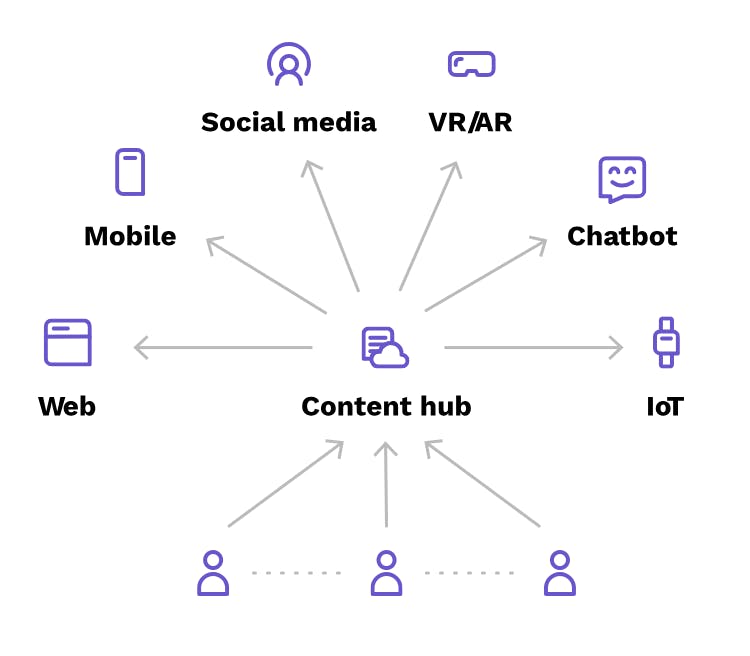
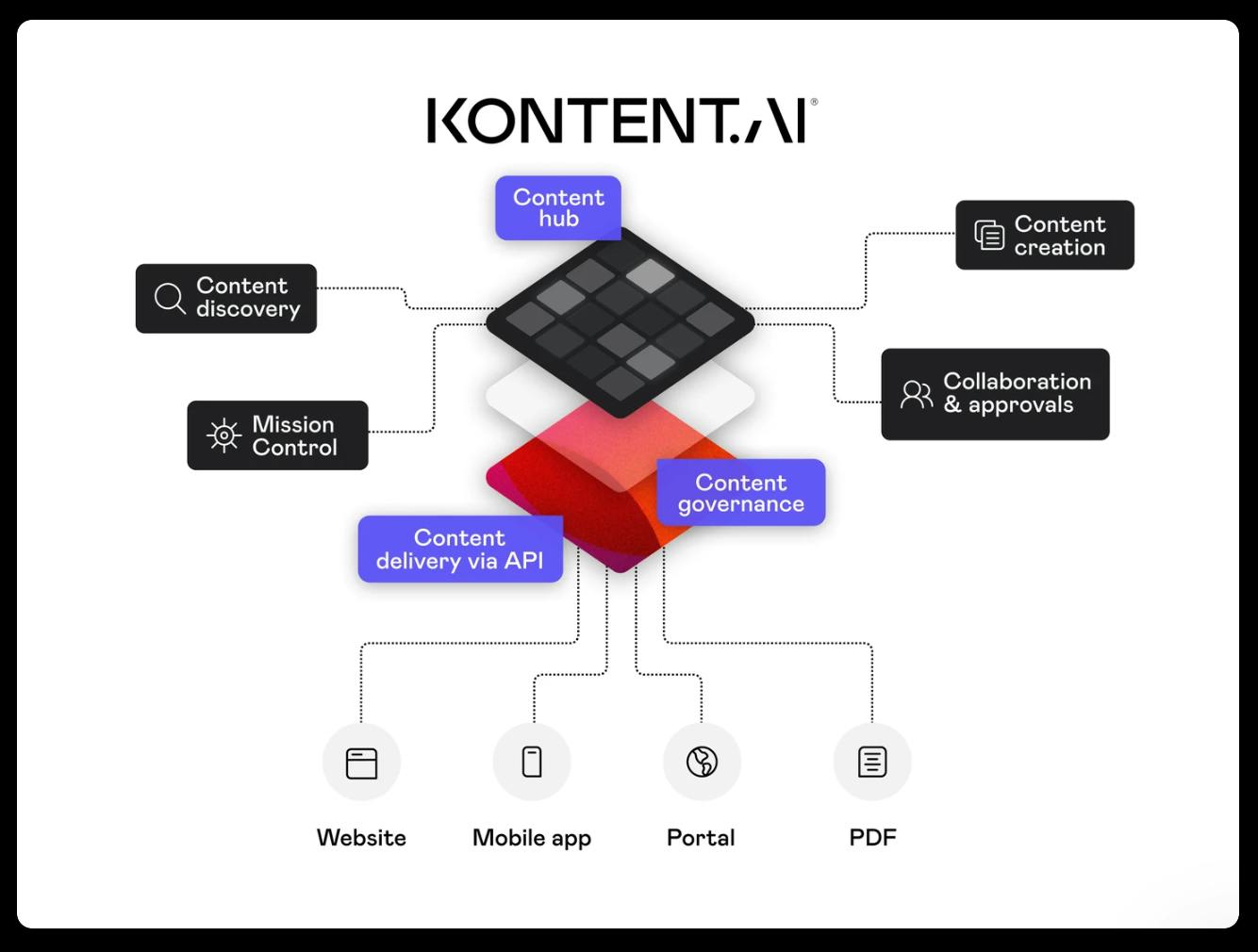
A content hub serves as a single source of truth, centralizing all content in a single cloud-based repository. A centralized hub makes content easy to find through structured models and taxonomies, maximizing reuse opportunities and dramatically reducing the time needed to create or update pages. Clean, structured content delivered through an API integrates seamlessly with any presentation layer, and built-in content governance, with role-based permissions and systemized workflows, ensures nothing goes live without proper approvals.
The bottom line
If you're in a heavily regulated industry and compliance certifications are table stakes rather than nice-to-haves, Kontent.ai is built for your requirements. It's governance-first, which means more initial complexity but fewer compliance headaches later.
7. Storyblok
Best for: Visual WYSIWYG editing for marketing teams
Storyblok is a headless CMS that prioritizes visual editing and the autonomy of marketing teams. It bridges the gap between traditional CMS usability—drag-and-drop interfaces, real-time previews—and modern headless architecture.
Who it's built for
Storyblok works well for marketing-driven enterprises where non-technical teams need to create and manage content independently. If your marketing team is frustrated by constant developer dependencies and wants more control over page building and content updates, Storyblok provides visual tools to help.
Why it works at scale
- The visual editor is the centerpiece. Storyblok's real-time visual editor lets marketers see exactly how content will look as they build it, without waiting for developers to preview or publish changes. This reduces friction and speeds up campaign execution.
- Uptime is backed by SLAs. The 99.99% uptime SLA ensures reliability in production environments, where downtime can mean lost revenue or opportunities.
- Security certification is established. ISO 27001 certification demonstrates that the platform meets recognized security standards, which helps with enterprise procurement and compliance reviews.
- Multi-space support enables organizational complexity. Enterprise plans support multiple content spaces, letting you manage different brands, regions, or business units within one platform while keeping their content separate.
What to consider
- Cloud-only: Storyblok is cloud-only with no self-hosted option, and HIPAA compliance isn't available. Healthcare organizations and other entities that require a HIPAA BAA will need to look elsewhere.
- The component-heavy approach means developers need to invest upfront in building the component library that marketers will use. For complex content schemas, this initial setup can be substantial.
Pricing
Storyblok pricing includes:
Self-service plans:
- Starter (free)
- Growth (€99/month)
- Growth Plus (€349/month).
Premium and Elite plans require custom quotes.
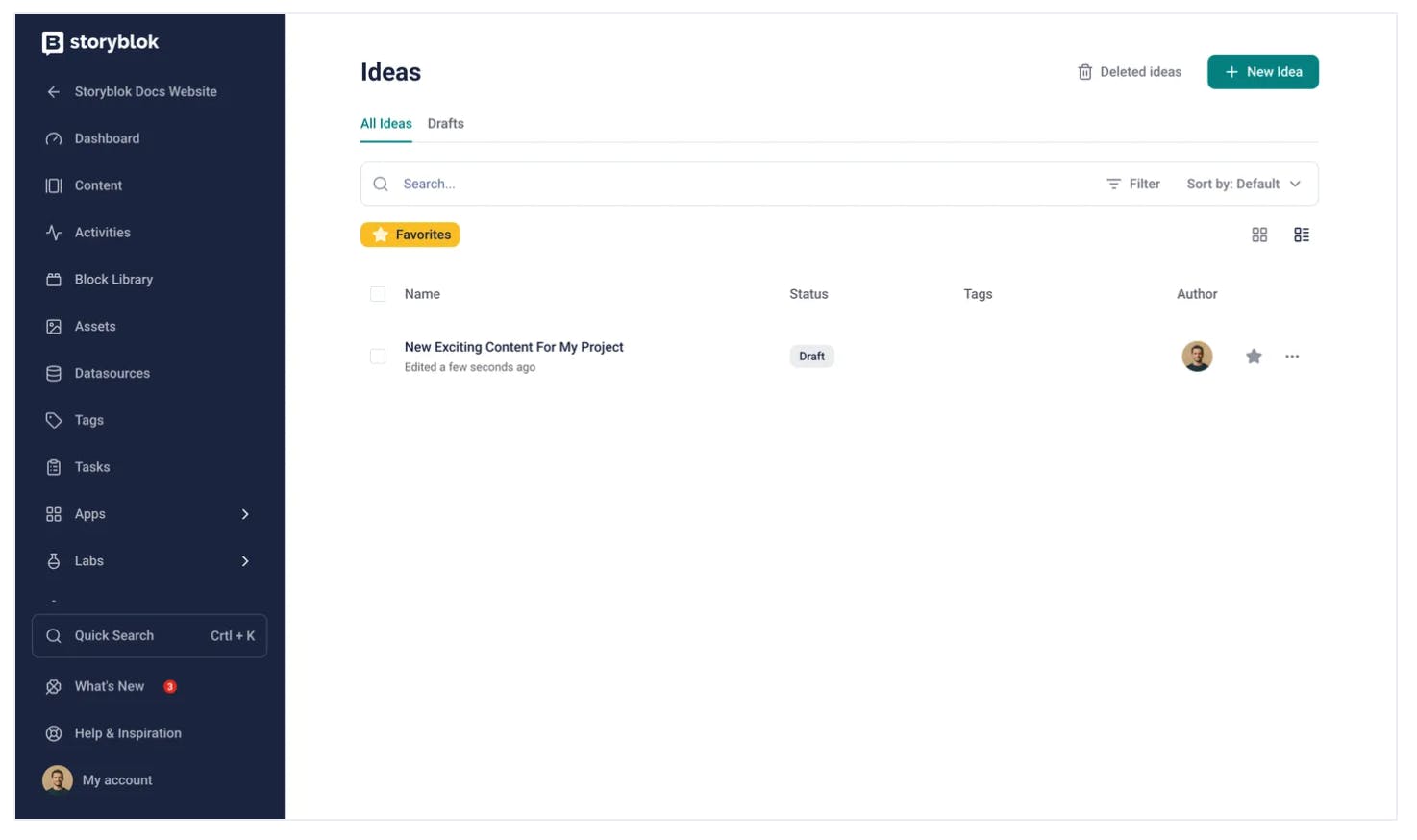
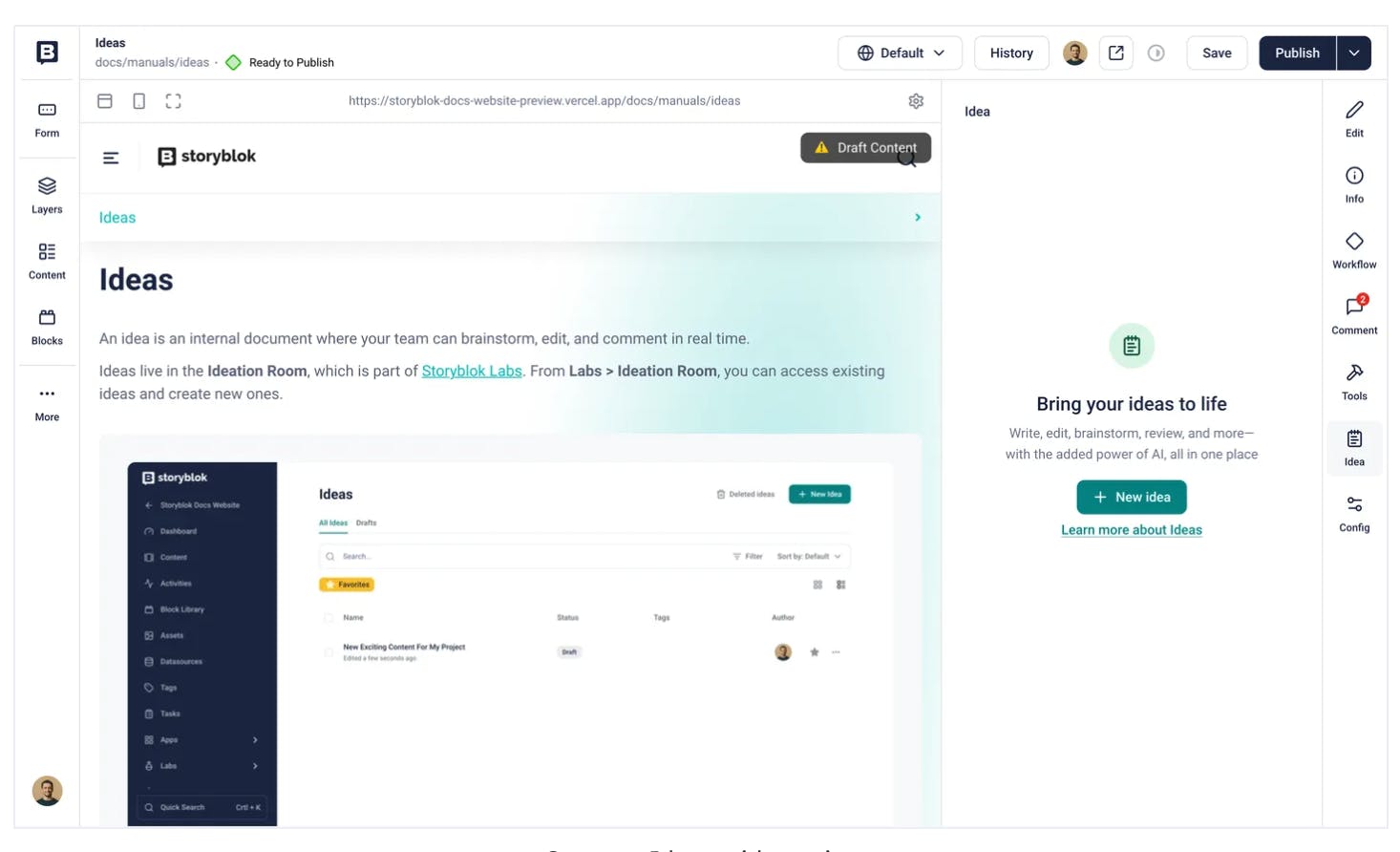
Feature Spotlight - Ideation Room
The ideation Room is a canvas for your creative processes where you can draft, edit, and organize your ideas, notes, or anything else you want. Powered by AI, Ideation Rooms acts as your co-pilot, helping you work on the material or even create it from scratch, following your commands.
The bottom line
If your marketing team needs autonomy in visual editing and you're willing to invest in the initial component setup, Storyblok delivers a more intuitive editing experience than many headless platforms. It's built for marketing-first organizations.
8. Strapi (Enterprise Edition)
Best for: Open-source customization and data sovereignty
Strapi is the leading open-source headless CMS, with an Enterprise Edition that adds the governance, security, and support features large organizations need. If data sovereignty is a hard requirement—meaning your content absolutely cannot leave infrastructure you control—Strapi's self-hosted model addresses that directly.
Who it's built for
Strapi works particularly well for enterprises with strict data sovereignty requirements, organizations in regulated industries that need complete infrastructure control, or companies with strong DevOps teams that want the flexibility of open-source software with enterprise features layered on top.
Why it works at scale
- Self-hosting gives you complete control. You deploy Strapi on your own infrastructure, whether that's on-premises, in your cloud environment, or wherever your compliance requirements dictate. Your content never touches a third-party's servers.
- The community is substantial. With 71k+ GitHub stars, Strapi is part of one of the largest open-source CMS communities. This means extensive documentation, community plugins, and developers who already know the platform.
- Enterprise features address governance needs. The Enterprise Edition adds role-based access control (RBAC), single sign-on (SSO), audit logs, and other features that enterprise security and compliance teams require.
- Content scale is infrastructure-limited. Since you control the infrastructure, your content volume limits depend on what you provision. There are no arbitrary caps imposed by the platform itself.
- Pricing is transparent and accessible. At $9/user/month for enterprise features, the cost structure is straightforward and significantly lower than cloud-only enterprise platforms.
What to consider
- Multi-tenancy: Strapi doesn't offer native multi-tenancy, which means managing multiple brands or business units requires architectural workarounds. If you need to keep content strictly separated across multiple entities, you'll need to plan for this.
- Self-hosting means DevOps overhead. Your team is responsible for maintenance, updates, security patches, monitoring, backups, and scaling. This requires significant internal expertise and ongoing operational effort. If you don't have a strong DevOps team, this burden can become substantial.
Pricing
Strapi pricing is broken down by Self-hosting and Strapi’s Cloud plans.
Self-Hosted
- Community Edition (Free Forever), core headless CMS features are under an MIT license.
- Growth ($45 / month), Small teams needing more collaboration and content governance.
- Enterprise (Custom Pricing), Large organizations with strict security and compliance requirements.
Strapi Cloud Plans
Strapi Cloud is an "all-in-one" solution that bundles the software with hosting, database, and CDN. Prices below reflect yearly billing (monthly billing is ~20% higher).
- Free ($0), 2,500 API requests/mo, 10 GB storage, 10 GB bandwidth, and 500 database entries.
- Essential (~$15 / project/month) 50,000 API requests/mo, 50 GB storage, 50 GB bandwidth, and unlimited database entries.
- Pro (~$75 / project/month) 1 Million API requests/mo, 250 GB storage, and 500 GB bandwidth.
- Scale (~$375 / project/month) 10 Million API requests/mo, 1,000 GB storage, and 1,000 GB bandwidth.
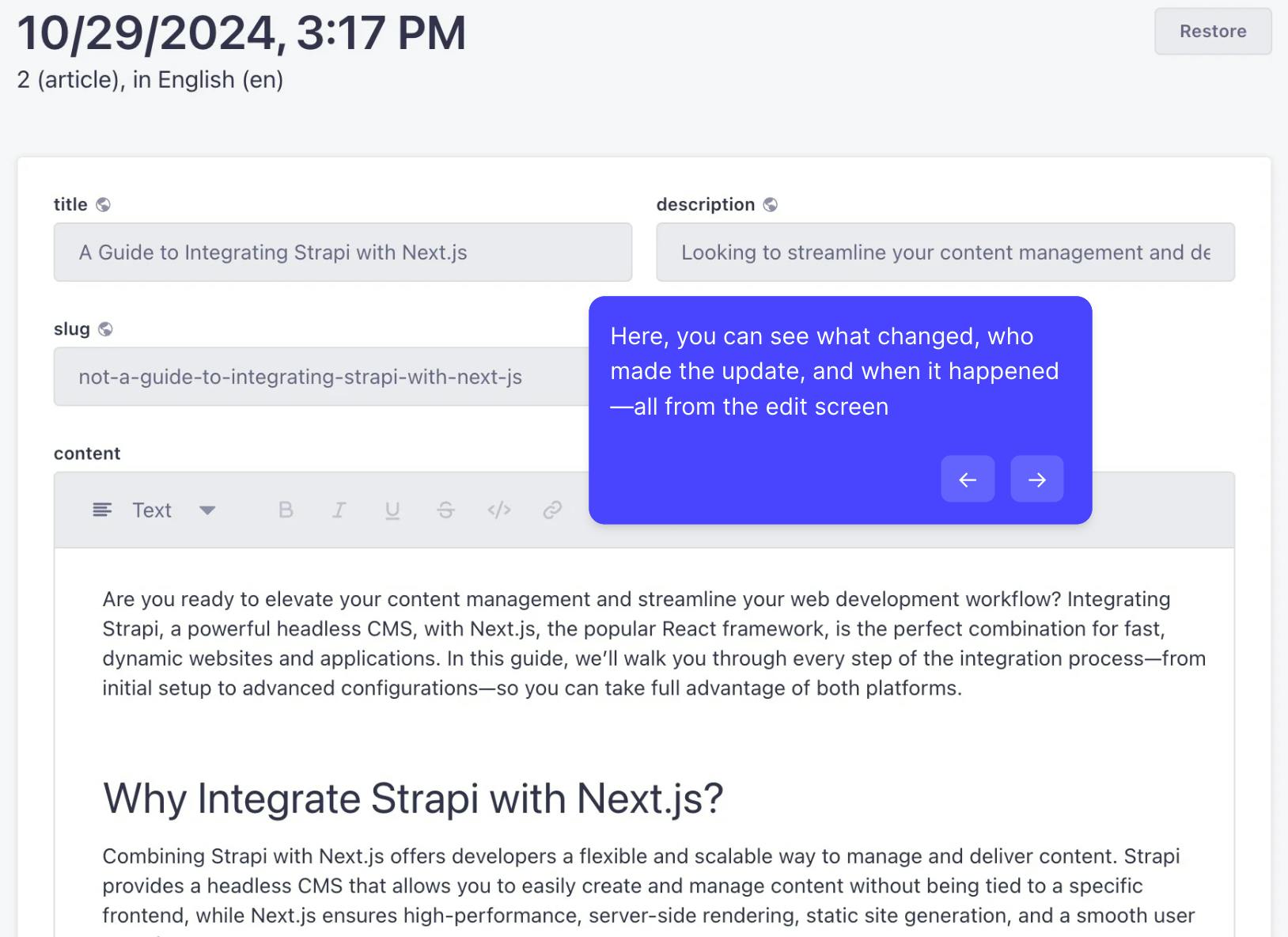
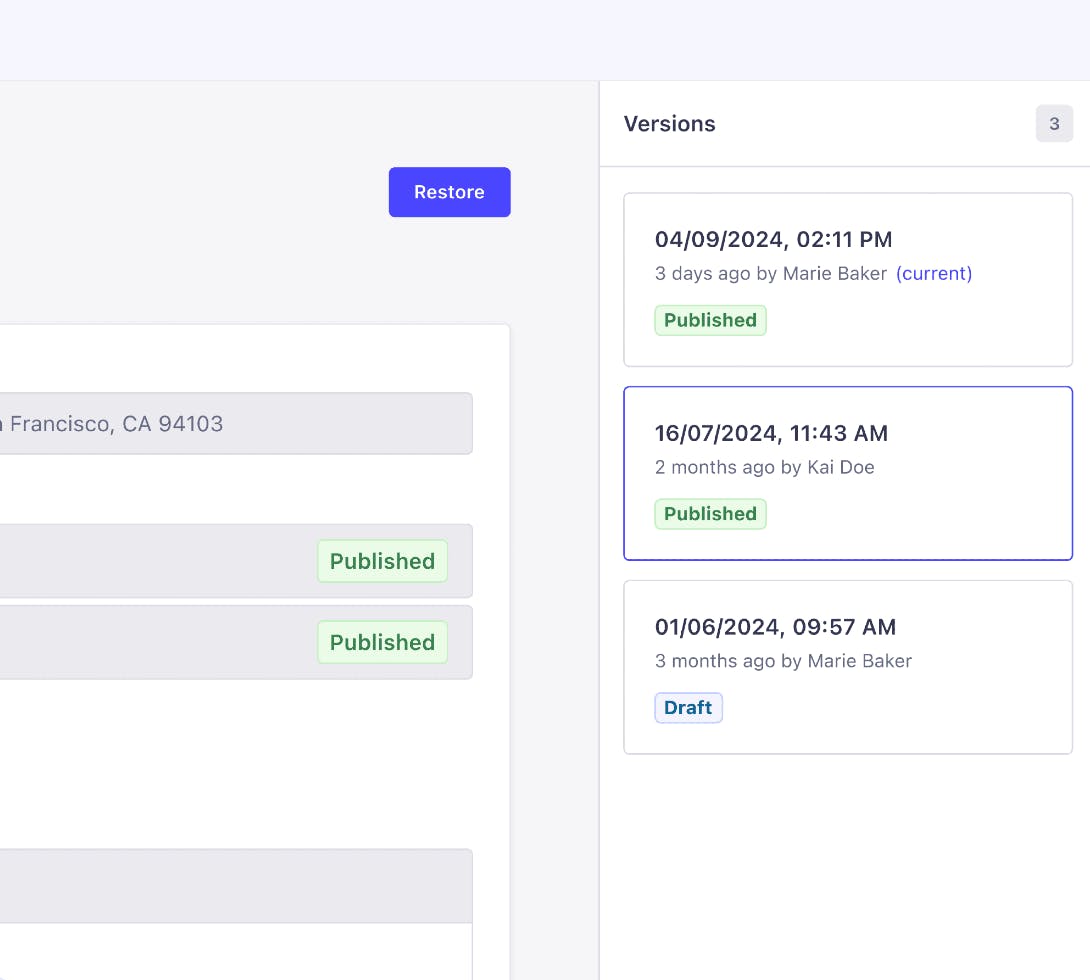
Feature Spotlight - Content History
Content History offers a seamless way to manage changes, giving you the confidence to edit, track, and collaborate without disruption. You can make bold updates, knowing you can always revert to a previous version. Experiment with new ideas and workflows without worrying about losing previous work.
The bottom line
If data sovereignty is non-negotiable, or if you need the flexibility that open-source provides, Strapi gives you that foundation, with enterprise features available when you need them. Just make sure you have the DevOps capacity to support it.
9. Payload
Best for: Next.js-native development with zero vendor lock-in
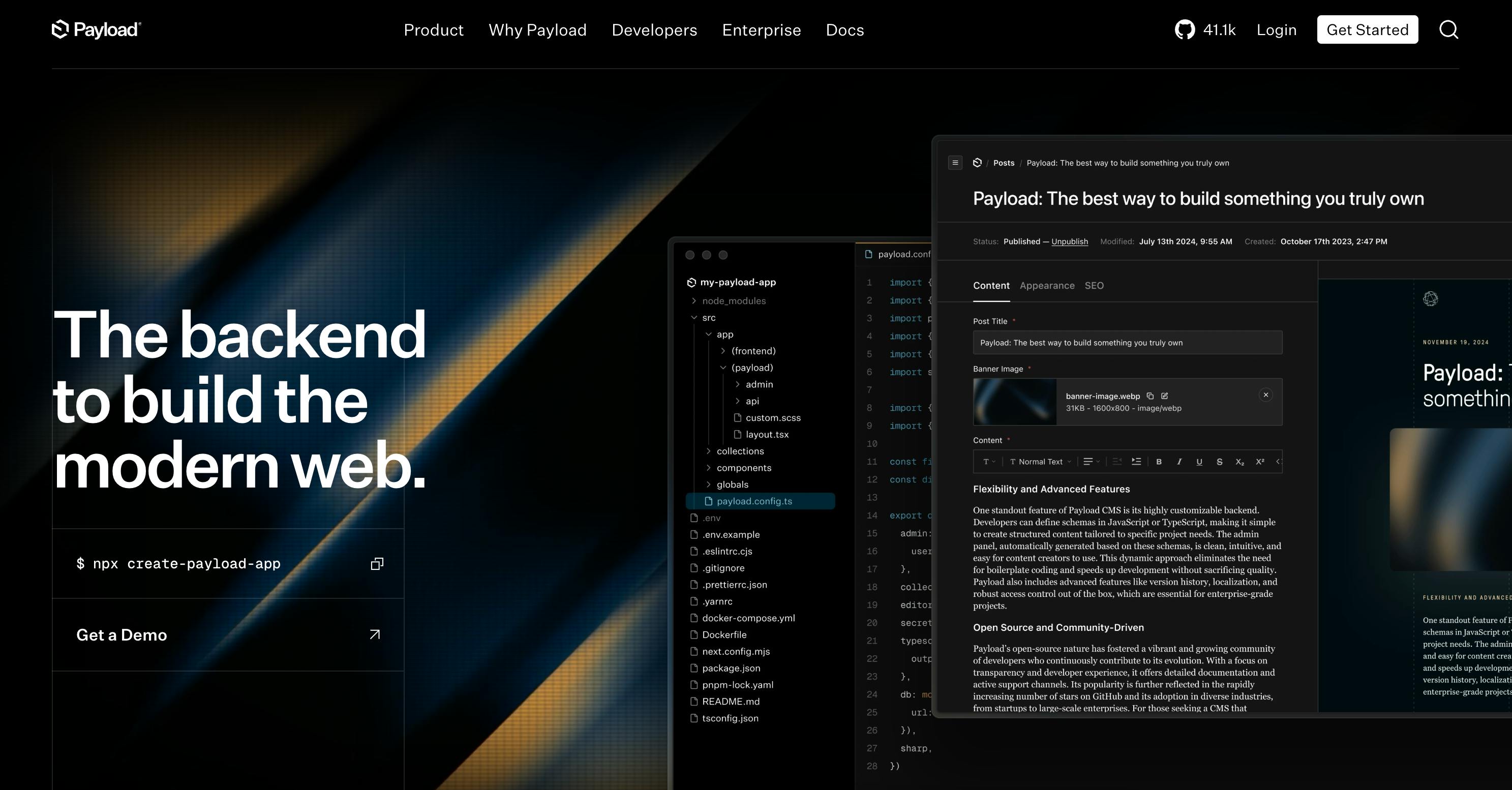
Payload is a Next.js-native headless CMS built with zero vendor lock-in as a core principle. It's designed for multi-brand enterprises that want complete control over their CMS infrastructure without being tied to a specific vendor's ecosystem or pricing model.
Who it's built for
Payload works particularly well for organizations managing multiple brands or business units that want enterprise CMS features—multi-tenancy, SSO, workflows—without the vendor lock-in or escalating costs that come with proprietary platforms. If you're building on Next.js and want your CMS to be just another part of your codebase, Payload is designed for that approach.
Why it works at scale
- Multi-tenancy is native and free. Unlike platforms that charge for each additional content space or tenant, Payload includes multi-tenancy without additional licensing costs. This matters for agencies, multi-brand enterprises, or any organization managing content for multiple entities.
- It's MIT-licensed open-source. You own your CMS. There's no vendor lock-in, no pricing changes that suddenly make your infrastructure unsustainable, no features gated behind enterprise tiers. The entire platform is yours to modify and deploy as needed.
- Enterprise features come standard. SSO, custom workflows, and other features that many platforms reserve for expensive enterprise tiers are included in Payload. However, these features require a paid enterprise agreement (starting ~$10,000/yr).
- It runs inside Next.js. Payload isn't a separate system you integrate with—it's part of your Next.js application. This simplifies deployment, reduces infrastructure complexity, and gives developers a familiar environment.
What to consider
- Compliance depends on your hosting environment. Since you're self-hosting, certifications like SOC 2 or ISO 27001 depend on where and how you deploy Payload, not on the platform itself. This gives you control but also responsibility.
- Payload joined Figma, which could affect the "zero vendor lock-in" narrative. Payload has committed to remaining an open-source product, but the acquisition raises whether CMS will remain free of vendor dependency.
Pricing
Payload pricing includes: The core CMS is MIT-licensed and free. However, Payload Cloud hosting ranges from $35/month (Standard) to $199/month (Pro), with custom pricing for enterprise clients. G2 Enterprise features, such as SSO, incur additional costs.
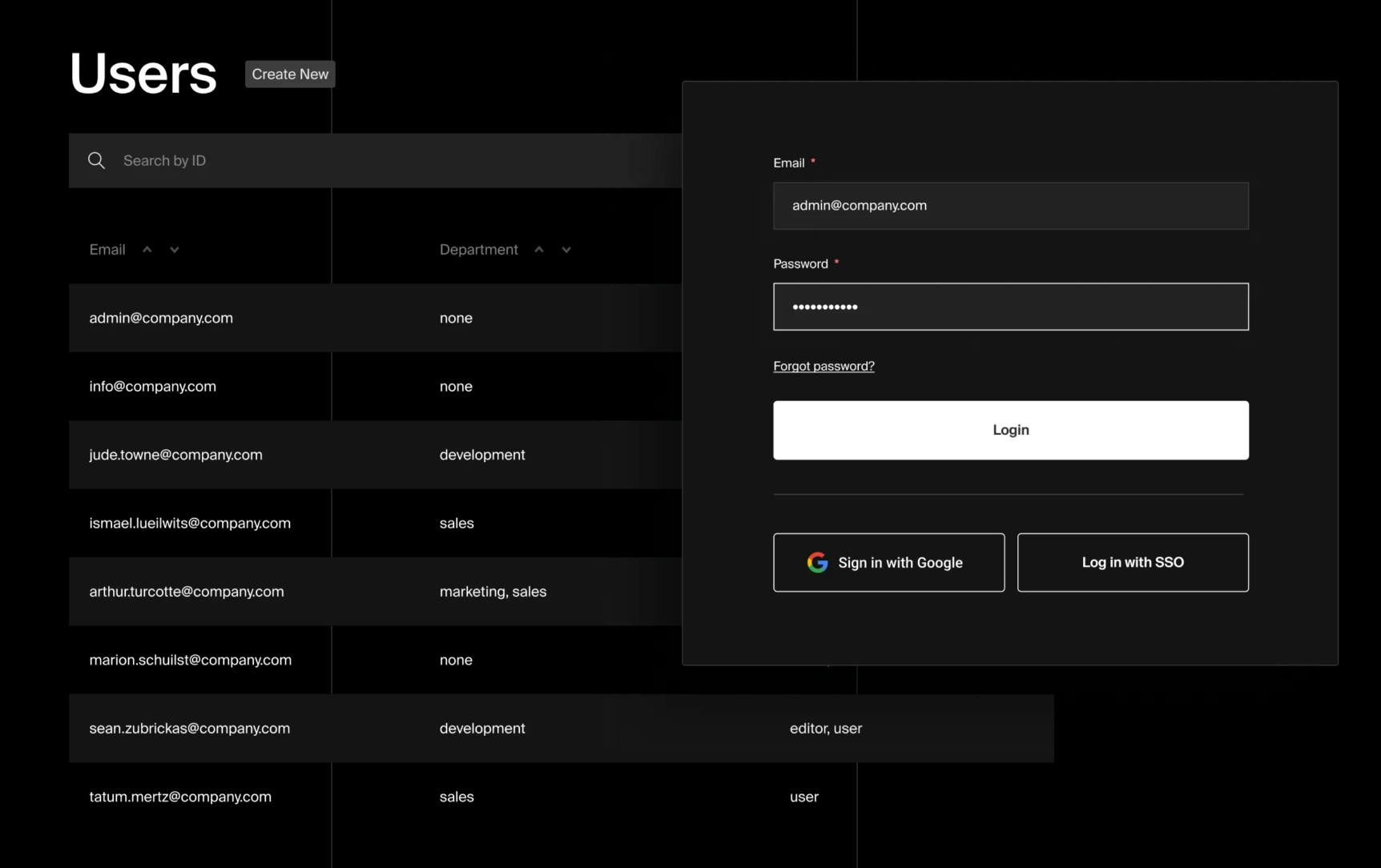
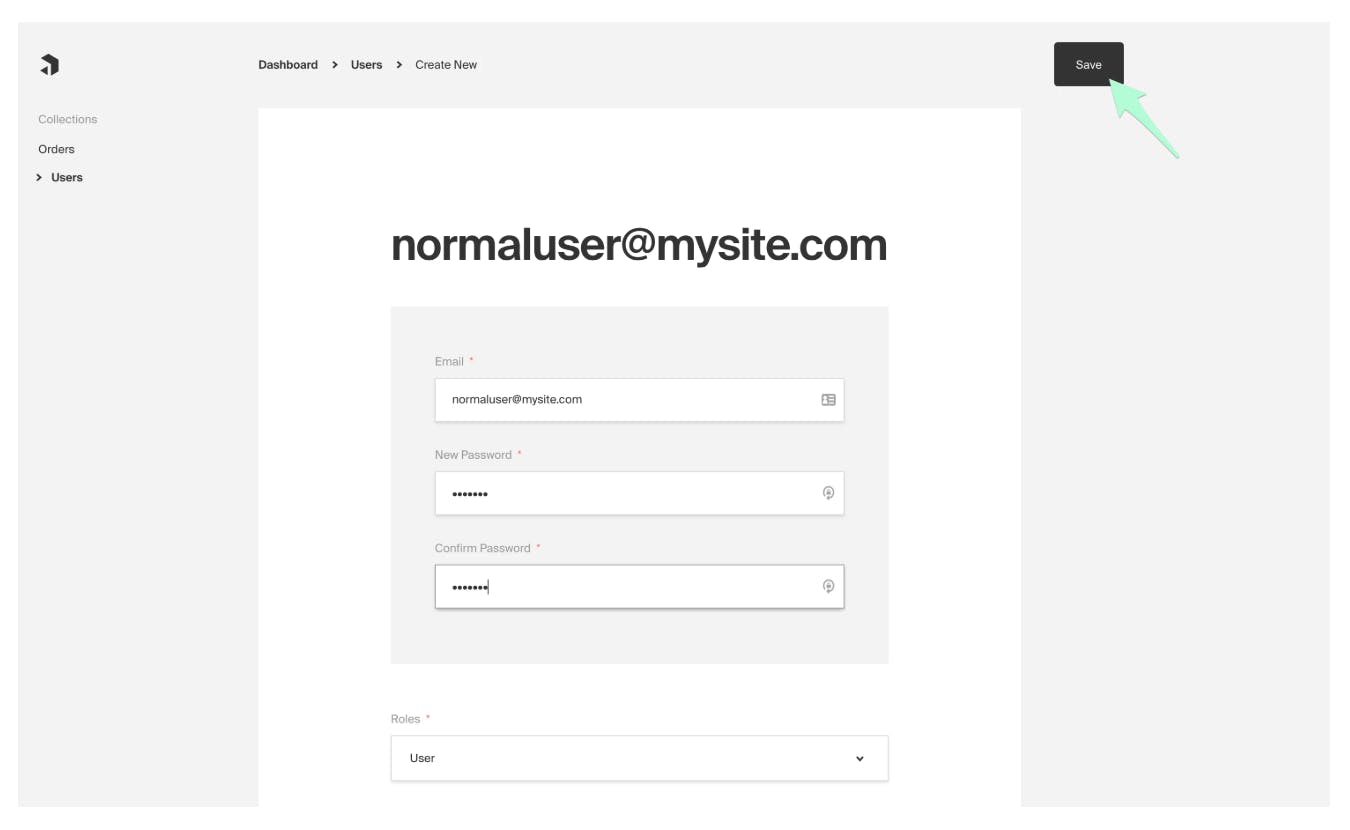
Feature Spotlight - Manage roles with SSO
Upon the first login with corporate credentials, user profiles are automatically generated, and permissions are effortlessly mapped. This streamlines user onboarding, enhances security, and ensures dynamic access control.
The bottom line
If vendor lock-in concerns you—whether that's pricing escalation, feature gates, or dependence on a proprietary system—Payload gives you complete control. It's built for organizations that want enterprise CMS capabilities without the constraints of enterprise vendors.
10. Webiny
Best for: Serverless infrastructure on AWS
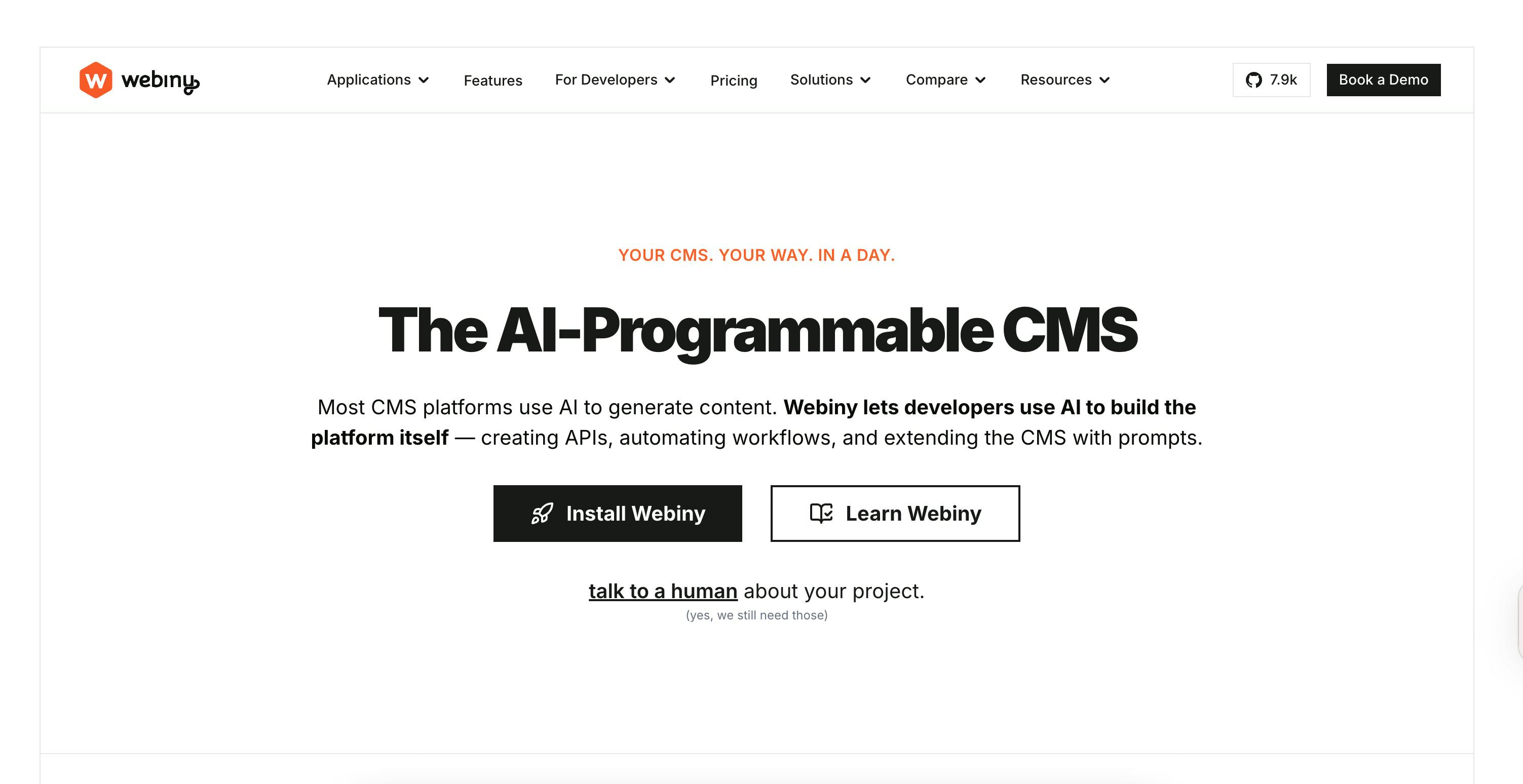
Webiny is a serverless headless CMS built specifically for AWS infrastructure. It deploys entirely into your AWS account, giving you complete control over your content infrastructure while leveraging AWS's serverless architecture for automatic scaling.
Who it's built for
Webiny works well for enterprises already standardized on AWS that need hierarchical multi-tenancy—managing content for multiple brands, subsidiaries, or business units with sophisticated tenant isolation and governance. If your organization is AWS-native and needs FedRAMP compliance, Webiny's architecture makes that achievable.
Why it works at scale
- It deploys to your AWS account. Webiny doesn't host your content—you do, in your own AWS infrastructure. This gives you complete data sovereignty and control while simplifying compliance, since your content never leaves your AWS environment.
- Hierarchical multi-tenancy. From Webiny: “The multi-tenancy feature comes with a flat hierarchy of tenants out of the box. However, in the Webiny Enterprise edition, this hierarchy can be configured to support multiple levels of depth and tenant inheritance.
- Serverless architecture scales automatically. Built on AWS Lambda and other serverless services, Webiny scales up during traffic spikes and down during quiet periods without manual intervention. You pay for actual usage, not provisioned capacity.
- FedRAMP is facilitated. By deploying to AWS GovCloud, organizations can pursue FedRAMP compliance for government projects.
What to consider
- Webiny is AWS-only. By running entirely in your own AWS (including GovCloud), you can inherit AWS’s FedRAMP controls and design Webiny as part of a FedRAMP‑authorized system, but you still must obtain your own FedRAMP authorization.
- The ecosystem is smaller than established platforms. You'll find fewer integrations, community resources, and developers familiar with Webiny compared to older CMS options.
- Learning curve. While serverless architecture provides benefits, it also requires an understanding of AWS services, Lambda functions, DynamoDB, and the rest of the stack you're deploying to.
Pricing
Webiny pricing offers a free MIT-licensed open-source edition, Business tier, and Enterprise tier. Hierarchical multi‑tenancy and SSO integrations are Enterprise/paid features, while basic multi‑tenancy and core CMS are available in the open‑source tier.
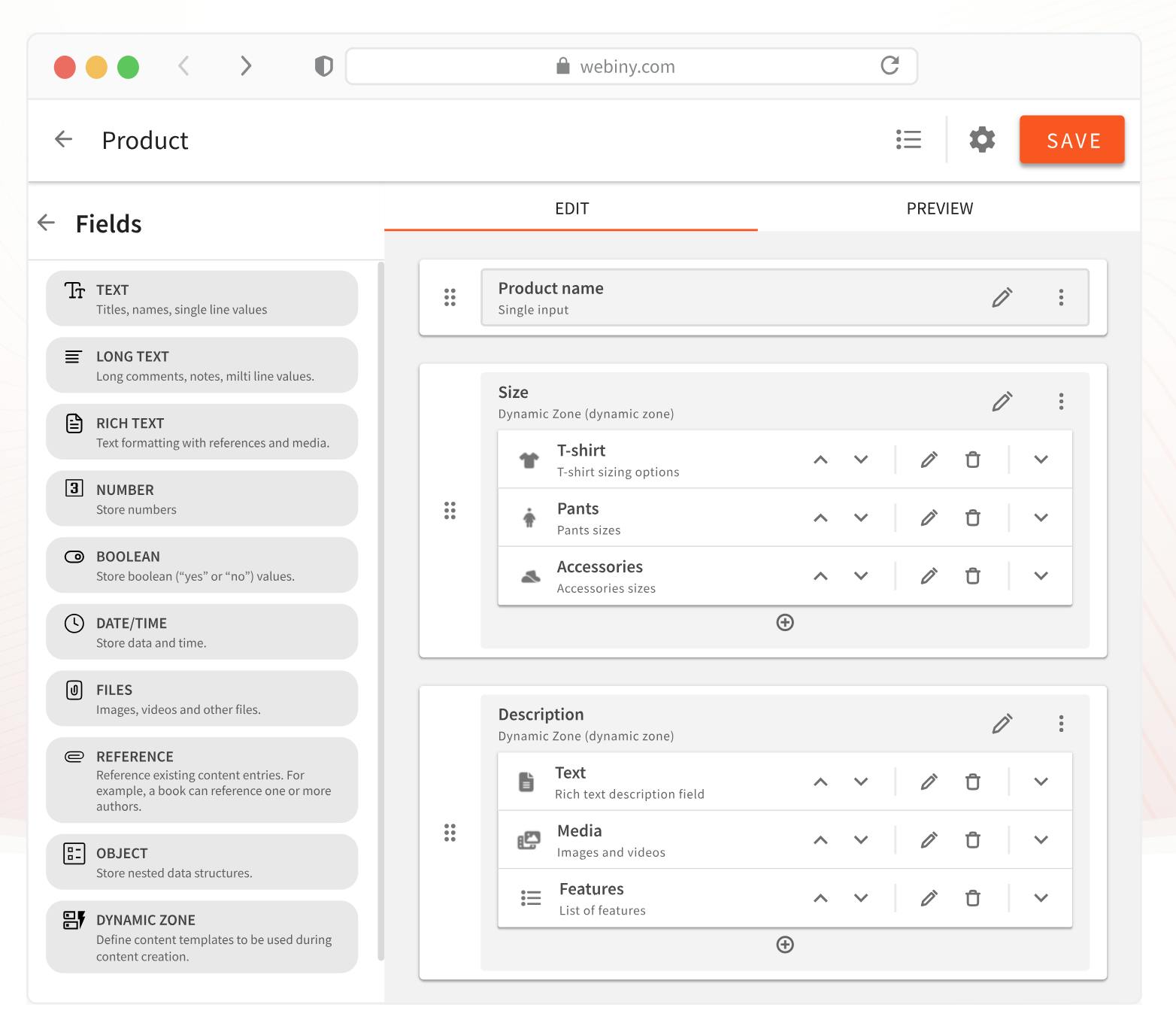
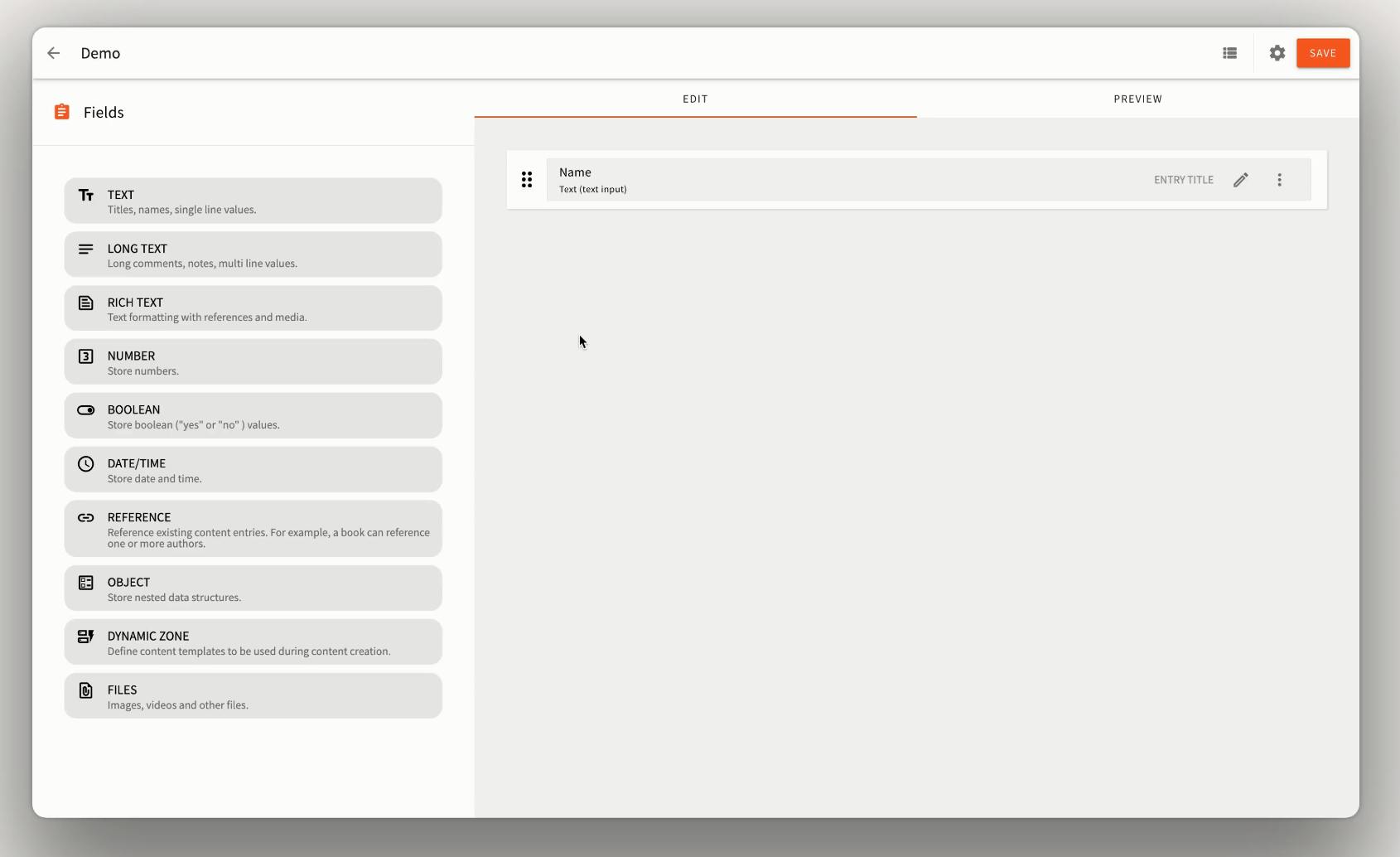
Feature Spotlight - GraphQL-Based Headless CMS
GraphQL integration gives full control and flexibility over data structures. It provides different ways to create your headless data structures, regardless of the use case, and it can be version-controlled and shared between projects if needed. Your content is organized into folders and sub-folders. Think Products, and then you have folders like Clothing > T-Shirt and Footwear > Boots.
The bottom line
If you're AWS-native and need hierarchical multi-tenancy with complete infrastructure control, Webiny is purpose-built for that architecture. It's not trying to be platform-agnostic—it's optimized specifically for AWS deployments.
How to Choose the Right Enterprise Headless CMS
Think about the architecture fit
Consider whether you need a cloud-only solution or self-hosted infrastructure. Understand the platform's multi-tenancy model and whether it aligns with your security and performance requirements. And think about your API preferences—some platforms are REST-first, others are GraphQL-native.
Calculate the real total cost of ownership
Factor in implementation time—typically three to twelve months for enterprise deployments. Account for content migration and modeling work, frontend development, integration development with your existing systems, and training costs for both technical and non-technical teams.
If you're considering self-hosted options, add infrastructure costs to your calculations. For cloud platforms, understand pricing escalation—many platforms increase costs by 15-40% annually as your usage grows.
Ask vendors the specific questions that matter
When you're talking to vendors, go beyond the marketing materials. What are the actual content entry limits before performance degrades? Can you get a HIPAA Business Associate Agreement if needed? What's their data residency model—where does your content actually live? What does their SLA actually cover, and what remedies do you get when they miss it? What implementation support comes standard, versus what costs extra?
These questions reveal how a platform performs under real-world enterprise conditions.
Don't choose for today—choose for where you'll be in 15 months
Here's a common trap: organizations choose platforms based on current needs and pain points, then realize 15 months later that they've outgrown them. Migrations are expensive, disruptive, and risky.
Ask: Can this CMS integrate with the CRM you're planning to adopt next year? Will it work with the DAM you're evaluating? Can it connect to AI engines and personalization systems as those capabilities mature?
How Headless CMS Features Transform Your Marketing Output
For marketing leaders, a headless CMS isn't just a technical upgrade—it’s a performance engine that turns digital infrastructure into a competitive advantage. By understanding how technical architecture impacts your bottom line, you can move from "managing content" to "driving growth."
Here’s how headless features transform your marketing output:
- Marketer Autonomy (Speed & SEO): Stop waiting weeks for developer tickets. A headless setup gives you the independence to launch creative landing pages and execute critical SEO updates in real-time. Speed-to-market becomes your greatest asset.
- Modular Content (The Power of Reusability): Use pre-designed, reusable content blocks to build diverse, high-converting layouts. This modularity allows you to create a wide variety of campaign pages with a "drag-and-drop" feel while staying perfectly on-brand.
- Scalability & Independence (Zero-Risk Innovation): Because the frontend and backend are independent, your developers can update systems or switch frameworks without impacting your live marketing site. This decoupling ensures high performance and stability, even during massive traffic spikes like Black Friday. And, by decoupling the frontend from the backend, developers have full control over the presentation layer—enabling optimized rendering methods, faster Core Web Vitals, and better SEO and SERP rankings.
- Headless architecture is a structural SEO advantage: By decoupling the frontend from the backend, Prismic gives developers full control over the presentation layer—enabling optimized rendering methods, faster Core Web Vitals, and better SERP rankings. Unlike traditional CMS platforms that bundle the front end, back end, and content into one slow unit.
- Single Source of Truth (Omnichannel Consistency): Manage one campaign from a central hub and push it to websites, mobile apps, and IoT devices simultaneously. You ensure a unified brand message across every touchpoint without duplicating effort.
Enterprise Headless CMS in the Next Few Years
AI is moving beyond content creation into workflow automation
AI-powered content generation gets a lot of attention, but the real operational value is in workflow automation. Real-time AI translation is already reducing localization costs and speeding up international expansion. And as structured content becomes training data for AI systems, the way you model content today influences what's possible with AI tomorrow.
Composable architecture is redefining what a CMS does
The CMS is increasingly one component within a broader digital experience platform—what Gartner defines as "an integrated set of core technologies that support the composition, management, delivery, and optimization of contextualized digital experiences." In this model, API quality matters more than feature breadth. The platforms that win aren't trying to do everything—they're focused on doing their core job exceptionally well while integrating cleanly with the rest of your stack.
Editorial experiences keep getting better
Visual editors are narrowing the gap with traditional WYSIWYG systems, giving marketers more intuitive tools without sacrificing the benefits of structured content. No-code and low-code approaches are empowering marketing teams to do more independently, reducing bottlenecks and speeding up campaign execution.
Making Your Decision
Every enterprise platform needs to meet the foundational pillars: compliance and security that satisfy your regulatory requirements, proven scale that handles your traffic and content volume, governance and workflow controls that match your organizational complexity, and collaborative tools that deliver the best and most flexible experiences with the least friction.
Treat your CMS selection as part of a broader composable architecture strategy. You're not just choosing software—you're choosing infrastructure that either reduces risk and increases flexibility, or creates new constraints you'll be working around for years.
In enterprise environments, content isn't just a marketing concern. It's infrastructure that touches every part of your digital experience. Choose accordingly.