6 Best Headless CMS Platforms for Marketers & Content Teams in 2026
 By Alison Brunk
The best headless CMS platforms for marketers and content teams in 2026 include Prismic, Contentstack, Storyblok, Hygraph, Optimizely, and Ghost.
Beyond API delivery and content storage, a truly marketer-friendly headless CMS gives your team:
- Visual editors so you can see exactly what you are publishing
- Live preview across devices and environments
- Built-in workflows and approval controls
- Flexible publishing controls, including scheduling and draft management
- The ability to build and launch no-code landing pages without touching a codebase.
This guide will cover how these six solutions compare and their unique offerings that help content teams move fast.
TL;DR (key takeaways)
- All six platforms covered—Prismic, Contentstack, Storyblok, Hygraph, Optimizely, and Ghost—go beyond basic content management, but each has a distinct strength that makes it the right fit for a specific marketing team or use case.
- Prismic stands out for its AI-powered landing page builders that allow marketing teams to scale SEO and ABM pages at speed without depending on developers for every update.
- Contentstack is the strongest option for enterprise teams that need content, customer data, and personalization unified in a single platform.
- Storyblok is best for teams that want deep, automated workflows connecting content events to tools, teams, and systems across their stack.
- Hygraph brings AI agents directly into the content workflow, handling translation, SEO optimization, and summarization automatically as content moves through approval stages.
- Optimizely is built for enterprise marketing teams that want content creation, web experimentation, and agentic AI workflows in one place.
- Ghost is the most marketer-autonomous platform on this list for publishing-focused teams, with newsletters, memberships, and analytics all manageable without any developer involvement.
How we chose our list of best headless CMS for marketers and content teams in 2026
With hundreds of headless CMS platforms on the market, we didn’t curate our list at random. We looked beyond the bare essential content teams would need, such as a WYSIWYG editor, media handling, basic publishing controls, and API delivery, and focused on platforms that, beyond basic content management, are helping forward-thinking marketing and content teams do more, move faster, and operate with greater independence.
The table below provides a brief summary of our findings; more details are provided later in the article.
Learn more about headless CMS
Explore our headless CMS guides, which cover the subject matter in detail.
Platform | Best For | Marketing & Content Strengths | Marketer Autonomy Score |
|---|---|---|---|
Prismic | Scaling SEO, ABM, and campaign pages at speed | Visual Page Builder, SEO landing page builder, ABM landing page builder | 8/10 |
Contentstack | Unifying content, customer data, and personalization | Omnichannel personalization, real-time CDP, A/B testing, timeline preview, agentic workflow automation | 7/10 |
Storyblok | Deep automated workflows across content and teams | FlowMotion, AI search and GEO readiness, personalization | 8/10 |
Hygraph | AI-agent-powered content operations | Taxonomies, content workflows, AI agents | 6/10 |
Optimizely | Continuous web experimentation and agentic AI workflows | Content Marketing Platform, Opal AI agents, web experimentation | 7/10 |
Ghost | Growing and monetizing a content audience | Built-in newsletter engine, native memberships and subscriptions, native analytics | 9/10 |
Top Headless CMS Platforms for Marketers & Content Teams
1. Prismic: Best for marketing teams that want to scale SEO, ABM, and campaign pages at speed
Prismic is a headless website builder that goes beyond decoupling content from the presentation layer. It gives developers the tools to build reusable components via Slice Machine, while giving marketing and content teams a visual Page Builder to create, manage, and publish pages independently, without drifting off-brand or raising a single developer ticket.
Marketing/content-specific strengths
Page Builder
Enables marketing and content teams to build and update pages in real time, without any developer involvement. Rather than guessing how the final page will look, editors work directly on a visual canvas, dragging and dropping sections, swapping content, and seeing results as they go.
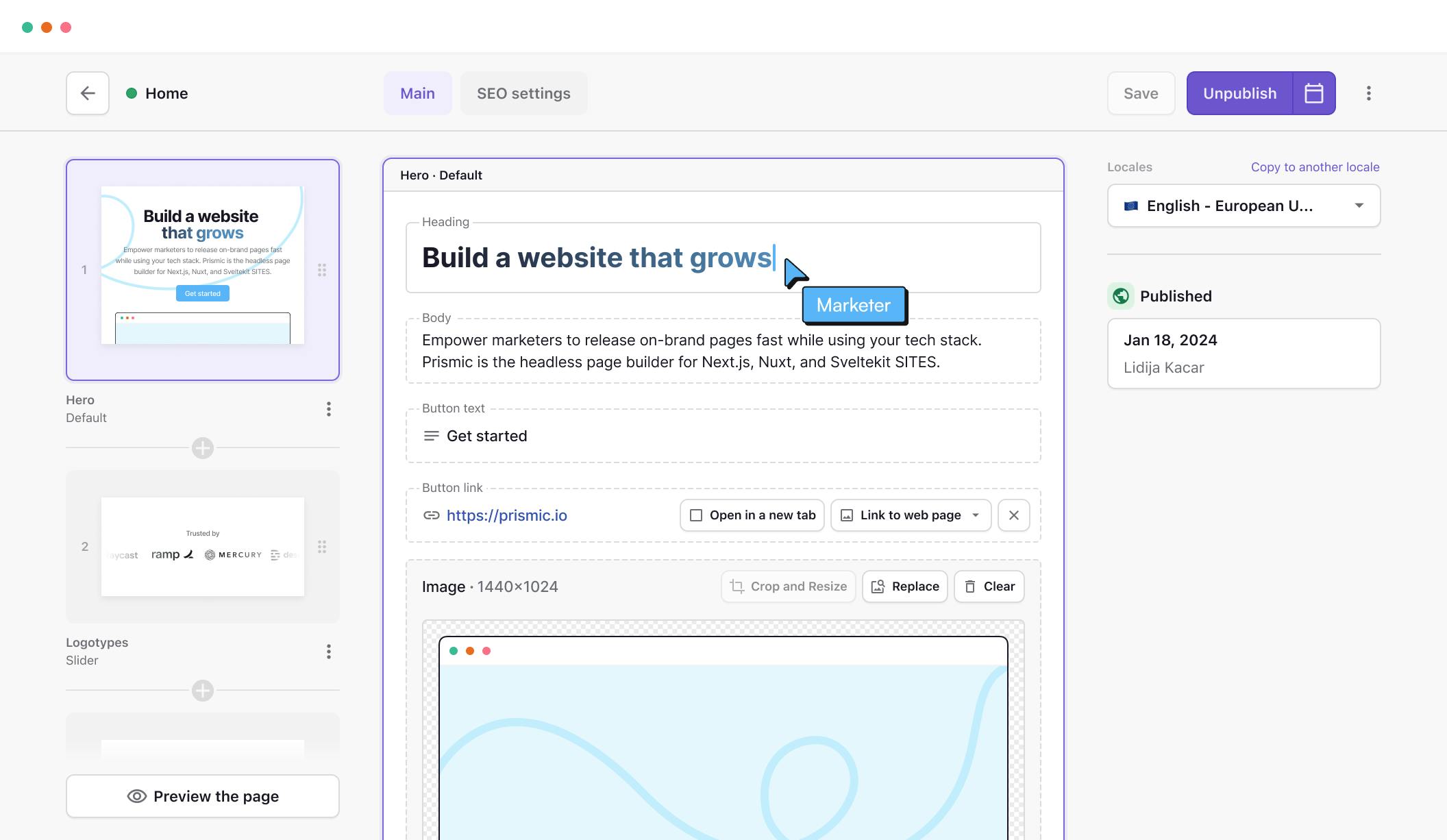
The foundation of the Page Builder is slices, which are reusable, on-brand page sections that developers build once and hand over to the marketing team to use freely. Teams can assemble new pages from their existing slice library, duplicate sections to experiment with copy or visuals, and iterate quickly without breaking the design system.
We have around 40 slices now, and a lot of them have variants. That covers almost everything. It's quite infrequent that we get a design and the content creators say that they don’t have what they need.
For marketing teams that need to move fast, whether that is launching an emergency campaign, spinning up a new landing page, or testing a new content layout, the Page Builder puts that control directly in their hands.
SEO and GEO Landing Page Builder
Search queries are getting longer and more specific, and the rise of AI-powered search is making it harder to maintain visibility with a handful of broad pages. The SEO landing page builder lets marketing teams upload a CSV of keywords, long-tail queries, and search intents, and generate hundreds of optimized, on-brand pages in hours rather than months. For teams sitting on a long list of keyword opportunities they never had the bandwidth to act on, this changes the equation entirely.
ABM Landing Page Builder
By the time a manually built ABM campaign is ready, the buying window has often already closed. With the ABM landing page builder, teams build one blueprint page, connect their account data via CSV, and let the AI generate personalized variations for each account, each with its own traceable URL.
Limitations from a marketer's perspective
- The Page Builder is only as flexible as the slice library allows. If marketers need a new page section that doesn't yet exist as a slice, they still have to go back to a developer to have it built before they can move forward.
- Prismic is built primarily for websites, so teams that need to deliver content across multiple channels, like mobile apps or other non-web touchpoints, will find it limiting compared to omnichannel-focused platforms.
Marketer autonomy score: 8/10
Once the slice library is in place, marketers can independently build, launch, and scale pages. It doesn’t score higher because marketers are still dependent on developers for initial setup and adding new slices when the existing library doesn't cover a new use case.
Pricing
- Free
- Starter ($10/month)
- Small ($25/month)
- Medium ($150/month)
- Platinum ($675/month)
- Enterprise (Custom)
2. Contentstack: Best for enterprise marketing teams that want to unify content, customer data, and personalization in one platform
Contentstack describes itself as an Agentic Experience Platform that combines a headless CMS with real-time customer data, AI-powered agents, and personalization tools. This way, instead of stitching together different vendors, you can access all these from one platform.
Marketing/content-specific strengths
- Omnichannel personalization: Marketing teams can map out and automate the journey a customer takes across different channels using a drag-and-drop canvas without needing a developer to build it out every time something changes.
- Native A/B testing and experimentation: Teams can test different versions of their content and let the platform automatically push more traffic to whichever version is performing better.
- Real-time CDP: A built-in customer data platform that lets marketing teams collect, unify, and segment their own customer data in one place, and use those segments to personalize campaigns.
- Timeline and content preview: Marketers can click forward to any future date and see exactly how the website will look once scheduled content goes live, and compare two versions side by side.
- Agentic workflow automation: AI agents run in the background, handling tasks like translations, content updates, and weekly performance summaries.
Limitations from a marketer's perspective
- The platform is built for large enterprises, so smaller marketing teams or those without dedicated technical resources will likely find the setup and ongoing management more than they bargained for.
- With so many capabilities packed into one platform, the learning curve for marketing teams can be steep, and getting the most out of it would take significant onboarding time.
Marketer autonomy score: 7/10
Once Contentstack is properly set up, marketing teams can operate with a good degree of independence. We gave it a 7/10 because the upfront setup requires real developer involvement to get the frontend, content models, and integrations configured correctly.
The more advanced capabilities, like the real-time CDP and journey orchestration, also have a learning curve, so teams will need technical support to get genuine value from them, at least initially.
Pricing
Not publicly available.
3. Storyblok: Best for marketing teams that need deep, automated workflows
Storyblok built its reputation on solving one of the most common complaints about headless CMS: that marketers get handed a platform they cannot actually use. Some platforms were built for developers first and adapted for editors later, but Storyblok was designed from the start with both audiences in mind.
Marketing/content-specific strengths
- FlowMotion: Marketers spend hours every week coordinating translations, updating tools, and more after content goes live. FlowMotion eliminates that by turning any content event into an automated workflow, so when a page is published, translations fire, the CRM updates, approvals get routed, and the team gets notified.
- AI search and GEO readiness: Storyblok's component-based architecture structures content so AI engines can crawl and understand it.
- Personalization: Storyblok supports multilingual content, regional variants, and market-specific rules without duplicating pages, and integrates with platforms like VWO, Dynamic Yield, and Optimizely for A/B testing.
Limitations from a marketer's perspective
- FlowMotion is built on top of n8n, which means marketing teams who want to set up anything beyond simple automations will still need a developer or someone technically comfortable with workflow builders to get the most out of it.
- Personalization and A/B testing are not built into Storyblok natively. They rely entirely on third-party integrations. Some of the plugins are also only available on higher-tier plans, adding to the overall cost.
Marketer autonomy score: 8/10
Storyblok gives marketers day-to-day independence, but two things keep it from scoring higher: Personalization and A/B testing require external tools that need their own setup and budget, and FlowMotion needs technical hands to configure anything beyond the basics.
Pricing
- Starter (Free)
- Growth (€99/mo)
- Growth Plus (€349/mo)
- Premium & Elite (Custom)
4. Hygraph: Best for content teams that want AI-agent-powered marketing
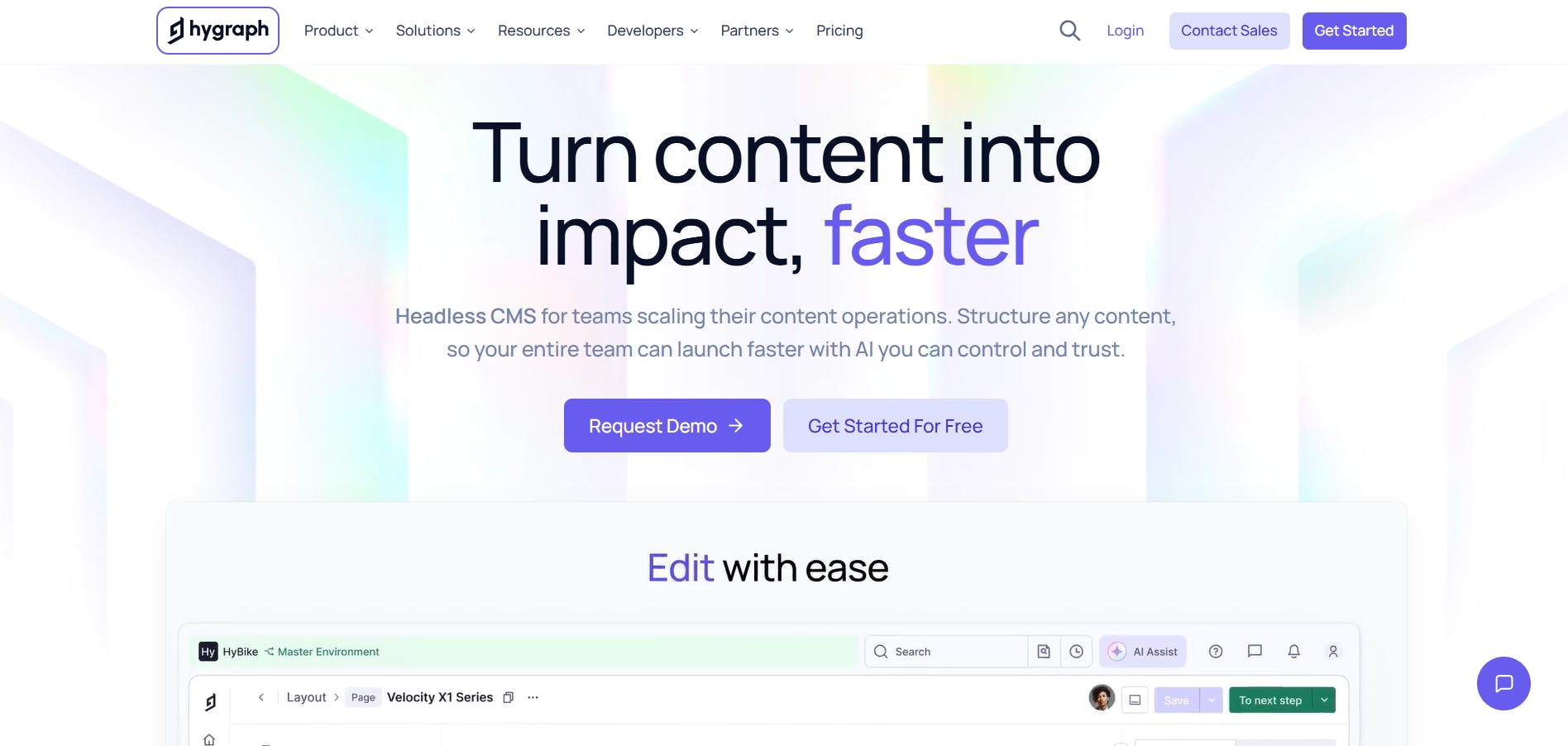
Hygraph is widely known for being one of the few headless CMS platforms built GraphQL-native from the ground up.
Marketing/content-specific strengths
- Taxonomies: Instead of tags multiplying out of control across markets and content types, Hygraph lets teams build a shared, hierarchical classification system that keeps content organized, findable, and consistent at scale
- Content workflows: Built-in workflow management that routes content through review and approval stages. Editors can see exactly where each piece of content is and who needs to act on it.
- AI agents: Autonomous systems that handle specific jobs automatically when content reaches a certain stage. There are three agents available: the Translation Agent for localizing content, the SEO and GEO Agent for analyzing content and giving recommendations before anything goes live, and the Summarization Agent for generating shorter versions of long-form content for social media, email, or executive summaries.
Limitations from a marketer's perspective
- Taxonomies and Content Workflows are only available on the Enterprise plan, so teams on lower plans cannot access them.
- Taxonomy labels cannot currently be localized in Hygraph, which is a real problem for marketing teams managing content across multiple languages.
- Content Workflows don’t have a native notification system, so developers must set up external webhooks so content teams can receive Slack or email alerts when content moves between stages.
Marketer autonomy score: 6/10
The features that matter most to content teams are locked behind the Enterprise plan. Developer assistance isn’t needed to set up workflows and taxonomies, but a developer must help configure webhook-based workflow notifications.
Pricing
- Hobby (Free)
- Growth ($199/month)
- Enterprise (Custom)
5. Optimizely: Best for enterprise marketing teams running continuous web experimentation and agentic AI workflows across the full content lifecycle
Optimizely is a full digital experience platform built around one idea: that marketing teams should be able to create content, test it, personalize it, and measure its impact without waiting on developers or switching between different tools.
Marketing/content-specific strengths
- Content Marketing Platform: A single workspace where marketing teams can plan campaigns, manage content requests, create content, run approval workflows, and publish to any downstream channel. It comes with multi-view calendars so everyone can see what’s in process and what’s ahead.
- Opal AI agents: Pre-built AI agents that autonomously handle various marketing tasks. There are over 45+ agents, including ones for generating blog posts and auditing web pages for GEO. You can also create custom ones to suit your needs.
- Web Experimentation: A no-code solution for building and running A/B tests. It comes with an AI system that suggests test ideas, helps create variations, and summarizes results.
Limitations from a marketer's perspective
- Optimizely is a large platform with many moving parts, which can be overwhelming for new users. Your marketing team may be using only a fraction of what they pay for if they don’t have the resources to learn it fully.
- Despite the no-code interface, developer involvement is still needed for deeper customization, advanced testing configurations, and complex integrations.
Marketer autonomy score: 7/10
For day-to-day content and campaign work, marketers can operate independently. It gets a 7 because the platform's depth means marketing teams will eventually run into things they cannot do without technical help.
Pricing
Not publicly available.
6. Ghost: Best for publishers, creators, and content-led businesses that want to grow an audience and monetize
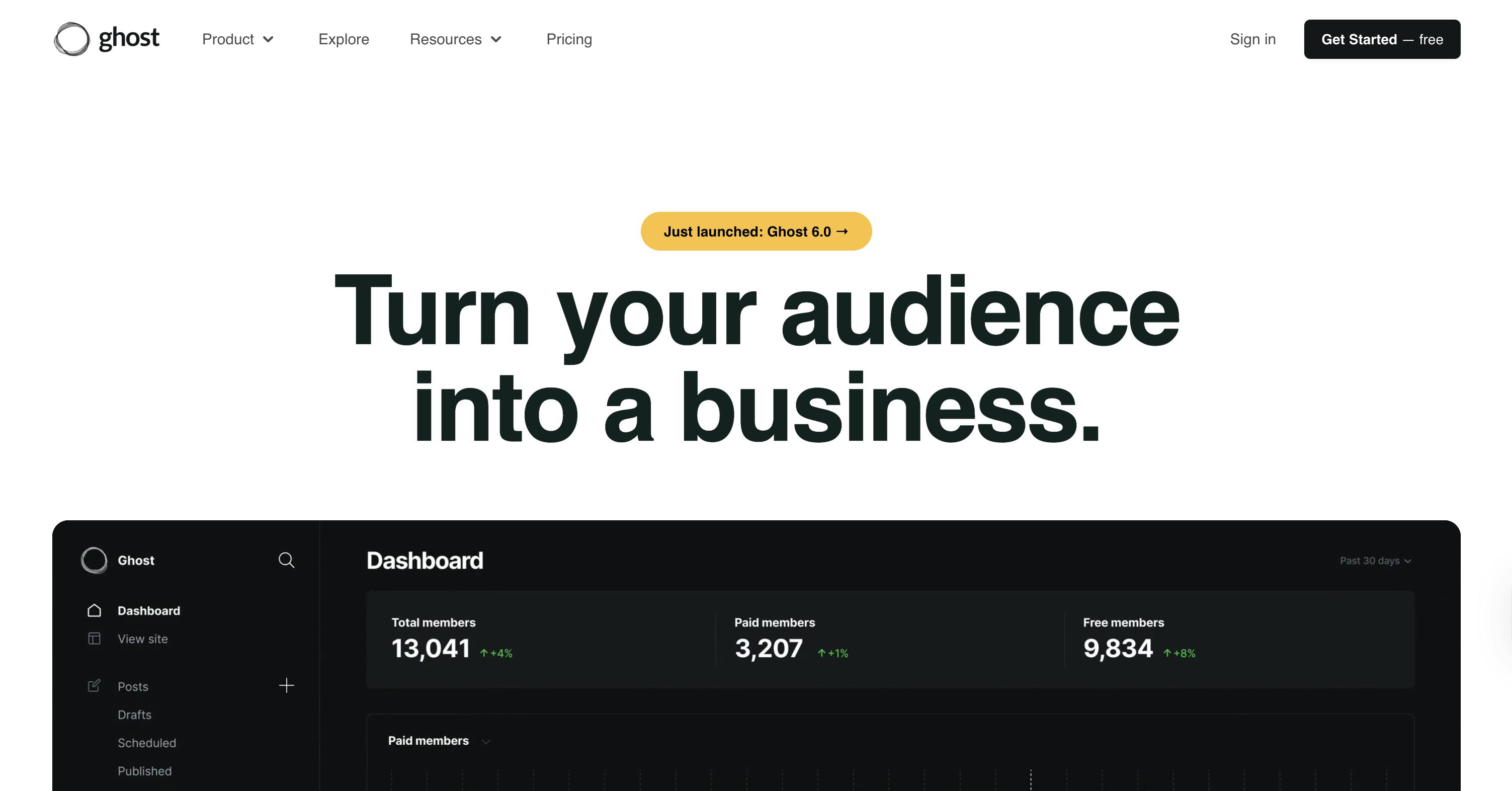
Ghost is not a traditional headless CMS in the same way as the other platforms on this list are. This open-source solution is built specifically for professional publishers, content creators, and media businesses that need to publish content, grow an audience, and monetize it, all from one place.
Marketing/content-specific strengths
- Built-in newsletter engine: Content teams can publish to the web and deliver the same content as an email newsletter. The platform provides built-in audience segmentation, so different subscriber groups can receive newsletters tailored to their preferences.
- Native membership and subscriptions: Ghost has built-in tools to turn anonymous visitors into signed-up members and paying subscribers, with free and paid tiers, promotional offers, and discount campaigns.
- Native analytics: Content teams can see exactly what content is getting the most attention, who their most engaged readers are, and how their audience is growing
Limitations from a marketer's perspective
- Ghost does one thing really well: publishing. Its not a good fit if you want to deliver content beyond websites and newsletters.
- It is not built for enterprise content operations. Teams that need multi-stage approval workflows, multi-brand governance, or serious content management at scale may struggle with Ghost.
- Ghost teams are built with Handlebars, and customizing their design requires developer involvement.
Marketer autonomy score: 9/10
Ghost enables marketers to publish content, send newsletters, segment their audience, manage memberships, run promotions, and track performance without ever needing a developer. The only reason it does not hit a perfect 10 is that the design customization still needs a developer.
Pricing
- Free (self-hosted)
- Starter ($15/month)
- Publisher ($29/month)
- Business ($199/month)
- Custom (Custom).
Note: Ghost’s pricing structure is audience-based, so you pay more as your audience grows.
Deliver a fast website with a visual Page Builder
Prismic is a headless solution, with a visual Page Builder for your marketing team to release pages independently.

The marketer vs. developer CMS divide (and how to bridge it in 2026)
A main point of friction between developers and marketers is choosing a headless CMS that does not meet the needs of both stakeholders.
Developers prioritize API flexibility, content modeling, and infrastructure control. Marketers need publishing independence, visual editing, and the ability to launch campaigns without depending on an engineering backlog.
Getting that balance right is important. Once you do, here other few other things to keep in mind to further improve collaboration between both teams:
- Be clear upfront about which tasks marketers own and which ones need developer input
- Make sure the initial setup, including components and content models, is built with marketing use cases in mind.
- Keep communication between both teams clear so that requests are easy to understand and act on.
- Revisit the setup regularly as your marketing needs grow and change.
- Align both teams around shared metrics like publishing speed, campaign launch times, and content performance.
- Document which parts of the CMS are off limits for non-technical users, so marketers know exactly where they can work independently.
- Treat CMS onboarding as a joint exercise, not just a developer handover, so marketers understand how and why the platform is set up the way it is.
- Include both teams when evaluating new features or integrations, since a decision that works for developers does not always work for marketers and vice versa.
The CMS capabilities set to transform content operations in 2026
CMS platforms are consistently innovating, which in turn improves how marketing and content teams operate. Below are some of the capabilities that are set to redefine what modern content operations look like in 2026 and beyond.
AI that handles the repetitive work so teams can focus on strategy
Almost all platforms, if not every one, have integrated AI into their systems to streamline activities like:
- Writing and optimizing metadata, including page titles, descriptions, and alt text.
- Tagging and categorizing content entries automatically based on topic and context.
- Generating first-draft content variations for different audiences, channels, or regions.
- Translating content into multiple languages without leaving the editor.
- Summarizing long-form content into shorter formats for different publishing contexts.
- Suggesting SEO improvements and flagging content that needs updating.
- Auto-generating image captions and accessibility descriptions for media assets.
- Identifying content gaps based on existing published material.
This frees content teams from time-consuming operational tasks so they can focus on higher-priority work.
GEO tools that optimize content for AI-driven search, not just Google
AI-driven search has become more important than ever, as tools like ChatGPT and Google AI Overviews now influence how audiences discover and consume content.
Beyond traditional SEO, content teams need to optimize for generative engines that pull answers directly from structured, authoritative content.
Forward-thinking CMS platforms are beginning to build Generative Engine Optimization (GEO) capability directly into their editors and content workflows through features like:
- Schema markup and structured data support built into the publishing interface.
- Content scoring that evaluates how well a piece is likely to perform in AI-generated answers.
- Guidance on writing in formats that AI search engines are more likely to surface, such as clear definitions, concise answers, and well-structured headings.
- Visibility into how content is being picked up and cited by AI search tools.
Agentic automation that runs content operations in the background
Unlike standard AI use cases, where you have to prompt the system to act, agentic AI operates autonomously in the background. It can handle complex, multi-step operations from start to finish with little or no human intervention.
In practice, this means content operations—such as the ones below—that used to take weeks can now be completed in hours.
- Scanning content inventories for broken links, missing metadata, and outdated entries, and flagging or fixing them automatically.
- Running translation and localization workflows end-to-end across multiple markets without manual handoffs.
- Auditing content against brand guidelines and compliance rules before anything goes live.
- Triggering review and approval cycles automatically at the right workflow stage.
- Updating metadata, restructuring content models, and executing bulk changes across large inventories.
- Monitoring content performance and surfacing recommendations on what to update, retire, or create next.
Conversational content management via embedded AI chatbots
Managing content inside a CMS has traditionally meant navigating menus, filling in fields, and knowing where everything lives.
Over time, we can expect to see more platforms introduce natural language interfaces that let content teams type commands like “find all blog posts that haven't been updated in six months” or “create a new landing page using the summer campaign template” and get results instantly, without clicking through multiple screens.
Recap and next steps
More than ever, marketers and content teams are under extreme pressure to do more with less and deliver peak results and performance. The last thing they need is a CMS that holds them back.
So far, we have explored some of the best headless CMS platforms for marketers and content teams in 2026 and seen their advantages and limitations for marketing and content operations. Each platform has its strengths, and the right choice will ultimately depend on the needs, size, and resources of your team.
If you are looking for a headless CMS that gives your content team genuine publishing independence, Prismic is worth exploring. With its slice-based Visual Page Builder, AI-powered landing page tools, and an editor experience built for non-technical users, it is designed to help marketing teams move fast without depending on developers for every update.
You can get started with Prismic for free or book a demo with our product experts for a more guided experience.