
Tailwind CSS simplifies the process of adding motion to your designs with its utility-first approach and prebuilt animation classes. In this article, we’ll showcase various animation examples you can implement using Tailwind CSS, demonstrating how easy it is to bring your designs to life.
Tailwind CSS vs. Bootstrap
Learn about how Tailwind CSS compares with Bootstrap and how to choose the right CSS library for your project.
Tailwind CSS classes that power animations and transitions
Let’s explore some of its classes that allow developers to create stunning animations and smooth transitions with minimal effort.
transition: Enables transition effects for propertiesease-linear,ease-in,ease-out,ease-in-out: Define the timing functionsduration-{time}: Specifies the transition duration (e.g.,duration-150,duration-500)delay-{time}: (e.g.,delay-200for 200ms)transition-opacity: Targets changes in opacitytransition-transform: Targets transformations like scaling or rotatingtransition-colors: Focuses on color changestransition-shadow: Smoothens box-shadow adjustmentsanimate-spin: Rotates the element in a circular motionanimate-ping: Creates a fading pulse effectanimate-pulse: Simulates a pulsing fade in/outanimate-bounce: Bounces the element up and down
How to create custom Tailwind CSS animations
Tailwind CSS is a flexible library that allows you to define custom animations, keyframes, durations, transitions via the extend object of its configuration file. Let’s explore how to create a custom glow effect animation from scratch.
1. Open your Tailwind CSS configuration file
Ensure you have a tailwind.config.js file in your project. If not, generate it using:
npx tailwindcss init2. Define custom keyframes
Define the animation keyframes under the keyframes object — which is inside the extend section of the theme object — and link them to an animation under the animation property. Here are the keyframes for the glow effect:
module.exports = {
  theme: {
    extend: {
      animation: {
        glow: 'glow 1.5s infinite',
      },
      keyframes: {
        glow: {
          '0%, 100%': { boxShadow: '0 0 10px #ff00ff' },
          '50%': { boxShadow: '0 0 20px #ff00ff' },
        },
      },
    },
  },
3. Add the Tailwind class
After adding the glow animation, use it in your HTML file by applying its class, animate-glow, in this case, to your HTML element. Here’s the glow effect applied:
<div class="animate-glow bg-pink-500 p-5 rounded-lg">
  Glowing Box
</div>
4: Customize animation duration, delay, and iteration
You can tweak the glow animation further by using Tailwind's utilities like duration-*, delay-*, or repeat-*. . Example:
<div class="animate-glow duration-1000 delay-200 bg-green-500 p-4 rounded">
  Glowing Box
</div>
Now, let’s dive into the examples, starting with ones using Tailwind’s predefined animation classes.
Tailwind CSS animations using built-in animation classes
1. Spin animation
Spin
Interactive CodePen loads when it gets near the viewport.
The spin animation relies on Tailwind’s animate-spin class. It creates a spinning effect and is useful for creating loading icons.
2. Ping animation
The spin animation relies on Tailwind’s animate-ping class. It produces a pulsing effect, which is great for drawing people’s attention to specific parts of a web page.
3. Pulse animation
Pulse
Interactive CodePen loads when it gets near the viewport.
The spin animation relies on Tailwind’s animate-pulse class. It simulates a subtle fading effect, commonly used for skeleton loaders.
4. Bounce animation
Bounce
Interactive CodePen loads when it gets near the viewport.
The spin animation relies on Tailwind’s animate-bounce class. It creates a bouncing effect, perfect for call-to-action buttons or icons.
Tailwind also provides an animate-none class for disabling animations.
Tailwind CSS text animations
5. Text reveal animation
Tailwind animation
Interactive CodePen loads when it gets near the viewport.
The text reveal animation by rhistoba showcases a button that causes the “Hello World” text to pick. It is a simple but playful interaction to add to a website.
6. Typewriter animation effect
Typewriter animation effect
Interactive CodePen loads when it gets near the viewport.
The typewriter animation effect by Samuel Dawson is an implementation of the classic typewriter effect. Only this time, it's powered by Tailwind.
7. Jumping button text
Jumping button text
Interactive CodePen loads when it gets near the viewport.
The jumping button text animation by Chitranshu creates a “Message” text that continually jumps in a wave-like pattern. This type of animation will work well as a loading indicator.
8. “Coming soon” text
Coming soon text
Interactive CodePen loads when it gets near the viewport.
The “coming soon” text animation by Samuel Abera features text with dynamic colors, blur, and a reflection that flickers on and off. It’ll definitely make your text stand out and catch people’s attention.
9. “Coming soon” text 2
Coming soon text 2
Interactive CodePen loads when it gets near the viewport.
The coming soon text 2 animation by Samuel Abera pushes the creative boundaries of what’s possible with Tailwind. It has a masked text with a moving background and a gear-like element oscillating vertically along with the blue background.
Build a full website with Tailwind CSS, Next.js, GSAP, and more!
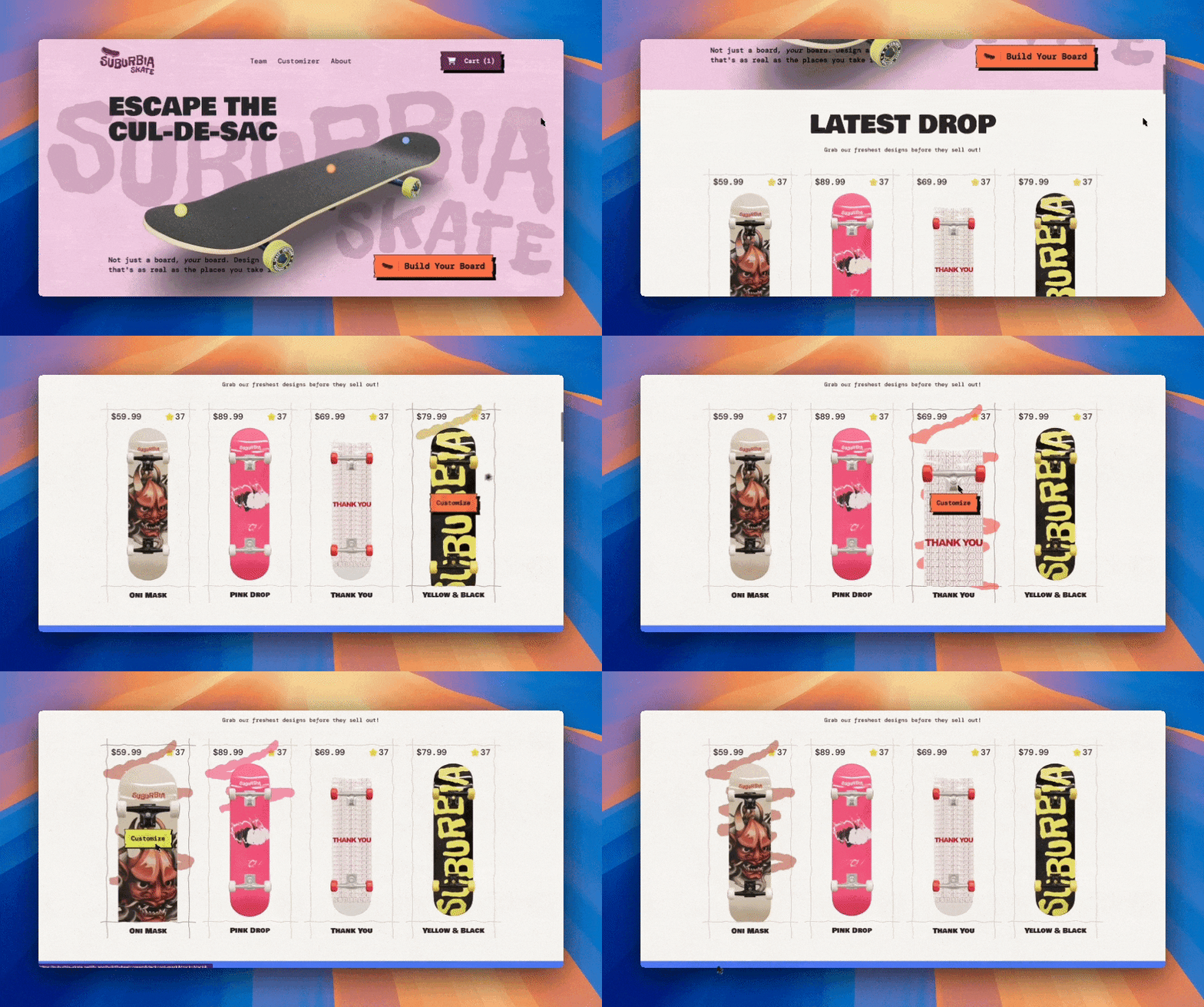
Take your animations to the next level with 3D interactions. In this creative course, we build a customizer app and landing page with real-time animations using Next.js 15, GSAP, Prismic, Three.js, Tailwind, and TypeScript!
Tailwind CSS button animations
10. Disabled button
tailwind animation buttons disabled
Interactive CodePen loads when it gets near the viewport.
The disabled button animation by Victor Alberto features a button that becomes disabled on click. At the same time, a loading spinner appears next to the button’s text.
11. Loading spinner buttons
Loading spinner buttons
Interactive CodePen loads when it gets near the viewport.
The loading spinner buttons by Abhiraj combine custom CSS styles with Tailwind’s classes to create 4 types of loading spinner buttons. It also comes with some extra flavor — a dark-mode toggle.
12. Tailwind buttons scale
tailwind buttons
Interactive CodePen loads when it gets near the viewport.
The tailwind buttons animation by Sher is a simple animation showcasing three buttons that scale up on hover using the scale-105 class (docs).
13. Tailwind buttons hover
Tailwind Animations
Interactive CodePen loads when it gets near the viewport.
The Tailwind buttons animation by Daniel Omoto showcases five buttons that display different types of animations that trigger on hover. Check them out if you’re looking to spice up your CTA buttons.
14. Spinning icon button
UI ENG 101 / W2L6 / BTN using tailwind animations
Interactive CodePen loads when it gets near the viewport.
The spinning icon button animation by HWBUK showcases a button with a subtle loading spinner inside it. This is a great animation for developers looking to add a minimal amount of animation to their apps and sites.
15. Switching button text
Switching button text
Interactive CodePen loads when it gets near the viewport.
The switching button text animation by andresandaar switches its text from “Hover me” to “Thank you! on hover.” At the same time, the top and button border of the button connect.
Tailwind CSS card and image animations
16. Image hovering
DEMO: Tailwind Animation - Move when Hovering
Interactive CodePen loads when it gets near the viewport.
The image hovering effect by Hsins features an image that moves aside to reveal a card underneath it. To spice things up a bit, consider adding it to your blog cards.
17. Empty state card icons
UI ENG 101 - W3L2 - Empty State
Interactive CodePen loads when it gets near the viewport.
The empty state card icons animation by HWBUK presents three cards that “break up” on hover, going their separate ways.
18. Image opacity effect
Tailwind animations
Interactive CodePen loads when it gets near the viewport.
The image opacity effect by Sergey Mochalov features an image that gradually becomes clearer when hovered over.
19. Mix-blend mode animation
ManzDev + mix-blend-mode + animations
Interactive CodePen loads when it gets near the viewport.
The mix-blendmode animation by Manz showcases four images moving in different directions. I particularly like the picture of the person who slides into the purple frame.
20. Animated Tailwind cards
Animated Tailwind cards
Interactive CodePen loads when it gets near the viewport.
The animated Tailwind cards animation by Prajwal Hallale showcases three cards with different animations that run on hover.
21. Animated image cards
Animated image cards
Interactive CodePen loads when it gets near the viewport.
The animated image cards animation by Michael Andreuzza also showcases some cards with animations that trigger on hover.
Tailwind CSS SVG animations
22. Tailwind animation by Sam Provenza
tailwind animation
Interactive CodePen loads when it gets near the viewport.
The tailwind animation by Sam Provenza features an SVG element with “wings” that stagger into view one after the other.
23. Tailwind SVG animation
UI ENG 101 - W4 - SVG Animations
Interactive CodePen loads when it gets near the viewport.
The Tailwind SVG animation by HWBUK features a “writing” SVG icon with a pen that slides in on hover.
Other Tailwind CSS animations
24. Skeleton loading screens
Different Skeleton Loading Screens
Interactive CodePen loads when it gets near the viewport.
The skeleton loading screens by Vincent display four loading skeletons, which can aid the user experience while a page or parts of your application load into view.
First time here? Discover what Prismic can do!
Build locally with your preferred tech stack and spend less time fixing, and more time shipping.

25. Expanding form
Untitled
Interactive CodePen loads when it gets near the viewport.
The expanding form effect by jverast demonstrates an input field that expands to its full length when clicked.
26. Disappearing bird
tailwind animation 1
Interactive CodePen loads when it gets near the viewport.
While it’s not the most serious animation we’ve seen — or will see — the disappearing bird animation by rhistoba shows a bird that toggles in and out of view when the button is clicked. Yes, I only added it because it's cute. 🙃
27. Framer Motion + Tailwind CSS animation
Low Fidelity FramerMotion && Tailwind animation
Interactive CodePen loads when it gets near the viewport.
This animation by Martin Hansson combines the React-based animation library, Motion, and Tailwind to create an accordion, with each accordion having a toggle switch inside it.
28. Splitscreen Tailwind CSS animation
Splitscreen Tailwind animation
Interactive CodePen loads when it gets near the viewport.
The splitscreen Tailwind animation by Patrick Wendt features a screen that’s split in two. When the white box is clicked, the white section becomes dominant; when the black box is clicked, the black section gains dominance.
29. Tailwind animations demo
Tailwind animations demo
Interactive CodePen loads when it gets near the viewport.
The Tailwind animations demo by Adam Whitlock features a colorful display of bubbles with different types of animation applied to them. It can serve as inspiration for moving backgrounds — if you’re into creative websites like that.
30. Tailwind marquee
Tailwind marquee
Interactive CodePen loads when it gets near the viewport.
The marquee animation by Anonymous creates a marquee-like element with different boxes. You can reuse it for the logos section of your portfolio.
31. 3D box
3D box
Interactive CodePen loads when it gets near the viewport.
The 3D box animation by Samuel Abera features a rating 3D box that simply rotates on and on — that’s about it.
32. Walking Boba
Custom Tailwind Animation - Walking Boba
Interactive CodePen loads when it gets near the viewport.
The walking Boba animation by Anne shows a humanoid Boba tea character swinging its arms and legs. I’m not sure how you’d use this, but it’s definitely fun to see.
33. Bubble background animation
Bubble background animation
Interactive CodePen loads when it gets near the viewport.
The bubble background animation by Anonymous is another great option for your website’s background. It features different-sized bubbles that slide in from beneath the page. I find it very calming and soothing and could look at it for hours.
34. Sticky full page slides
Sticky full page slides
Interactive CodePen loads when it gets near the viewport.
The sticky full-page slides animation by Laurits has a scroll + parallax effect, in which the different pages snap into and out of view as the user scrolls.
35. Collection of fade animations
Collection of fade animations
Interactive CodePen loads when it gets near the viewport.
This collection of fade animations showcases various types of fade animations.
36. Collection of slide animations
Collection of slide animations
Interactive CodePen loads when it gets near the viewport.
This collection of slide animations showcases various types of slide animations.
37. Collection of zoom animations
Collection of zoom animations
Interactive CodePen loads when it gets near the viewport.
The collection of zoom animations showcases various types of zoom animations.
38. Collection of flip animations
Collection of flip animations
Interactive CodePen loads when it gets near the viewport.
The collection of flip animations showcases various types of flip animations.
Tailwind CSS animation tools and libraries you should know
39. Tailwind CSS Animated

Tailwind CSS Animated is a library of extended animation utilities for Tailwind CSS. This plugin provides various pre-built CSS animations to quickly add to your projects. It also comes with a configuration editor for defining custom animations — and their properties — and copying the corresponding classes.
40. Rombo

Rombo provides an animation library for Tailwind CSS. All animations are built to be beautiful, performant, and accessible. It provides tens of preset animations and allows you to create custom ones. Notable features of Rombo include:
- Allows you to export code to Tailwind CSS, Framer Motion, GSAP, and more
- Provides a visual editor via its Chrome extension
41. TW Elements

TW Elements is an open-source UI toolkit. Besides providing 500+ UI components, it has 20+ animations available.
Conclusion
We’ve explored various animations powered by Tailwind CSS, from the simple types to the calming and complex ones. Hopefully, you’ve gained some inspiration and will use a few in future projects. Always remember to ensure your animations are performant and accessible to users with disabilities.
Lastly, explore the following resources to learn more about Tailwind CSS:
- 9 Best Tailwind Component Libraries and How to Choose One
- Tailwind CSS vs. Bootstrap: Which is better?
- Integrate and Customize Tailwind CSS Dark Mode in a Next.js Project
Happy learning and building!